Example: bankruptcy
DS2208 Digital Scanner Quick Start Guide (en)
LED Devices Classified as 'EXEMPT RISK GROUP' according to IEC 62471:2006 and EN 62471:2008. Pulse duration: 9 ms. Power Supply Use ONLY a Zebra approved UL LISTED ITE (IEC/EN 60950-1, LPS/SELV) power supply with electrical ratings: Output 5.2Vdc, min 1.1A, with a maximum ambient temperatur e of at least 50 degrees C. Use of alternative power
Information
Domain:
Source:
Link to this page:
Documents from same domain

ZT400 Series Parts Catalog - Zebra Technologies
www.zebra.comZT400 Series Parts Catalog _____ Replacement Components for Media Rewind Options Item Number Description Part Number Quantity 1 Media Guard for Media Rewind Spindle ZT400 Series P1058930-057 1 2 Media Rewind Spindle (includes Motor and PCBA) ZT410 (This item is only for replacing an existing media rewind spindle on a printer that shipped from ...

NOTICE OF EXPANSION - Zebra Technologies
www.zebra.comPSUs that serve as the power source for ZP models of Zebra printers ... http://www.zebra.com/power-supply-recall. ... It is strongly recommended that …

LS1203 Product Reference Guide - Zebra …
www.zebra.comASCII Character Set for USB ... The LS1203 Product Reference Guide provides general instructions for setting up, operating, maintaining, and

LS2208 PRODUCT REFERENCE GUIDE - Zebra …
www.zebra.comvi LS2208 Product Reference Guide ... ASCII Character Set ..... 5-16 Chapter 6: RS-232 Interface Introduction ...

ZC300 Card Printer - zebra.com
www.zebra.commost sensitive data during printing, such as account numbers. BOOST VALUE WITH NEW CAPABILITIES ... GLOBAL CONTACT DIRECTORY AT WWW.ZEBRA.COM/CONTACT. ... ZC300 CARD PRINTER FOR NORTH AMERICA, EUROPE, MIDDLE EAST AND AFRICA ZC300 Card Printer Specifications Continued on back MEDIA SPECIFICATIONS …

ZXP Series 9 Retransfer Card Printer Spec Sheet
www.zebra.comZXP Series 9 Retransfer Card Printer PAIRING OUTSTANDING PRINT QUALITY WITH THE FASTEST PRINT SPEEDS IN THE INDUSTRY Extending Zebra’s line of card printers, the ZXP Series 9™ is a retransfer card printer specifically engineered for high-security applications.

2022 HOSPITAL VISION STUDY - Zebra Technologies
www.zebra.comdynamic staff workflows 83% ... them with digital solutions that increase the accuracy of patient ... Enriching Staff Communications

3 Overlook Point - Zebra Technologies
www.zebra.com3 Overlook Point Lincolnshire, IL 60069 USA T: +1 847 634 6700 F: +1 847 913 8766 www.zebra.com Zebra Technologies Announces ARM® mbed™ IoT Starter Kit for Zatar IoT Starter Kit To Use Atmel®/ SMART Xplained board and kit

ZT200 Series Parts Catalog - Zebra Technologies
www.zebra.comAmericas Customer Service +01 877‐275‐9327 Page 1 November 29, 2017 ZT200 Series Parts Catalog _____ Outer Casing Components Item Number Description Part Number

Technical Paper: Zebra ZXP Series 3 Linux Printer Driver
www.zebra.comA Zebra Technologies Technical Paper 2 ... language/format of the printer via a series of filters. In this implementation, the CUPS filter converts the document from raster format to a Card printer family specific format. ... required to convert that job into something the printer understands. CUPS includes filter programs for many common ...
Related documents
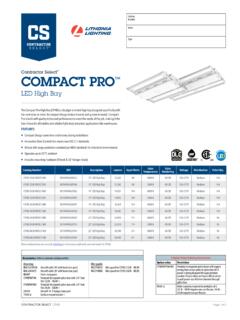
COMPACT PRO
pdmassets.azureedge.netCPHB 12LM MVOLT 40K 00194994608325 14" LED High Bay 12,261 88 4000 K 80 CRI 120-277V Medium 144 ... Ideal one-for-one replacement of conventional lighting systems such as HID and fluorescent. For use in light Industrial applications such as warehousing and other large
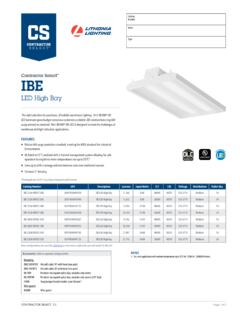
IBE
pdmassets.azureedge.netIBE 12LM MVOLT 40K 00191848491010 IBE LED High Bay 11,306 83W 4000K 80CRI 120-277V Medium 54 ... Ideal one-for-one replacement of conventional lighting systems such as HID and fluorescent. For use in light Industrial applications such as warehousing and other large

Nexys A7 FPGA Board Reference Manual - Digilentinc
digilent.comThe major improvement from the Nexys 4 to the Nexys 4 DDR is the replacement of the 16 MiB Cellular RAM with a 128 MiB DDR2 SDRAM memory. Furthermore, to accommodate the new memory, the pin-out of the FPGA banks changed as well. The audio output (AUD_PWM) needs to be driven open-drain as opposed to push-pull on the Nexys 4. 1 Functional Description
LS2208 Quick Start Guide (en) - Zebra Technologies
www.zebra.comLED Scan Window Trigger. 4 LS2208QuickStartGuide ... scan another host bar code below. *USB Keyboard HID IBM Table-Top USB IBM Hand-Held USB. LS2208QuickStartGuide 5 RS-232 IBM OPOS (IBM Hand-Held USB with Full Scan Disable) Symbol Native API (SNAPI) without Imaging Interface. ... Power up Low/medium/high beep A bar code is successfully decoded ...

2D Barcode Scanner Setting Manual
cdn.sparkfun.comUSB-HID Mode Users can choose USB HID mode and standard full-speed USB 2.0 transport protocol to get faster transmission speed. Read the following "USB HID mode" bar code, switch to USB HID mode. Windows is the standard HID device USB-HID When using Linux system, the device is / dev / hidrawx. If the HID device accessed by the
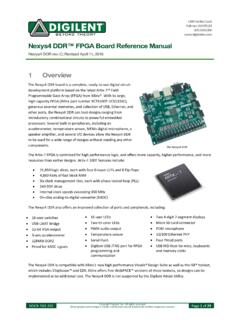
Nexys4 DDR™ FPGA Board Reference Manual - Digilentinc
digilent.comLED (LD22), driven by the “power good” output of the ADP2118 supply, indicates that the supplies are turned on and operating normally. An overview of the Nexys4 DDR power circuit is shown in Figure 2. Power Jack ( J 13 ) 3 .3 V 17 : ADP 2118 Power Switch ( SW 16 ) Power On Micro -USB LED ( LD 22 ) Port ( J 6 ) VU 5 V 0 12 IC 23 : ADP 2138 ...