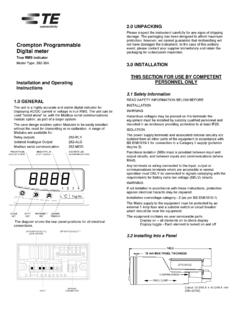
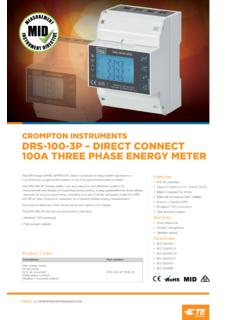
Transcription of E Integra 1630 E Operation and Set up - Crompton …
1 Reactive Import Energy Show 7 digit reading (kvarh) across 2 lines Press the key to scroll the Set up mode, value of the first digit from 0. Active Export Energy (kWh) Show 7 digit reading E. The top row shows an through to 9, the value will wrap across 2 lines Integra 1630 abbreviation of the parameter name, the middle row shows the Reactive Export Energy Show 7 digit reading E. from 9 round to 0. For this example, set it to 1'. Enter the four-digit password using the method described in (kvarh) across 2 lines Section : Number Entry Press the >> key to confirm the Operation and Set up parameter value being set and the bottom row is used for Screen Middle Line Lower Line setting and advance to the next Procedure. Tyco Electronics UK Ltd, Freebournes Road digit. Witham, Essex, CM8 3AH, England confirmation of the entered Demand Total Active Total Import value. In general, the key On some screens, the digit Tel: +44 (0) 870 870 7500 (Import power and the import Import Power Current Fax: +44 (0) 870 240 5287 changes a parameter value and range may be restricted to E-Mail: current integrated over the Demand Demand prevent out of range entries.)
2 Example: The PT/VT the >> key confirms a value and First digit First digit defined period. (kWD) (AD). primary voltage moves on to the next screen. Caution: Risk of Danger Maximum Demand Maximum Maximum confirmation screen. Use the key to set the These instructions contain important (The highest values reached Active Import Total On pressing >> to confirm the second digit to the required safety information: Read before starting Start Up Screens for import power demand Power current last digit, the Confirmation value. and the import current Demand Demand screen will appear, provided the installation or servicing of the Initially, when power is applied Press the >> key to confirm the demand that have been (kWD) (AD) password is correct. equipment to the Integra , start up screens selection and advance to the From the Password recorded since the unit was are shown. The first screen next digit. Repeat for the 3rd last reset) Confirmation screen, there is Caution: Risk of Electric Shock lights all the LED's and is used and 4th digits.
3 Press the >> key the option of changing the as a display LED check. The to confirm the selection. If the Screen Upper Line Middle Line Lower Line password, as described below. second screen indicates the unit accepts the entry, the Hours Run Hours run in whole hours and To proceed to the first Set-up 1 Features and Options firmware installed in the display hrn Confirmation screen will appear. screen, press >>. 1/100 hours Second digit Password Confirmation unit this is replaced by the An Ethernet port, RS485 communications port, 1 or 2 solid state default System screen. relays or Profibus port are available as optional extras. Not all At the end of the display sequence, key >> returns to the start options may be fitted to the same unit. Pre sales literature with the System Screen indicates valid option combinations and ordering codes. Not all 2 Display mode screen sequence Special screens The Confirmation screen shows the entered number on the options are available in all territories contact your sales office bottom row with all decimal If the password is incorrect, the (FuLL) mode only, please refer to section for availability information.
4 Modbus and Profibus are trademarks points showing. Password Rejected screen will Screen Upper Line Middle Line Lower Line The displayed values must be in of their respective owners. All trademarks are acknowledged appear. Press to start a System System System System the range 999 x 1000 to 9999 If the unit does not accept the Power Supplies retry or >> to exit to the Display (Default Average Average Line Total Active x 1000. Any parameter value entry, an incorrect screens. The Integra can be powered from an auxiliary or supply display Voltage Current Power outside this range will cause the password, a rejection screen that is separate from the metered supply. Versions are available Shown on (Line to Line display to show four bars in the will appear, with dashes on the to suit 100-250V 50-60 Hz and 12-48V supplies. power up) for 3 wire appropriate line. For example, bottom line. The auxiliary supply range is marked on the rear label.)
5 Systems, here, the value on the middle Password Rejected Line to line is over range. Confirmation Ethernet Option Neutral for 4 If the displayed number is correct, press the >> key to move to The Ethernet port supports Modbus TCP or Bacnet IP protocol. wire and the next Set-up screen. Setting or Changing the Password The protocol choice is fixed at manufacture. single phase If not, press the key to return to restart the number entry. The The option to change the password is only available from the RS485 Serial Option systems. first digit entry screen will appear. If the password is accepted, An Err1 represents a transient internal malfunction. If Err1 Password Confirmation screen. This optional port can be used as an RS485 Modbus RTU port, System Average % Average % the key selects "change password" instead of restarting %THD Total Total Harmonic persists, disconnect the auxiliary supply for 10 seconds. number entry. as a Johnson Controls N2 protocol slave or connected to a Screen Harmonic Distortion for Access without Password Protection remote Integra display unit.
6 Choice of reply protocol is made by the Integra on the basis of the format of request, so that a Distortion for System 3 Setting up Modbus request receives a Modbus reply, and an N2 protocol System Currents. Press to start changing the Voltages. Set up of the Integra may be carried out by using the display or password. request receives an N2 protocol reply. Integra configurator software. Integra configurator software has Where a port is available, it can be connected to a PC for control Line to Voltage Line Voltage Line 2 Voltage The password screen for the Neutral 1 to Neutral to Neutral Line 3 to it's own on line guide. first digit will appear, with the and monitoring purposes. If required, set up parameters may be manipulated directly via Voltages Neutral old password on the bottom Profibus DP 3 phase, 4 the Modbus interface. Profibus models may be temporarily line. Press >> from the Password When fitted with Profibus option, this unit provides the standard wire only.
7 Manually switched to Modbus mode for setting up. Introduction screen. The 0000. RS485 9-way D-type Connector. Up to 12 Mbit Baud Rate is Line to %THD of %THD of Line %THD of The following sections give step by step procedures for password confirmation screen will Neutral Line 1 2 Voltage to Line 3 configuring the Integra using the display. supported. appear. Password Confirmation The Profibus GSD file is available from the website: Voltage Voltage to Neutral Voltage to To access the Set-up screens, press and hold the (Adjust). %THD Neutral. Neutral. key and the >> (Next) keys simultaneously for five seconds. This 3phase, 4 displays the password entry screen. Set up the new password on the Communications protocol details wire only. Password protection can be enabled to prevent unauthorised bottom line, as described in Refer to the separate Integra 1630 communications guide access to Set-up screens. Password protection is not normally Password introduction Line to Line Voltage Line Voltage Line 2 Voltage Section : Number Entry (available online at ) for Voltages 1 to Line 2 to Line 3 Line 3 to enabled when a product is shipped.
8 The unit is protected if the Procedure. information on Modbus and other protocol implementation details Line 1 password is set to any four digit number other than 0000. On pressing >> to confirm the and register allocation Setting a password of 0000 disables the password protection. last digit, the Password Pulse Relays Line to Line Line 1 to Line 2 to Line Line 3 to Confirmation screen will appear. Voltages Line 2 3 Voltage Line 1 On completion of the last Set-up screen, the program exits Set- Pulse relays are user programmable for corresponding energy up mode and returns to the last selected Display screen. To type, pulse divisor (one pulse for every 1, 10,100 or %THD Voltage %THD. Voltage 3 phase, 3 %THD. %THD. return to the Display screens at any time during the set up Press >> again to proceed to 1000kWh/kvarh for example) and pulse width (duration). When procedures, press the and the >> keys simultaneously for the first Set-up screen.
9 First new password digit two pulse outputs are fitted, they share a common divisor value wire only. five seconds. Any set up changes that have already been made and pulse width. Line Currents Line 1 Line 2 Current Line 3. will be retained. Display Screen Current Current Line Currents Line 1 Line 2 Current Line 3 Number Entry Procedure Press >> to confirm the new The display screen is used in two main modes: display of %THD Current %THD Current When setting up the unit, many screens require the setting up of 0000 Password password. The first Set-up measured values and parameter setup. %THD %THD. a number, usually on the middle row of digits. For example, on Confirmation screen will appear. Neutral Neutral Frequency Power entry to the setting up section, a password may be required. The Press to re-edit the Display Mode Current, Current (Hz). Factor (0 to procedure is as follows: password. The first digit screen Access with Password Protection Three measured values can be Frequency (Amps).)
10 1, C = In general, press the (adjust) key to change something on the will appear again. shown, one on each row. For and Power (4wire and Capacitive current screen. Pressing the >> (next) key normally leaves the each row, the LED indicators Factor single phase and L = current screen unchanged and brings up the next screen. show the parameter being only). Inductive). The digits are set one at a time, from left to right. The decimal New password indicated and the units. Power Reactive Apparent Active point to the right of the digit (* in the picture) flashes to indicate confirmation The >> button selects display Power (kvar). Power (kVA). Power the digit that may be changed currently. It thus acts as a cursor. screens in sequence. (kW). Where the cursor coincides with a genuine decimal point on the Press from the Password display, the decimal point will flash. Introduction screen. The Tyco is a trademark. Crompton is a trademark of Password first digit entry screen Crompton Parkinson Ltd.