Example: bankruptcy
ELECTRIC DOUBLE OVEN RANGE USER INSTRUCTIONS
Keypad Feature Instructions Clock Clock This clock can use a 12- or 24-hour cycle. See “Electronic Oven Controls” section. 1. Press the Clock keypad. 2. Press “3” for AM or “6” for PM. 3. Press the number keypads to set the time of day. 4. Press the Clock keypad, START UPPER or START LOWER. Oven Light Oven cavity light
Tags:
Information
Domain:
Source:
Link to this page:
Documents from same domain
DISHWASHER USER INSTRUCTIONS - Whirlpool
www.whirlpool.comTHANK YOU for purchasing this high-quality product. If you should experience a problem not covered in TROUBLESHOOTING, please visit our website at www.whirlpool.com for additional information. If you still need assistance, call us at 1-800-253-1301.
ELECTRIC RANGE USER INSTRUCTIONS - Whirlpool
www.whirlpool.comTHANK YOU for purchasing this high-quality product. If you should experience a problem not covered in TROUBLESHOOTING, please visit our website at www.whirlpool.com for additional information. If you still need assist ance, call us at 1-800-253-1301.

REFRIGERATOR USER INSTRUCTIONS - Whirlpool
www.whirlpool.comYour safety and the safety of others are very important. We have provided many important safety messages in this manual and on your appliance. Always read and obey all safety messages. This is the safety alert symbol. This symbol alerts you to potential hazards that can kill or hurt you and others.

INSTALLATION INSTRUCTIONS AND OWNER’S …
www.whirlpool.comINSTALLATION INSTRUCTIONS AND OWNER’S MANUAL Top Mount Refrigerator Do Not Throw Away — Additional important safety information included. Para las instrucciones en español, visite nuestro sitio de internet.

MICROWAVE HOOD COMBINATION …
www.whirlpool.comMICROWAVE HOOD COMBINATION INSTALLATION INSTRUCTIONS MICROWAVE HOOD COMBINATION SAFETY This product is suitable for use above electric or gas cooking products up to 36" (91.4 cm) wide.
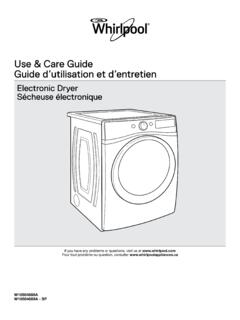
Use & Care Guide - Whirlpool
www.whirlpool.comUse the Automatic Cycles to provide the most energy savings and enhanced fabric care from the dryer. During Automatic Cycles, drying air temperature and moisture level are sensed in the load.

Use & Care Guide - Whirlpool
www.whirlpool.comW10607424B W10607425B - SP If you have any problems or questions, visit us at www.whirlpool.com Pour tout problème ou toute question, consulter www.whirlpool.ca Use & Care Guide

Use & Care Guide - Whirlpool
www.whirlpool.comW10680139D W10680140D - SP If you have any problems or questions, visit us at www.whirlpool.com Pour tout problème ou question, consulter www.whirlpoolappliances.ca Use & Care Guide Guide d’utilisation et d’entretien
WHIRLPOOL CORPORATION MAJOR APPLIANCE LIMITED …
www.whirlpool.com2/14 WHIRLPOOL CORPORATION MAJOR APPLIANCE LIMITED WARRANTY ATTACH YOUR RECEIPT HERE. PROOF OF PURCHASE IS REQUIRED TO OBTAIN WARRANTY SERVICE. Please have the following information available when you call the

ELECTRIC DRYER OWNER’S MANUAL GUIDE D’UTILISATION …
www.whirlpool.comELECTRIC DRYER OWNER’S MANUAL GUIDE D’UTILISATION DE LA SÉCHEUSE ÉLECTRIQUE Table of Contents Dryer Safety.2 Dryer Safety.2 Dryer Maintenance and Care.5 Cleaning the Dryer Location.5 Cleaning the Dryer Interior.5 Removing Accumulated Lint.5 Cleaning the Lint Screen.5 Changing the Drum Light (on some models).6 Check Your Vent …
Related documents
ELECTRIC RANGE USER INSTRUCTIONS - Whirlpool
www.whirlpool.comKEYPAD FEATURE INSTRUCTIONS CLOCK Clock The Clock uses a 12-hour cycle. 1. Check that the oven is off. 2. Press CLOCK. 3. Press TEMP/TIME “up” or “down” arrow pads to set the time of day. 4. Press CLOCK or START. OVEN LIGHT Oven cavity light Depending on your model, the oven light may be co ntrolled by a keypad on the oven control panel

DAY CLOCK USER INSTRUCTIONS - TabTimer
www.tabtimer.com.auDAY CLOCK USER INSTRUCTIONS Making Adjustments: Press the button to display the on screen menu: Please Note: Changes can only be made to the line when highlighted in brackets and underlined. Use the UP or DOWN button to highlight the line to apply changes. Use the LEFT or RIGHT buttons to underline the text for adjustment.
User Guide - KitchenAid
www.kitchenaid.comKEY FEATURE INSTRUCTIONS CLOCK/TOOLS Clock The Clock uses a 12-hour cycle. See the “Electronic Oven Controls” section. 1. Touch CLOCK/TOOLS. 2. Touch the “1” key to select Clock. Then touch the number keys to set the time of day. 3. Touch START. CLOCK/TOOLS Settings Enables you to personalize the audible tones and oven operation to suit ...
Intelli-Time Alarm Clock - AcuRite
www.acurite.comUnpacking Instructions . Remove the protective film that is applied to the LCD screen prior to using this product. Locate the tab and peel off to remove. Package Contents . 1. Alarm clock 2. Instruction Manual . IMPORTANT. PRODUCT MUST BE REGISTERED TO RECEIVE WARRANTY SERVICE

Instruction manual of Digital Alarm Clock(MX6666)
images.elmarc.nlInstruction manual of Digital Alarm Clock NIKKEI NR05WE Congratulations on your purchase of the MX6666 Digital Alarm Clock. Features of model MX6666 include: - LED Backlight for night viewing - Single Alarm with Snooze function MAIN FEATURE A. SNOOZE-LIGHT BUTTON -Press to turn on the backlight for 5 seconds

User Guide - JennAir
www.jennair.comIn some cooking modes, the user can set the cooking time while other modes have fixed times. To set a cooking time, follow these instructions. At any time, touch BACK to return to the previous screen. Touch CANCEL for the selected oven to cancel the current cycle and return to the main menu. 1. To set a cook time, first start a cooking cycle. NOTE:

TABLE OF CONTENTS TABLE OF CONTENTS 1 ... - MyFreeStyle
www.myfreestyle.comSet Day • The day blinks. Press or to set the day • Press to continue 8. Set Year • Press or to set the year • Press to save. Setup complete day month day month Performing a Blood Glucose Test 1. The test is complete when the result appears on the Open the foil test strip packet at the notch and tear down to remove the test strip. 2.