Transcription of Fast. Easy. Setup! CM-32 AC2600 Quick Start Guide
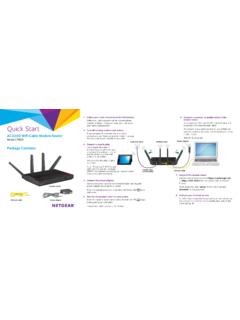
1 Fast. Easy. Setup! CM-32_AC2600 Quick Start GuideBefore you Start to set up, do the o and unplug all existing routers and modems. o the computer that will be used to activate the device. the cable service account phone number and account the coaxial cable provided by your cable service provider to connect the cable port on the CM-32_AC2600 to the cable wall outlet or a line splitter. Make sure the coax cable is properly the power adapter to the DCIN port and plug it to the power outlet. Connect the CM-32_AC2600 and your computer by the network cable provided (to minimize activation issues, use wired connection instead of wireless).Clear the web browser cache on the computer you use for your cable Internet provider s website and follow the onscreen instructions to activate your Internet service.
2 When the cable connection succeed, the Downstream and Upstream LED light page does not load, delete any default/existing DNS server settings on your computer, and then try accessing the activation page the CM-32_AC2600 still does not connect to the Internet, see your Wi-Fi device to search for the CM-32_AC2600 s Wi-Fi network name (SSID). The SSID and password are on the product label on the bottom of the your cable Internet provider by phone, When asked, provide the following information:If your CM-32_AC2600 is visible to your service provider but you still have no Internet connec-tion, reboot the CM-32_AC2600 and check online status your CM-32_AC2600 is not visible to your Internet provider or your Internet provider cannot support troubleshooting:1) Launch web browser and navigate to ) Enter default login name admin and password admin 3) Click Skip Setup Wizard 4) Go to Cable > CM debug info, click Save to create a.
3 Txt log le5) Go to System log > General log, click Save to create another .txt le6) Send the two les to and we will reply to you as soon as possibleModel name: CM-32_AC2600 Manufacturer: ASUSS erial number & MAC address: see product labelCharter X nity Warner might take 2 to 3 minutes to boot up. When the and 5G LED light white, the hardware is ready for Activate your Internet service3. Connect to the CM-32_AC2600's Wi-Fi networkActivation Troubleshooting1. To protect your network, launch web browser, navigate to , enter the default login name and password both are admin and follow the instructions to change login name and Do not connect any device to the Ethernet WAN port when using CM-32_AC2600 as a cable modem router.
4 3. Attach the four antennas to your CM-32_AC2600 for the best Wi-Fi Prepare your CM-32_AC2600 ter netLaptopCoax cable1