Example: quiz answers
Garmin DriveAssist 50
Installing the Dash Camera Memory Card Before the device can record video from the integrated dash camera, you must install a camera memory card.
Tags:
Information
Domain:
Source:
Link to this page:
Documents from same domain

GPSMAP 62 series - Garmin
static.garmin.comGPSMAP 62 Series Quick Start Manual 3 3. Replace the battery cover. For best results, after you install new batteries, update the battery type in the

EDGE® 1030 Owner’s Manual - Garmin International
static.garmin.comCharging the Device NOTICE To prevent corrosion, thoroughly dry the USB port, the weather cap, and the surrounding area before charging or connecting to

Owner’s Manual - Garmin International
static.garmin.comIntroduction WARNING See the Important Safety and Product Information guide in the product box for product warnings and other important information.

Lidar Lite v3 Operation Manual 2 and Technical …
static.garmin.com1 Lidar Lite v3 Operation Manual and Technical Specifications Laser Safety WARNING This device requires no regular maintenance. In the event that the device

Printing a Mounting Template - Garmin
static.garmin.comPrinting a Mounting Template Notice It is not recommended that you print a mounting template on your own. Use the template that came in the product box.

Important Safety and Product Information 2 …
static.garmin.comIMPORTANT SAFETY AND PRODUCT INFORMATION WARNING Failure to heed the following warnings could result in an accident or collision resulting in death or

Important Safety and Product Information 2 …
static.garmin.comImportant Safety and Product Information 2 Informations importantes sur le produit et la sécurité 3 guida Informazioni importanti sulla sicurezza e sul

Instructions - Garmin
static.garmin.com1 GLO™ GLONASS and GPS Sensor Instructions August 2012 190-01492-00_0B Printed in Taiwan

GNS 430(A) - Garmin International
static.garmin.com190-00140-00 Rev. P GNS 430(A) Pilot’s Guide and Reference i RECORD OF REVISIONS Revision Date of Revision Description A 12/98 Initial Release B 4/99 Update to conform to recent SW changes

GNS 530(A) - Garmin International
static.garmin.com190-00181-00 Rev. H GNS 530(A) Pilot’s Guide and Reference i RECORD OF REVISIONS Revision Date of Revision Description A 5/00 Initial Release B 5/01 Update to reflect software changes through 2.06
Related documents

EasySuite User Guide ENG V1.0 - u2u
www.u2u.com.tw8 2. Create new folder: Click the right mouse button in the right side list window and select “Make Directory” command from pop-up edit menu to create new folder.

Windows Driver Manual SRP-350plus - Bixolon
www.bixolon.comSRP-350plus Rev. 2.07 - 3 - 1. Manual Information This Windows Driver Installation Manual provides information on installation, detailed specifications, and usage of the printer’s Windows …

Windows compatibility overview Mutoh devices
mutoh.comTIB388: All Mutoh devices - Windows ® compatibility. Page 6. Helpful documents Cutters USB driver Install USB drivers on page 12 Check which COM port has been used for the USB communication as follows: on page 14
TRACE32 Installation Guide - Lauterbach
www2.lauterbach.comTRACE32 Installation Guide 8 ©1989-2018 Lauterbach GmbH TRACE32-ICD (In-Circuit Debugging) Host-based Interfaces This chapter describes the host-based USB and Ethernet configurations.

OUTLOOK WEB ACCESS (OWA) AND SSL VPN HOME USERS …
www.soc.mil• A USB smart card reader. Some laptops have a built-in smart card reader. If you are using a desktop, you will be required to provide a smart card reader.
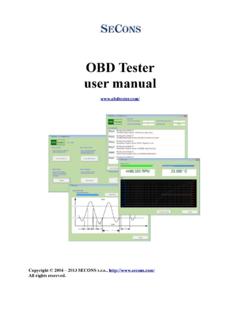
OBD Tester user manual - auto-diagnostics.info
auto-diagnostics.info1 Introduction Thank you for purchasing the ELM-USB diagnostic interface and OBDTester software. ELM-USB interface and OBDTester software are powerful and professional tools for automotive diagnosis.

SPROG IIv3 DCC Decoder Programmer User Guide
www.sprog-dcc.co.ukSPROG IIv3 DCC Decoder Programmer User Guide ... mode. ! ...