Example: quiz answers
マニュアル - GoPro
10 11 MICROSD カードの挿入 + ... の要件を満たす有名ブランドのメモリー Power/Modeカードをご使用くだ さい。 • ™microSD、microSDHC 、または microSDXC™ (別売) • 最大容量 64 GB • 最低 Class 10 または UHS-1 レート ...
Tags:
Information
Domain:
Source:
Link to this page:
Documents from same domain
MANUEL DE L'UTILISATEUR - gopro.com
gopro.com4 5 / Table des matières Utilisation des supports 91 Dépannage 95 Assistance clientèle 98 Marques déposées 98 Information réglementaire 98 L'essentiel 6

MANUEL DE L’UTILISATEUR 1 - GoPro Official …
gopro.comÀ partir de l’écran principal, appuyez sur l’icône dans le coin inférieur gauche. 2. Appuyez sur l’une des icônes de mode en haut de l’écran (Vidéo,
USER MANUAL - gopro.com
gopro.comTo download this user manual in a different language, visit ... PRO TIP: When the camera is off and QuikCapture is enabled, you can ... You can also select max video as the interval. With this option, the camera records until the memory card is full, then overwrites the content.
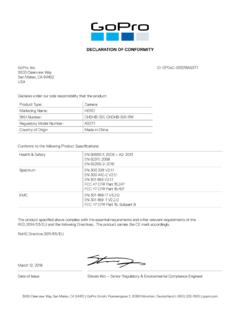
DECLARATION OF CONFORMITY - gopro.com
gopro.com3000 Clearview Way San Mateo, CA 94402 USA DECLARATION OF CONFORMITY The product specified above complies with the essential requirements and other relevant requirements of the RED 2014/53/EU and the following Directives. The product carries the CE mark accordingly.
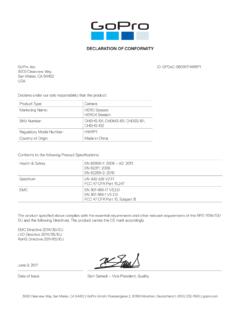
DECLARATION OF CONFORMITY - gopro.com
gopro.comGoPro, Inc. 3000 Clearview Way San Mateo, CA 94402 USA DECLARATION OF CONFORMITY The product specified above complies with the essential requirements and other relevant requirements of …

HERO 1080 INSTRUCTIONS - GoPro Official Website
gopro.comFree downloadable camera updates may be available at gopro.com. Be sure to insert an SD card into the camera or else you won’t be able to record photos or video. POWER/MODE BUTTON ˜ Front of Camera POWER/MODE button turns camera on and off and works as …
Download the User Manual at gopro.com/support
gopro.comrecording video or playing back footage on an LCD Touch BacPac. HiLight Tags help you quickly find the highlights later for easy playback, editing and sharing. *Playback only appears when the camera is connected to a TV or LCD Touch BacPac (sold separately). / Selecting Camera Modes 2. If necessary, select a different capture mode: a.

USER MANUAL - GoPro
gopro.com2 3 To download this user manual in a different language, visit gopro.com/support. Pour télécharger ce manuel de l’utilisateur dans une autre langue,

USER MANUAL 1 - GoPro
gopro.comUsing Your Camera with an HDTV 33 Connecting to the Capture App 35 Offloading Your Content 36 Video Mode: Capture Modes 39 Video Mode: Settings 41 Video Mode: Advanced Settings 48 Photo Mode: Capture Modes 50 Photo Mode: Settings 52 Photo Mode: Advanced Settings 54 Time Lapse Mode: Capture Modes 56 Time Lapse Mode: Settings 58 TABLE OF CONTENTS

Join the GoPro Movement
gopro.com3. Insert the battery. 4. Connect your camera to a USB charger or computer using the included USB-C cable. It takes about 2 hours for the battery to fully charge. The camera status light will turn off when it’s done. To learn more, see Battery Information (page 105). PRO TIP: For the fastest charging, use the GoPro Supercharger (sold separately).
Related documents

BENUTZERHANDBUCH - GoPro
gopro.comDie HERO Kamera ist kompatibel mit microSD-, microSDHC- und microSDXC-Karten mit Kapazitäten von bis zu 32 GB (separat erhältlich). Sie müssen eine microSD-Karte mit Class-10 oder UHS-1 -Geschwindigkeit verwenden. GoPro empfiehlt die Verwendung von Markenspeicherkarten für maximale Zuverlässigkeit bei hoher Vibration.