Example: marketing
INSTALLATION AIS 800 INSTRUCTIONS - Garmin
including the location of the vessel's GPS antenna. ... and download the .zip file to your computer. 2 Connect the included USB cable to your computer and the USB port on the Garmin AIS 800 device. ... 3 Double-click the .exe file, and follow the on-screen instructions. Programming the Garmin AIS 800 Before the device can be used on a boat, it ...
Tags:
Information
Domain:
Source:
Link to this page:
Documents from same domain

Instructions - Garmin
static.garmin.com1 GLO™ GLONASS and GPS Sensor Instructions August 2012 190-01492-00_0B Printed in Taiwan

EDGE® 1030 Owner’s Manual - Garmin International
static.garmin.comCharging the Device NOTICE To prevent corrosion, thoroughly dry the USB port, the weather cap, and the surrounding area before charging or connecting to

Owner’s Manual - Garmin International
static.garmin.comIntroduction WARNING See the Important Safety and Product Information guide in the product box for product warnings and other important information.

Lidar Lite v3 Operation Manual 2 and Technical …
static.garmin.com1 Lidar Lite v3 Operation Manual and Technical Specifications Laser Safety WARNING This device requires no regular maintenance. In the event that the device

Printing a Mounting Template - Garmin
static.garmin.comPrinting a Mounting Template Notice It is not recommended that you print a mounting template on your own. Use the template that came in the product box.

GPSMAP 62 series - Garmin
static.garmin.comGPSMAP 62 Series Quick Start Manual 3 3. Replace the battery cover. For best results, after you install new batteries, update the battery type in the

Important Safety and Product Information 2 …
static.garmin.comIMPORTANT SAFETY AND PRODUCT INFORMATION WARNING Failure to heed the following warnings could result in an accident or collision resulting in death or

Important Safety and Product Information 2 …
static.garmin.comImportant Safety and Product Information 2 Informations importantes sur le produit et la sécurité 3 guida Informazioni importanti sulla sicurezza e sul

GNS 430(A) - Garmin International
static.garmin.com190-00140-00 Rev. P GNS 430(A) Pilot’s Guide and Reference i RECORD OF REVISIONS Revision Date of Revision Description A 12/98 Initial Release B 4/99 Update to conform to recent SW changes

GNS 530(A) - Garmin International
static.garmin.com190-00181-00 Rev. H GNS 530(A) Pilot’s Guide and Reference i RECORD OF REVISIONS Revision Date of Revision Description A 5/00 Initial Release B 5/01 Update to reflect software changes through 2.06
Related documents
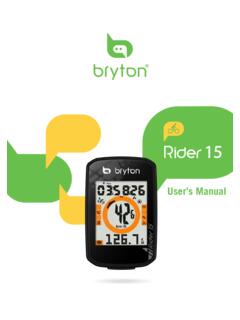
User’s Manual
www.brytonsport.comb.Drop FIT, BDX, GPX file(s) here or Click “Select files” to upload tracks. ... Bryton Update Tool is the tool for you to update GPS data, firmware, download Bryton Test ... Update Tool. 2. Follow the on-screen instructions to install Bryton Update Tool. Update GPS Data The newer GPS data can speed up the GPS acquisition. We higly recommend ...
Bushnell Golf Course Update Process - GPS
www.bushnellgolf.comiv. lick “Download GPS ourse File”. You will see “Updating Device” displayed above this button for approximately 10 seconds, then a “Sync ompleted” icon indicating the course file has been updated successfully. v. Once the update finishes, a popup will …

Sphere 4G Wi-Fi Router with GPS - Caravans Plus
www.caravansplus.com.auSPHERE 4G WI-FI ROUTER WITH GPS – OPERATING INSTRUCTIONS 12 Access via iOS Apple device . i. Download the RManager application (or similar app) ii. Connect to router Wi-Fi signal and open the application . iii. Click on the “ Storage ” tab at the bottom of the screen iv. Click the + icon in the top right hand corner . v. Under “ Network ...

Instructions for downloading and installing the GPS Map …
citroen.navigation.comInstructions for downloading and installing the GPS Map update Before starting the process, you will need a USB flash drive with 2 GB or more free space. On your computer: 1. Complete the map update purchase process. By the end of the purchase process, you will

TomTom VIA User Manual
download.tomtom.comUse the supplied mount to install your TomTom VIA in your vehicle. Read the instructions about positioning your device before you install your VIA. To install your VIA, do the following: 1. Connect the supplied USB cable to the mount. If the mount is integrated into your VIA, connect the USB cable to the device.

TomTom GO User Manual
download.tomtom.comUse the supplied mount to install your TomTom GO in your vehicle. Read the instructions about positioning your device before you install your GO. To install your GO, do the following: 1. Connect the supplied USB cable to the mount. If the mount is integrated into your GO, connect the USB cable to the device.
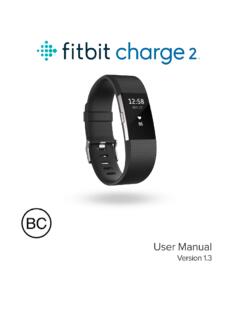
Table of Contents - Fitbit
help.fitbit.comContinue following the onscreen instructions to connect, or pair, your Charge 2 with the Windows 10 app. Pairing makes sure the tracker and app can communicate with one another (sync data back and forth).
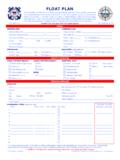
USCG Float Plan
floatplancentral.cgaux.orgNavigation equipment aboard. (Examples: GPS, radar, compass, sounder, etc.) Number of persons aboard. Relevant characteristics such as dependability, reliability, etc. Was the vessel initially docked or moored or did a vehicle tow it to a launch point? License plate number and description of the tow vehicle p