Transcription of Installation and User Guide
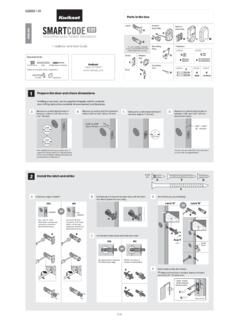
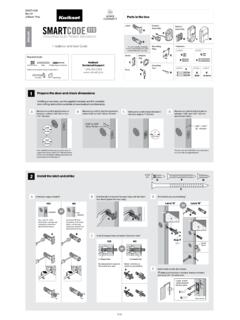
1 61037 / 01. ZigBee Parts in the box Latch Exterior Interior K L. Keypad Assembly ENGLISH. A. E J. Installation and User Guide Mounting Fasteners B Plate B is not included. If needed, F. please contact Kwikset to order M N. a drive-in latch for your lock. Required tools Strike Allen P Q R. Wrench G. C. Ruler Phillips head screwdriver Kwikset 1-866-863-6584 Adapter Keys Additional Tools (depending on application) Ring SmartKey Batteries D H Tool Hammer Wood block S T. 1 Prepare the door and check dimensions If drilling a new door, use the supplied template and the complete door drilling instructions available at A Measure to confirm that the hole in B Measure to confirm that the backset is C Measure to confirm that the hole in D Measure to confirm that the door is the door is either 2-1/8" (54 mm) or either 2-3/8" or 2-3/4" (60 or 70 mm).
2 The door edge is 1" (25 mm). between 1-3/8" and 2" (35 mm and 1-1/2" (38 mm). 51 mm) thick. ba 2-3/8" or 2-3/4" ck se 60 or 70 mm t 1-3/8" 2". 2-1/8" 35 51 mm 54 mm 1". or 25 mm 1-1/2". 38 mm Note: Additional door preparation may be required for doors with 1-1/2" (38 mm) holes. Consult the deadbolt drilling instructions at 2 Install the latch and strike A Is the door edge chiseled? B Hold the latch in front of the door hole, with the latch D Which latch are you installing? face flush against the door edge. YES NO Latch A Latch B . or chiseled or not chiseled B. Use latch A . If the Use latch B (not A B. latch bolt is not already included). If the latch extended, extend the bolt is not already latch bolt as shown. extended, extend the latch bolt as shown. A B A. C Are the latch holes centered in the door hole?
3 YES NO. M (2x). wood block or No adjustment is required. Rotate latch face as Proceed to next step. shown to extend latch. A. E Install strike on the door frame. C. B. N (2x). door frame 3 Install the exterior keypad A What is the diameter of the hole in the door? C Install exterior keypad and mounting plate. Diameter is 2-1/8" Diameter is 1-1/2" a b Support exterior (54 mm) (38 mm) assembly during mounting plate or Installation . 2-1/8" 1-1/2". F. 54 mm 38 mm E. D is required for Installation . D is not needed for Install D on E . Installation . Discard D . Cable goes Route cable through underneath latch. center hole, then push E D cable into bottom hole. D c d Keep parallel to edge of door. H. Insert key and test latch. If latch does not extend or retract smoothly, B Locate screws for step 3C and keep them within reach.
4 P adjust screws (P). Remove key when finished and make Tighten P (2x) sure the latch bolt P screws evenly. is fully extended. 4 Install the interior assembly A Remove battery cover and battery pack from interior assembly. B Install interior assembly onto mounting plate. a b a K b align K. Make sure turnpiece is in L. the vertical position. Ensure tight cable Lay excess cable flat inside the connection. bottom of the interior housing. c d c d J. Make sure turnpiece shaft is rotated as shown. Q. Do not install batteries (2x). until step 5. K. K. 5 Install the batteries and perform the door handing process This step will teach your lock the orientation of your door and is crucial to lock operation. A Install 4 AA batteries in battery pack. B Press and HOLD the Lock button C Did the latch bolt retract and extend on its own while installing battery pack.
5 When the battery pack was installed? Hold button until the latch bolt starts moving on its own. T. Note: Latch bolt will only J retract half way. YES NO. or Ensure correct polarity. Door handing process Remove battery pack, For best results, use was successful! Proceed wait 15 seconds, then new, non-rechargeable to next step after latch attempt the process again. Alkaline batteries only. bolt stops moving. 6 Pair the lock with your smart home system A Initiate the pairing process at your smart B When prompted by your smart home C If the pairing process is successful, re-name home controller. Refer to your smart home system to initiate pairing at the lock, press the lock in your system (if applicable). system instructions for more information. button A on the lock interior four times. Note: See supplied flyer for provider websites and contact information as applicable.
6 D If the pairing process is unsuccessful, press button B nine times. Perform steps 6A-6C again. If pairing is still unsuccessful, consult the SmartCode 914 Programming and Troubleshooting Guide online at 7 Add user codes It is recommended that you add and delete all user codes through your smart A Make sure the door is open. Press B Enter user code. A total of 30 user C Press Lock button once. home control system. If your system the Program button once. codes may be programmed. does not allow this, codes may be added directly to the lock as shown here. Mastercode For enhanced security, a mastercode may Each user code be used when adding and deleting user must be a unique codes. For more information about the code between mastercode, download the SmartCode 4 and 8 digits, 914 Programming and Troubleshooting depending on Guide at your smart home system.
7 Programming Timeout During programming, if no button is pressed for five seconds, the system will time out (indicated by three beeps and a red flashing keypad), and you will need to restart the procedure. D Did the keypad flash green once with one beep or flash red three times with three beeps*? One green flash with one beep Three red flashes with three beeps or green red 1x 3x Programming was successful. Programming was unsuccessful. Proceed to step 8. Make sure the user code is not a duplicate and that it is between 4 and 8 digits during your next attempt. Make sure the lock has room for an additional code. If all user code positions are filled, delete a code to make room for this one. *Beeping sound will only be heard if switch #3 (on the lock interior) is in the on positon. 8 Test the lock (review normal operation).
8 Confirm that the code(s) added in step 7 can unlock the door. Locking the Door Unlocking the Door Press Lock button once. Enter user code. 9 Re-key the lock (if needed) and install the battery cover A Re-key the lock (if needed). B Install the battery cover. a b c a b J J G. IMPORTANT: Re-key the lock Reinstall Remove battery to work with your battery L ball tip pack before existing key. See pack. re-keying. the supplied SmartKey Re-key R (3x). instructions for more information. S. Keep G in a safe place, as you will need it to access the back panel for additional programming. Reference Guide SmartCode at a Glance System Alerts Alert Reason Solution Exterior Interior (cover removed). Keypad flashes green once Successful programming. N/A. with one beep*. Keypad flashes red once with Back One incorrect code entered.
9 Re-enter code. one beep*. panel Lock No user code programmed. Program at least one user code. Button A Button B . button Keypad flashes red three Programming timeout after five Keypad times with three beeps*. seconds. Attempt programming procedure again. Program button Unsuccessful programming. Switches Status Keypad flashes red 15 times Three incorrect codes entered Re-enter code after 60 second keypad SmartKey Keyway LED with 15 beeps* within one minute. lockout. tool hole Turnpiece Keypad flashes red with fast shaft beeping sound for three to Low battery. Replace batteries. four seconds. Keypad flashes red with Door jammed while attempting Manually re-lock door. If needed, Note: When the cover is removed, continuous beeping sound to lock. reposition strike. for two seconds. the turnpiece shaft can be used to manually lock and unlock the door.
10 Interior assembly is Remove battery pack, reconnect the interior Lock beeps continuously. disconnected from exterior. to the exterior, then reinstall battery pack. *Beeping sound will only be heard if switch #3 is on. Switches and Status LED colors Troubleshooting Switches On Off Status LED. 1 2 3 4 A complete SmartCode 914 Programming and Troubleshooting Guide is available at Switch Function Color Lock Status Door lock status LED blinks every 6 Blinking green Unlocked 1. seconds Blinking amber Locked Lock automatically re-locks door 30 Blinking red Low battery 2 seconds after unlocking. Disabled if no codes are programmed. Door handing process did not work properly. 3 Audio Solid red See the online Programing and 4 Not used. Troubleshooting Guide . Deleting a single user code Factory Reset Note: All codes may be deleted at once if the mastercode is enabled.