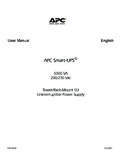
Transcription of Installation Guide Smart-UPS On-Line …
1 Installation Guide Smart-UPS On-Line SRT2200/SRT3000 Tower/ rack -Mount 2 UImportant Safety MessagesRead the instructions carefully to become familiar with the equipment before attempting to install, operate, service or maintain the UPS. The following special messages may appear throughout this manual or on the equipment to warn of potential hazards or to call attention to information that clarifies or simplifies a addition of this symbol to a Danger or Warning product safety label indicates that an electrical hazard exists which will result in personal injury if the instructions are not addition of this symbol to a Warning or Caution product safety label indicates that a hazard exists that can result in injury and product
2 Damage if the instructions are not nSafety and General Information Adhere to all national and local electrical codes. All wiring must be performed by a qualified electrician. Changes and modifications to this unit not expressly approved by APC could void the warranty. This UPS is intended for indoor use only. Do not operate this UPS in direct sunlight, in contact with fluids, or where there is excessive dust or humidity. Be sure the air vents on the UPS are not blocked. Allow adequate space for proper ventilation.
3 For a UPS with a factory installed power cord, connect the UPS power cable directly to a wall outlet. Do not use surge protectors or extension cords. The battery typically lasts for two to five years. Environmental factors impact battery life. Elevated ambient temperatures, poor quality mains power, and frequent short duration discharges will shorten battery life. Replace the battery immediately when the UPS indicates battery replacement is necessary. The equipment is heavy. Always practice safe lifting techniques adequate for the weight of the equipment.
4 The batteries are heavy. Remove the batteries before installing the UPS and external battery packs (XLBPs), in a rack . Always install XLBPs at the bottom in rack -mount configurations. The UPS must be installed above the XLBPs. Always install peripheral equipment above the UPS in rack -mount configurations. Additional safety information can be found in the Safety Guide supplied with this indicates a potentially hazardous situation which, if not avoided, can result in death or serious indicates a potentially hazardous situation which, if not avoided, can result in minor or moderate injury.
5 NOTICENOTICE used to address practices not related to physical injury. The safety alert symbol is not used with this signal On-Line SRT2200/SRT3000 Tower/ rack -Mount 2U2 Deenergizing safetyThe UPS contains internal batteries and may present a shock hazard even when disconnected from the branch circuit (mains). Before installing or servicing the equipment verify the following: Mains circuit breaker is in the OFF position. The UPS is disconnected from mains or wall outlet. Internal UPS batteries are removed XLBP battery modules are disconnectedElectrical safety For models with a hardwired input, the connection to the branch circuit (mains) must be performed by a qualified electrician.
6 230 V models only: In order to maintain compliance with the EMC directive for products sold in Europe, output cords attached to the UPS must not exceed 10 meters in length. The protective earth conductor for the UPS carries the leakage current from the load devices (computer equipment). An insulated ground conductor is to be installed as part of the branch circuit that supplies the UPS. The conductor must have the same size and insulation material as the grounded and ungrounded branch circuit supply conductors.
7 The conductor will typically be green and with or without a yellow stripe. The UPS input ground conductor must be properly bonded to protective earth at the service panel. If the UPS input power is supplied by a separately derived system, the ground conductor must be properly bonded at the supply transformer or motor generator safety Before installing or replacing the batteries, remove jewelry such as wristwatches and rings. High short circuit current through conductive materials could cause severe burns.
8 Do not dispose of batteries by burning them. The batteries may explode. Do not open or mutilate batteries. Released electrolyte is harmful to the skin and eyes, and may be information The UPS will recognize as many as 10 external battery packs connected to the : For each XLBP added, increased recharge time will be required. The model and serial numbers are located on a small, rear panel label. For some models, an additional label is located on the chassis under the front bezel. Always recycle used batteries.
9 Recycle the package materials or save them for Class A radio frequency warningThis equipment has been tested and found to comply with the limits for a Class A digital device, pursuant to part 15 of the FCC Rules. These limits are intended to provide reasonable protection against harmful interference when the equipment is operated in a commercial environment. This equipment generates, uses, and can radiate radio frequency energy and, if not installed and used in accordance with the instruction manual, may cause harmful interference to radio communications.
10 Operation of this equipment in a residential area is likely to cause harmful interference in which case the user will be required to correct the interference at his own On-Line SRT2200/SRT3000 Tower/ rack -Mount 2U3 Package ContentsInspect the contents upon receipt. Notify the carrier and dealer if the unit is damaged. Included with all modelsNC models onlyFront bezelRJ45 to DB9 cableUSB cableEPO Terminal blockUser Documentation Software CDTemperature sensor probe Serial configuration cable Network Management Utility CD Included with Tower models only 2 pairs stabilizer brackets 4 flat head screws to secure tower stabilizer brackets to the UPSI ncluded with XLI/XLW-IEC models only3 input power cords1 output IEC jumper cableIncluded with rack -Mount models onlyRail Kit with instructions and hardware for