Transcription of INSTRUCTION MANUAL E INSTRUCTION MANUAL - …
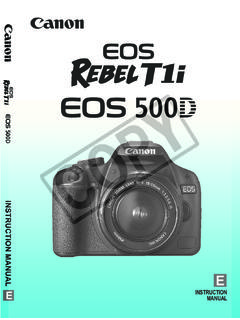
1 EINSTRUCTION MANUALEINSTRUCTION MANUAL2 Thank you for purchasing a Canon EOS digital REBEL/EOS 300D digital is a high-performance, digital AF SLR camera with an ultra-fine CMOS sensor with millioneffective pixels. It is full-featured for all types of shooting, from fullyautomatic snapshooting to highly creative work. You can use all CanonEF and EF-S lenses and start shooting quickly at any time in anymode. Images can also be printed directly from the cards serve as the camera s recording sure to read this INSTRUCTION MANUAL to familiarize yourself with thefeatures and proper operation of this the camera Before ShootingBefore using the camera , be sure to test it first.
2 Check that the images areproperly recorded on the CF card. If the camera or CF card is faulty and theimages cannot be recorded or read by a personal computer, Canon cannot beheld liable for any loss or inconvenience laws in your country may prohibit the use of images of people andcertain subjects for anything but private enjoyment. Shooting public performancesor exhibitions may also be prohibited. Canon and EOS are trademarks of Canon Inc. Adobe and Photoshop are trademarks of Adobe Systems Incorporated. CompactFlash is a trademark of SanDisk Corporation.
3 Windows is a trademark or registered trademark of Microsoft Corporation ofthe United States in the United States and other countries. Macintosh is a registered trademark of Apple Corporation in the United Statesand other countries. * This digital camera supports Exif (also called Exif Print ). Exif Print is astandard for enhancing the communication between digital cameras andprinters. By connecting to an Exif Print-compliant printer, the camera s imagedata at the time of shooting is used and optimized, yielding extremely highquality sure all the following equipment and accessories have beenincluded with your camera .
4 If anything is missing, contact your dealer. EOS digital REBEL/EOS 300D digital camera body (with Eyecup,body cap and lithium backup battery for the date and time) EF-S18-55mm (with lens cap and dust cap) * In optional lens kit. Battery Pack BP-511 (includes protective cover) Battery Charger CB-5L Power cord for battery charger Interface Cable IFC-300 PCU Video Cable VC-100 Neck Strap EW-100DB ll (with eyepiece cover) EOS digital Solution Disk (CD-ROM) Adobe Photoshop Elements Disk (CD-ROM) Pocket GuideQuick guide to using the camera . EOS digital REBEL/EOS 300D digital instructions (which you arereading now) Installing the Software CorrectlyExplains the software installation and features.
5 EOS digital REBEL/EOS 300D digital Software InstructionsExplains the procedure for transferring images to a personal computerand for RAW image processing. Battery Pack BP-511 instructions Warranty card Take care not to lose any of the above items. No CF card is included. Please purchase it separately. CF cards made byCanon are Check List4 ContentsIntroductionEquipment Check List .. 3 Handling Precautions .. 8 Nomenclature .. 10 Conventions Usedin this 16 1 Before You Start .. 17 Recharging the Battery .. 18 Installing and Removingthe Battery .. 20 Using a HouseholdPower Supply.
6 22 Mounting and Detachinga 23 Installing and Removingthe CF Card .. 24 Basic Operation .. 26 Menu Operations .. 28 Menu Settings .. 30 LCD Monitor .. 31 Reverting to theDefault Settings .. 31 MENU Setting the Date and Time .. 32 Replacing the Date/TimeBattery .. 33 MENU Cleaning the Image Sensor (CMOS) .. 34 Dioptric Adjustment .. 36 Holding the camera .. 36 2 Fully Automatic Shooting ..37 YFully Automatic Shooting .. 38 Programmed ImageControl Modes .. 40 MENU Reviewing Images .. 42 Image Review .. 42 Changing the Review Time ..43qSelf-timer Operation.
7 44 KWireless Remote Control .. 45 Using the Eyepiece Cover .. 46 3 Settings for Shooting .. 47 MENU Image-Recording 48 DSetting the ISO Speed .. 506 Selecting the White Balance .. 51 MENU Custom White Balance .. 52 MENU White Balance Auto Bracketing .. 53 MENU Selecting the Processing Parameter .. 55 MENU Setting Processing Parameters .. 56 MENU File 58 MENU Setting Auto Rotation .. 594 Checking camera Settings .. 60 4 Advanced Operations .. 613 Selecting an AF Point .. 62 When Autofocus Fails( MANUAL Focusing) .. 645 ContentsDrive Mode Selection.
8 65 TProgram AE .. 66 RShutter-Priority AE .. 68 EAperture-Priority AE .. 70 Depth-of-field Preview .. 71 WManual Exposure .. 72 QAutomatic Depth-of-Field AE .. 74 Setting ExposureCompensation .. 75 MENU Auto Exposure Bracketing .. 76jAE Lock .. 78 Bulb Exposures .. 79 Using the Built-in Flash .. 80 Using Red-eye Reduction .. 82jFE Lock .. 83 Metering Modes .. 840 LCD Panel Illumination .. 84 5 Image Playback .. 85 Image Playback .. 86]Single image .. 864 Image with Shooting Information .. 86 Index Display .. 887/ Magnified View .. 895 Image Jump.
9 90 MENU Automated Playback of Images (Auto playback) .. 91 MENU Rotating an Image .. 92 Connecting to a TV .. 93 MENU Image Protection .. 949 Erasing an Image .. 95 MENU Formatting the CF Card .. 97 6 Direct Printing from the 99 Connect the Camerato the Printer .. 100 Printing .. 102 7 DPOF: digital Print Order Format ..109 MENU Print Order .. 110 Direct Printing with DPOF .. 116 8 Reference .. 121 Function Availability Table .. 122AF Modes andDrive Modes .. 123 Troubleshooting Guide .. 124 Error Codes .. 127 Major Accessories (optional) ..128 System Map.
10 130 Specifications .. 132 Index .. 1386 Safety WarningsFollow these safeguards and use the equipment properly to prevent injury, death, andmaterial Serious Injury or Death To prevent fire, excessive heat, chemical leakage, and explosions, follow thesafeguards below:- Do not use any batteries, power sources, and accessories not specified in thisbooklet. Do not use any home-made or modified Do not short-circuit, disassemble, or modify the battery pack or back-up battery. Donot apply heat or apply solder to the battery pack or back-up battery. Do not exposethe battery pack or back-up battery to fire or water.