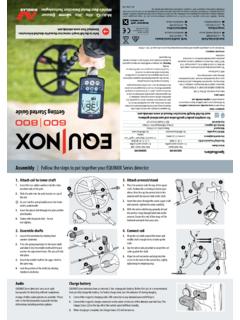
Transcription of Instruction Manual - Minelab
1 Instruction Manual Welcome Congratulations on purchasing your EQUINOX metal detector. Metal detecting is a fascinating and rewarding activity enjoyed by people all over the world. By getting to know your EQUINOX detector you can become one of the many who find gold nuggets, coins and treasure on a regular basis. Metal Detecting The EQUINOX is a high-performance detector incorporating Minelab 's new Multi-IQ. technology. With the assistance of this Instruction Manual , and the accompanying Getting Code of Ethics Started Guide, you will quickly learn how to set up your detector for the best results.
2 Respect the rights and property of others. Minelab wishes you every success on your detecting Observe all laws, whether adventures. national, state or local. Always obtain permission The latest product Instruction manuals and detector software updates are available at: before searching sites. Never destroy historical or archaeological treasures. Leave the land and We also encourage you to visit our other online resources regularly. They are frequently vegetation as it was. updated and are a continually evolving source for product information.
3 Always fill in your holes after @MinelabMetalDetectors Treasure Talk Blog digging. /MinelabDetecting Success Stories "At heavily hunted beaches when you need to cover "EQUINOX is the most exciting detector I have used in ground quickly after a busy beach day, the EQUINOX's a long time! It just keeps surprising me with what I'm amazing recovery speed helps you to stay one step finding in heavily detected parks.". ahead of the beach hunting competition.". Mark Williams, Australia Gary Drayton, USA. An asterisk appears throughout the Manual , indicating features only included with the EQUINOX 800 model.
4 Contents Frequency 28 Adjusting the Threshold Pitch 45. Assembly & Getting Started Changing the Frequency 28 Target Tone 46. Carton Contents 5 Single Frequency Operation 28 Selecting the Number of Target Tones 46. Assembly 6 Frequencies and Detect Modes 28. Tone Pitch (Advanced Setting) 47. Multi-IQ Technology 29. Assembled Detector 7 Adjusting Tone Pitch: 1, 2, or 5 Tones 47. Single Frequency Ranges 29. Adjusting Tone Pitch: 50 Tones 48. Detector Battery 8. Target ID & Discrimination 30. Charging the Battery 8 Accept/Reject 49.
5 Target ID 30. Battery Status Indicator 8 Creating a Discrimination Pattern 49. Discrimination Scale 30. Battery Maintenance 8 All Metal 49. Typical Target Examples 31. Operating With a Power Bank 8 Accepting/Rejecting Detected Targets 49. Target ID Accuracy 31. Control Panel 9 Tone Break (Advanced Setting) 50. Backlight 32. Adjusting Tone Break 50. LCD Icons 10 Turning the Backlight On 32. Quick Start 11 Adjusting the Backlight Brightness 32 Recovery Speed 51. Swing Rate 51. Global and Local Settings 12 User Profile* 33.
6 Adjusting Recovery Speed 51. Reset a Search Profile 12 Save a User Profile 33. Factory Reset the Detector 12 Activating the User Profile 33 Iron Bias (Advanced Setting) 52. Adjusting Iron Bias 52. Sensitivity 34. Detecting Basics Sensitivity Indicator 34. Adjusting Sensitivity 34 Detector Audio How Detectors Work 14. Recommended Sensitivity Settings 34 Audio Options 54. Key Detecting Concepts 15. Depth Gauge 35 Wireless Audio Latency 54. Detecting Technique 16. Pinpoint 36 WM 08 Wireless Audio Module 55.
7 Holding the Detector 16. Pinpoint Visualisation 36 Pairing the WM 08 55. Adjusting the Length of the Shafts 16. Pinpointing a Target 36 Pairing Additional WM 08 Modules 55. Adjusting the Angle of the Coil 16. Charging the WM 08 55. Sweeping the Coil 16. Targets 16 Settings Menu ML 80 Wireless Headphones 56. Settings Menu 38 Pairing Wireless Headphones 56. Detector Sounds 17. Settings 38 Adjusting ML 80 Volume 56. Simple Detecting Exercise 18 ML 80 Factory Reset 57. Advanced Settings 38. Pinpointing Technique 19 Accessing Advanced Settings 38 Charging ML 80 Headphones 57.
8 Coil Configuration and Pinpointing 19 Settings Menu Navigation 38 ML 80 Auxiliary Cable 57. Pinpointing a Target Manually 19 Smart Phone Call Functions 57. Noise Cancel 39. Target Recovery 20 Smart Phone Music Functions 57. Auto Noise Cancel 39. Digging Tools 20 Manual Noise Cancel* 39 Wired Headphones 58. Recovering a Target 20 Connecting Wired Headphones 58. Ground Balance 40. Adaptor Cable 58. Manual Ground Balance 40. Detect Modes Auto Ground Balance 40. Connecting Waterproof Headphones 58. Headphone Socket Submersion 58.
9 Detect Modes 22 Tracking Ground Balance 41. Detect Mode Navigation 22 Volume Adjust 42. Adjusting Search Profiles 22 Adjusting the Volume 42. Care & Safety Choosing the Right Detect Mode 22 EQUINOX Accessories 60. Tone Volume (Advanced Setting) 43. Park 23 Adjusting Tone Volume 43 Maintenance & Safety 61. Field 24 Threshold Level 44 Factory Presets 62. Beach 25 Adjusting the Threshold Level 44 Troubleshooting 63. Gold Threshold 44. Gold* 26 Error Codes 64. Threshold Blanking 44. Park, Field, and Beach Threshold 44 Technical Specifications 65.
10 Detect Screen Functions Software Updates 66. Threshold Pitch* (Advanced Setting) 45. Contents Assembly & Getting Started This section will show you how to assemble your EQUINOX series detector, charge the battery, and will introduce you to the control panel. Contents Carton Contents | 5. Carton Contents EQUINOX series detectors come with everything you need to get started detecting. The EQUINOX 800 comes with additional accessories for even greater versatility. For a list of the main accessories that are compatible with your detector, read 'EQUINOX Accessories' on page 60.