Example: quiz answers
Join the GoPro Movement
PRO TIP: There’s an easy way to check your battery’s status and make sure you’re using the right one. 1. Swipe down on the rear screen to access the Dashboard. 2. Swipe left and tap Preferences > About > Battery Info. WARNING: Although non-GoPro batteries may fit in your HERO9 Black, they’ll limit performance. Your camera’s
Tags:
Information
Domain:
Source:
Link to this page:
Documents from same domain

MANUEL DE L'UTILISATEUR - gopro.com
gopro.com4 5 / Table des matières Utilisation des supports 91 Dépannage 95 Assistance clientèle 98 Marques déposées 98 Information réglementaire 98 L'essentiel 6

MANUEL DE L’UTILISATEUR 1 - GoPro Official …
gopro.comÀ partir de l’écran principal, appuyez sur l’icône dans le coin inférieur gauche. 2. Appuyez sur l’une des icônes de mode en haut de l’écran (Vidéo,

USER MANUAL - gopro.com
gopro.comTo download this user manual in a different language, visit ... PRO TIP: When the camera is off and QuikCapture is enabled, you can ... You can also select max video as the interval. With this option, the camera records until the memory card is full, then overwrites the content.
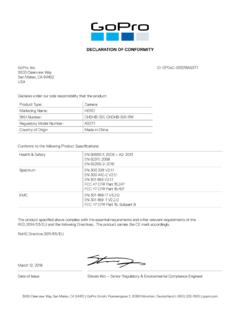
DECLARATION OF CONFORMITY - gopro.com
gopro.com3000 Clearview Way San Mateo, CA 94402 USA DECLARATION OF CONFORMITY The product specified above complies with the essential requirements and other relevant requirements of the RED 2014/53/EU and the following Directives. The product carries the CE mark accordingly.
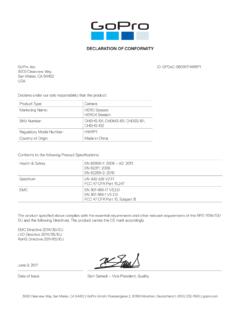
DECLARATION OF CONFORMITY - gopro.com
gopro.comGoPro, Inc. 3000 Clearview Way San Mateo, CA 94402 USA DECLARATION OF CONFORMITY The product specified above complies with the essential requirements and other relevant requirements of …

HERO 1080 INSTRUCTIONS - GoPro Official Website
gopro.comFree downloadable camera updates may be available at gopro.com. Be sure to insert an SD card into the camera or else you won’t be able to record photos or video. POWER/MODE BUTTON ˜ Front of Camera POWER/MODE button turns camera on and off and works as …
Download the User Manual at gopro.com/support
gopro.comrecording video or playing back footage on an LCD Touch BacPac. HiLight Tags help you quickly find the highlights later for easy playback, editing and sharing. *Playback only appears when the camera is connected to a TV or LCD Touch BacPac (sold separately). / Selecting Camera Modes 2. If necessary, select a different capture mode: a.

USER MANUAL - GoPro
gopro.com2 3 To download this user manual in a different language, visit gopro.com/support. Pour télécharger ce manuel de l’utilisateur dans une autre langue,

USER MANUAL 1 - GoPro
gopro.comUsing Your Camera with an HDTV 33 Connecting to the Capture App 35 Offloading Your Content 36 Video Mode: Capture Modes 39 Video Mode: Settings 41 Video Mode: Advanced Settings 48 Photo Mode: Capture Modes 50 Photo Mode: Settings 52 Photo Mode: Advanced Settings 54 Time Lapse Mode: Capture Modes 56 Time Lapse Mode: Settings 58 TABLE OF CONTENTS

Join the GoPro Movement
gopro.com3. Insert the battery. 4. Connect your camera to a USB charger or computer using the included USB-C cable. It takes about 2 hours for the battery to fully charge. The camera status light will turn off when it’s done. To learn more, see Battery Information (page 105). PRO TIP: For the fastest charging, use the GoPro Supercharger (sold separately).
Related documents

Dentrix G7 System Requirements - hsps.pro
hsps.pro**Dentrix G7.5 supports any edition of the Windows workstation operating system such as Home, Pro, Enterprise, and so forth. *** Microsoft discontinued support for Windows 7 and Windows Server 2008 R2 in January 2020. These operating systems will work with Dentrix G7.4 but are not recommended since they no longer receive security updates.

The Hottest Recruiting Scripts in ... - Network Marketing Pro
networkmarketingpro.comMarketing Pro community and, as promised, here are some of the Hottest Recruiting Scripts in MLM. I have good news and I have bad news. ... In this situation one size does NOT fit all. I’ve provided a list of Direct Approaches which you will use when you’re talking about an opportunity for THEM specifically, Indirect Approaches ...

2020 HARLEY-DAVIDSON SCREAMIN’ EAGLE PERFORMANCE …
www.hammerperf.comThe Screamin’ Eagle® Pro Street Performance Tuner is designed to simplify manage-ment of engine operating parameters as performance modifications are made. Once installed, the kit will allow you to adjust key parameters or simply upload the ... is then custom fit for your bike. The module will store up to 15 minutes of run-time

ARCTIS PRO WIRELESS - SteelSeries CDN
downloads.steelseriescdn.com03 Under ‘Input’ select Arctis Pro Microphone 04 In your VoIP (chat) application select Arctis Pro Chat Audio as the default audio ... at steelseries.com Velcro Tighten or loosen the Velcro straps on the sides of the headband to achieve the desired fit Install Direction of headband installation BATTERY find help at support.steelseries.com ...

Jabra PRO™ 9450 Jabra PRO™ 9450 Flex Jabra PRO™ 9450 …
www.jabra.comThe Jabra PRO 9450 and Jabra PRO 9450 Flex headsets can be worn in the headband, earhook or neckband wearing-styles. The headband and earhook attachments are included in the box.