Example: confidence
Knowledge Base No. 5207
2 MSI NB FAE Team︱Revision: 1.0︱Date: 2021/10/13 Knowledge Base No. 5207 3. Once Windows 11 Upgrade is pushed to the system, notification section will be shown in Windows Update page, click “Download and install” to get system
Information
Domain:
Source:
Link to this page:
Documents from same domain
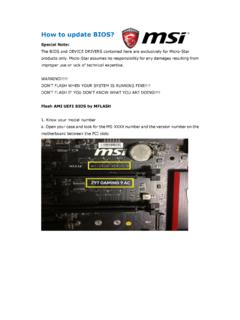
How to update BIOS? - storage-asset.msi.com
storage-asset.msi.com8. A warning message comes out “ Don`t remove USB drive or shutdown system” and then System will be reset to update BIOS after 5 seconds. 9.If your motherboard is equipped with …

BIOS Update Instruction By DOS Tool
storage-asset.msi.comAug 02, 2016 · Wait for a couple of seconds to complete the BIOS update procedure. * DO NOT power off the notebook while this BIOS is updating 9. Power off the notebook after the BIOS update procedure is completed. 8 MSI NB FAE Team Flash BIOS by DOS Tool 10. Then power on again and press “DEL” key to enter the BIOS screen.

EC Firmware Update Instruction Windows mode
storage-asset.msi.comMay 11, 2017 · B1. If there is a batch file “ECWIN.BAT” among the extracted file, please right click on the batch file to open the context window and select “Run as Administrator” and select “Yes” to accept the UAC window. B2. Please read the descriptions among DOS screen carefully. Making sure that

How to enable crosshair - storage-asset.msi.com
storage-asset.msi.comNov 02, 2017 · 1. Press “ < “ button front of monitor can enable crosshair function. 2. By press the button to switch different color and type of crosshair. How to enable crosshair G27C / …

BIOS Update Instruction UEFI BIOS Setup Utility
storage-asset.msi.comFlash BIOS by UEFI BIOS Setup Utility 1-13. After reboot, system will enter BIOS setup utility. Press “Enter” key on “Proceed with flash update”. 1-14. When you see the message as the screenshot below, please do reset EC firmware by following the instructions. (Please choose one of methods to operate the process.)

How to make a bootable flash disk and to flash BIOS
storage-asset.msi.com1. Extract the zip file containing the BIOS files and flash utility to a bootable USB flash drive (Pen drive). 2. Insert the USB flash drive (Pen drive) in the USB port. 3. Boot up the notebook and press F11 key to run Boot menu and then to select USB flash disk drive. Note1: For some models, you need to go into the bios and change boot priority.

Super Charger - storage-asset.msi.com
storage-asset.msi.comUser Guide. 2 Super Charger er uie Super Charger Super Charger provides i-Pad, i-Phone and iPod charging function. The iPad with very special charging requirements as it requires 1.6A power supply rather than the 0.5A current available with conventional USB interfaces. That is

How to redeem Game Pass free trial - storage-asset.msi.com
storage-asset.msi.comTo keep your account in good standing, we require your date of birth. Birthdate January Year Cancel Next msi . Store Pick a payment method Credit card or debit card PayPal Mobile phone A gift Cancel x Microsoft St PC 1 Month plus applicable month after that

DRAGON CENTER User Guide - storage-asset.msi.com
storage-asset.msi.comfrom the root path of the MSI Driver Disc. 4. Click the Utilities tab. 5. Select the DRAGON CENTER. 6. Click the Install button in the lower-right corner of the window. 7. The installation will then be in progress, after it has finished it will prompt you to restart. 8. Click OK button to finish. 9. Restart your computer. Launching DRAGON CENTER

MSI SMART TOOL
storage-asset.msi.com2 MSI SMART TOOL User Guide MSI SMART TOOL MSI SMART TOOL is a convenient tool that can help you to create your Windows installation USB flash drive with USB 3.0 drivers, and it can also create a software RAID. Main menu After installing and activating MSI SMART TOOL, it will display a main menu for you to choose Win7 Smart Tool or Software ...
Related documents

無料化社会実験区間の概要(大分県)
corp.w-nexco.co.jp無料化社会実験区間の概要(宮崎県) (主な区間の料金表) ※普通車、割引の適用が無い場合の料金 (路線図)

ºGAG{GXG4G2GyGGFû6õ4FçFï H* >Ô>à>Ü>â>Ý>ãH …
www.pref.hokkaido.lg.jph f·4(ÆfûfÚfág è fþ"g #f· h ì!lh hh h ¤ * fþ"g #fûfôfÔfö b hh h ¥fþ è ó xh Ç xhfûfôfÔfö hh h7g ö"áh4(² /h h Ç h?b h

FE Reference 8-2.1104web - University of Idaho
www.webpages.uidaho.edu116 ENGINEERING ECONOMICS Factor Table - i = 0.50% n P/F P/A P/G F/P F/A A/P A/F A/G 1 2 3 4 5 6 7 8 9 10 11 12 13 14 15 16 17 18 19 20 21 22 23 24 25 30 40 50 60 100 ...