Example: bankruptcy
LabelWriter Printer User Guide - DYMO
• Windows® XP 32-bit • Windows Vista® • Windows® 7 • Mac OS® v10.4 or later To use the LabelWriter SE450 printer with a serial connection, an RS-232 serial port is required. Printing Labels Your LabelWriter printer was shipped with DYMO Label v.8 software to make designing and printing labels easy.
Tags:
Information
Domain:
Source:
Link to this page:
Documents from same domain
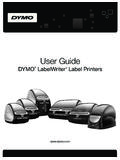
User Guide - DYMO
download.dymo.comAbout the LabelWriter Printer 2 Top cover Label spool Label release Label feed path and tear bar Label roll Label guide Reverse label button Form-feed button

LabelWriter 4XL Quick Start Guide - DYMO
download.dymo.com1 For complete information about your label printer, you can view the LabelWriter Printer User Guide from the DYMO Label v.8 Help menu or from the DYMO Web site at www.dymo…
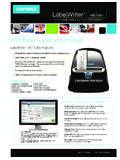
LabelWriter 450 Turbo
download.dymo.comLabelWriter ® 450 Turbo High-Speed Label and Postage Printer For PC and MAC® LabelWriter ® 450 Turbo Features: Print faster – and print postage 1 2 3 4 5 Eliminate the hassle of printing sheet labels through a desktop printer
Quick Start Guide - DYMO
download.dymo.com5 4. Loading Labels To load a label roll 1 Press the form-feed button o ject lab ls at protected the printer during shipment. 2 Op en th op cover andremov ny packing ...

User Guide - DYMO
download.dymo.com4 Figure 1 RHINO 5200 Label Printer SHIFT SHIFT BKSP Feed Print/# of copies Escape Backspace Shift Size/CAPS Backlight Serialization Label exit …

LabelWriter 450 TwinTurbo - DYMO
download.dymo.comLabelWriter ® 450 TwinTurbo Dual Roll Label and Postage Printer For PC and MAC® LabelWriter ® 450 Twin Turbo Features: Double your label capacity and mailing efficiency 1 2 3 4 5

LabelWriter 450 Series Printers Technical …
download.dymo.comLabelWriter®. 450 Series Printers. Technical Reference Manual . Includes LabelWriter 450, LabelWriter 450 Turbo, LabelWriter 450 …

DYMO Label v.8.5
download.dymo.comDYMO Label v.8.5.4 . Read Me — 30 September 2016 . This document contains important information that is not included in any other DYMO Label documentation.

DYMO Label v.8.6
download.dymo.comDYMO Label v.8.6.1 . Read Me — 9 February 2017 . This document contains important information that is not included in any other DYMO Label documentation.
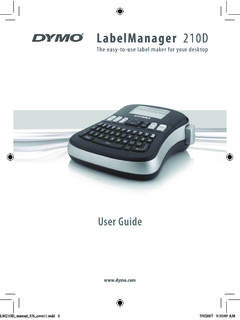
LM210D manual US cover1 - DYMO
download.dymo.com7 Using the Label Maker for the First Time The first time you turn on the power, you are asked to select the language. This selection will remain set until you change it, …
Related documents

Computer Basics Absolute Beginner's Guide, Windows® 10 …
ptgmedia.pearsoncmg.comGuide, Windows ® 10 edition Web ... First Printing: August 2015 Trademarks All terms mentioned in this book that are known to be trademarks or service marks have been appropriately capitalized. Que Publishing cannot attest to the accuracy of this information. Use of a term in this book should not be

User's Guide - ET-2750
files.support.epson.comUsing Fire OS Printing Using Windows 10 Mobile Printing Using Epson Print and Scan App with Windows Tablets Using the Control Panel See these sections to learn about the control panel and select control panel settings. Control Panel Buttons and Lights Entering Characters on the LCD Screen Changing LCD Screen Language Parent topic: Product Basics

KIP Windows Driver Installation & User Guide
kipnews.kip.comThe new generation KIP System K Windows Driver® is Microsoft WHQL certified, meeting exact standards of reliability and quality. The functional and intuitive graphic user interface and expanded features provides the user with a wide range of standard and special functions when printing from Windows based applications

Dell Multifunction Printer E514dw User's Guide
downloads.dell.comWeb Services for Scanning on Your Network (Windows Vista ® SP2 or greater, Windows® 7 and Windows 8) . . . .99 . .99 Scan Using Web Services from the Dell Machine (Windows Vista ® SP2 or greater, Windows ® 7 and Windows ®
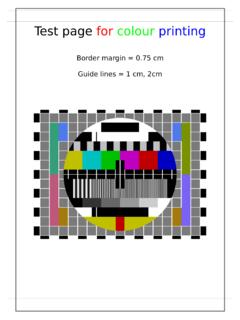
Test page for colour printing
www.maths.ed.ac.ukTest page for colour printing Border margin = 0.75 cm Guide lines = 1 cm, 2cm. 2nd page for double sided printing. 3rd page for multiple sheets for …

DYMO Label v.8 User Guide
download.dymo.com2 Printing Directly from Other Applications Describes how to print labels using DYMO Add-Ins for Microsoft Office applications, ACT!, and QuickBooks. About Labels Describes thermal printing and the different types of labels available

User's Guide - L1300/L1800
files.support.epson.comPrinter Parts - Back 1 AC inlet 2 USB port Parent topic: Printer Parts Locations The Power Off and Sleep Timers The product enters sleep mode or turns off automatically if …