Example: confidence
LabelWriter Printer User Guide - DYMO
To use the LabelWriter SE450 printer with a serial connection, an RS-232 serial port is required. Printing Labels Your LabelWriter printer was shipped with DYMO Label v.8 software to make designing and printing labels easy. You can also print labels directly from the desktop with QuickPrint, and from
Tags:
Information
Domain:
Source:
Link to this page:
Documents from same domain

User Guide - DYMO
download.dymo.com4 Figure 1 RHINO 5200 Label Printer SHIFT SHIFT BKSP Feed Print/# of copies Escape Backspace Shift Size/CAPS Backlight Serialization Label exit …

User Guide - DYMO
download.dymo.comAbout the LabelWriter Printer 2 Top cover Label spool Label release Label feed path and tear bar Label roll Label guide Reverse label button Form-feed button

LabelWriter 450 Turbo
download.dymo.comLabelWriter ® 450 Turbo High-Speed Label and Postage Printer For PC and MAC® LabelWriter ® 450 Turbo Features: Print faster – and print postage 1 2 3 4 5 Eliminate the hassle of printing sheet labels through a desktop printer

LabelWriter 450 TwinTurbo - DYMO
download.dymo.comLabelWriter ® 450 TwinTurbo Dual Roll Label and Postage Printer For PC and MAC® LabelWriter ® 450 Twin Turbo Features: Double your label capacity and mailing efficiency 1 2 3 4 5

LabelWriter 450 Series Printers Technical …
download.dymo.comLabelWriter®. 450 Series Printers. Technical Reference Manual . Includes LabelWriter 450, LabelWriter 450 Turbo, LabelWriter 450 …

DYMO Label v.8.5
download.dymo.comDYMO Label v.8.5.4 . Read Me — 30 September 2016 . This document contains important information that is not included in any other DYMO Label documentation.

DYMO Label v.8.6
download.dymo.comDYMO Label v.8.6.1 . Read Me — 9 February 2017 . This document contains important information that is not included in any other DYMO Label documentation.

Quick Start Guide - DYMO
download.dymo.com5 4. Loading Labels To load a label roll 1 Press the form-feed button o ject lab ls at protected the printer during shipment. 2 Op en th op cover andremov ny packing ...

LM210D manual US cover1 - DYMO
download.dymo.com7 Using the Label Maker for the First Time The first time you turn on the power, you are asked to select the language. This selection will remain set until you change it, …

LabelWriter 4XL Quick Start Guide - DYMO
download.dymo.com1 For complete information about your label printer, you can view the LabelWriter Printer User Guide from the DYMO Label v.8 Help menu or from the DYMO Web site at www.dymo…
Related documents

PIC18(L)F27/47K40 Data Sheet - Microchip Technology
ww1.microchip.com• Serial Communications: – Two Enhanced USART (EUSART) with Auto-Baud Detect, Auto-wake-up on Start. RS-232, RS-485, LIN compatible – SPI – I2C, SMBus and PMBus™ compatible • Up to 35 I/O Pins and One Input Pin: – Individually programmable pull-ups – Slew rate control – Interrupt-on-change on all pins – Input level selection ...

DS-7324/7332HQHI-K4 SERIES TURBO HD DVR - Hikvision
www.hikvision.comSep 19, 2018 · Serial interface RS-232, RS-485 (full -duplex), Keyboard Alarm in/out 16/4 USB interface Front panel: 2 × USB 2.0 Rear panel: 1 × USB 3.0 General Power supply 100 to 240 VAC Consumption (without HDD) ≤ 45 W Working temperature -10 °C to +55 °C (+ 14 °F to + 131 °F) Working humidity 10% to 90%
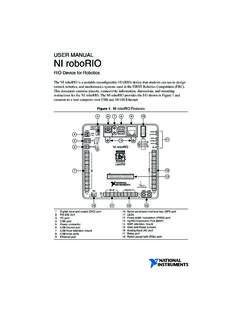
USER MANUAL NI roboRIO
www.ni.com• RS-232 serial • LED and RSL status lights Stage 2 continues until the input voltage rises to greater than 7.5 V or drops to less than 4.5 V. 3 Less than 4.5 V All controller functions cease and the controller state is lost. This condition continues until the input voltage rises to greater

CP2104 - Silicon Labs
www.silabs.comRS-232/RS-485 designs to USB using a minimum of components and PCB space. The CP2104 includes a USB 2.0 full-speed function controller, USB transceiver, oscillator, one-time programmable ROM, and asynchronous serial data bus (UART) with full modem control signals in a compact 4x4mm QFN-24 package (sometimes called “MLF” or “MLP”).
1734-UM001E-EN-P POINT I/O Digital and Analog Modules …
literature.rockwellautomation.comASCII RS-232 and 485 Module Installation Instructions, publication 1734-IN588 Provides installation information about 1734-232ASC and 1734-485ASC modules ASCII RS-232 and 485 Module User Manual, publication1734-UM009 Describes how to use 1734-232ASC and 1734-485ASC modules RTD and Isolated Thermocouple Input Module Installation Instructions,

PIC16F631/677/685/687/689/690 Data Sheet
ww1.microchip.com- Supports RS-485, RS-232 and LIN 2.0 - Auto-Baud Detect - Auto-wake-up on Start bit Low-Power Features • Standby Current: - 50 nA @ 2.0V, typical • Operating Current:-11 A @ 32 kHz, 2.0V, typical-220 A @ 4 MHz, 2.0V, typical • Watchdog Timer Current:-<1 A @ 2.0V, typical Peripheral Features • 17 I/O Pins and 1 Input-Only Pin: