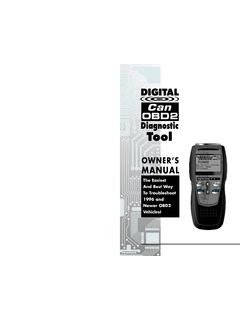
Transcription of LAUNCH Creader Professional CRP123 User's Manual
1 LAUNCHC reader Professional CRP123 User's ManualGeneral NoticeOther product names used herein are for identification purposes only and may be trademarks of their respective owners. LAUNCH disclaims any and all rights in those marks. There is a possibility that this unit is inapplicable to some of the vehicle models or systems listed in the diagnosis section due to different countries, areas, and/or years. Do not hesitate to contact LAUNCH if you come across such questions. We are to help you solve the problem as soon as take full advantage of the unit, you should be familiar with the engine. All information, illustrations, and specifications contained in this Manual are based on the latest information available at the time of publication. The rightis reserved to make change at any time without LAUNCH nor its affiliates shall be liable to the purchaser of this unit or third parties for damages, losses, costs or expenses incurred by purchaseror third parties as a result of.
2 Accident, misuse, or abuse of this unit, orunauthorized modifications, repairs, or alterations to this unit, or failure tostrictly comply with LAUNCH operating and maintenance shall not be liable for any damages or problems arising from the use of any options or any consumable products other than those designatedas Original LAUNCH Products or LAUNCH Approved Products by Precautions and WarningsTo prevent personal injury or damage to vehicles and/or the CRP123 , please read this user s Manual first carefully and observe the following safety precautions at a minimum whenever working on a vehicle:Always perform automotive testing in a safe environment. Do not attempt to operate or observe the tool while driving a vehicle.
3 Operating or observing the tool will cause driver distraction and could cause afatal safety eye protection that meets ANSI standards. Keep clothing, hair, hands, tools, test equipment, etc. away from all moving or hot engine the vehicle in a well-ventilated work area: Exhaust gases are blocks in front of the drive wheels and never leave the vehicle unattended while running extreme caution when working around the ignition coil, distributor cap, ignition wires and spark plugs. These components create hazardous voltageswhen the engine is Professional CRP123 User's ManualPut the transmission in P (for A/T) or N (for M/T) and make sure the parking brake is a fire extinguisher suitable for gasoline/chemical/ electrical fires nearby. Don t connect or disconnect any test equipment while the ignition is on or the engine is the CRP123 dry, clean, free from oil/water or grease.
4 Use a mild detergent on a clean cloth to clean the outside of the CRP123 , Professional CRP123 User's ManualTable of Contents1. Introduction ..12. General Information .. On-Board Diagnostics (OBD) II .. Diagnostic Trouble Codes (DTCs).. Location of the Data Link Connector (DLC) .. OBD II readiness Monitors .. OBD II Monitor readiness Status .. OBD II Definitions ..43. Product Descriptions .. Outline of CRP123 .. Specifications .. Accessories Connection .. Preparation .. Install TF card .. Connect CRP123 ..85. Diagnose .. OBDII/EOBD Diagnosing .. Read Codes .. Erase Codes .. I/M readiness .. Data View Freeze Frame .. O2 sensor test .. On-board monitor test .. EVAP System Test .. Vehicle Info .. System Diagnosing .. Review History .. Data Upload.
5 246 Settings .. Language .. Set units .. Time and Professional CRP123 User's Beeper ..267. Help .. DLC Location DTC Library .. Tool Information .. About OBD .. 308. Update .. User Register a passport .. Fill in Product Information .. Software Download .. Software Purchase Software .. 349. FAQ ..361 LAUNCHC reader Professional CRP123 User's Manual1. IntroductionThe Creader Professional CRP123 is specially developed by LAUNCH , which supports all 10 modes of OBD II test for a complete diagnosis. Featuring the TFT color display, it enables users to read/clear DTCs, record, save and playback data in live graphic display. The CRP123 is also very easy to use. With built-in help menus and code definitions, diagnosing and repairing that dreaded Check Engine Light is now easier than ever!
6 Moreover, CRP123 also features the following bi-directional special tests : EVAP, O2 Sensor, I/M readiness , MIL Status, VIN Info, and On-board monitors testing. It can be connected to PC through the USB cable for upgrade to keep updated with the latest software : CRP123 may automatically reset while being disturbed by strong static electricity. THIS IS A NORMAL General On-Board Diagnostics (OBD) IIThe first generation of On-Board Diagnostics (called OBD I) was developed by the California Air Resources Board (ARB) and implemented in 1988 to monitor some of the emission control components on vehicles. As technology evolved and the desire to improve the On-Board Diagnostic system increased, a new generation of On-Board Diagnostic system was developed.
7 This second generation of On-Board Diagnostic regulations is called OBD II . The OBD II system is designed to monitor emission control systems and key engine components by performing either continuous or periodic tests of specific components and vehicle conditions. When a problem is detected, the OBD II system turns on a warning lamp (MIL) on the vehicle instrument panel to alert the driver typically by the phrase of Check Engine or Service Engine Soon . The system will also store important information about the detected malfunction so that a technician can accurately find and fix the problem. Here below follow three pieces of such valuable information:1) Whether the Malfunction Indicator Light (MIL) is commanded on or off ;2) Which, if any, Diagnostic Trouble Codes (DTCs) are stored;3) readiness Monitor Professional CRP123 User's Diagnostic Trouble Codes (DTCs)OBD II Diagnostic Trouble Codes are codes that are stored by the on-board computer diagnostic system in response to a problem found in the vehicle.
8 These codes identify a particular problem area and are intended to provide you with a guide as to where a fault might be occurring within a vehicle. OBD II Diagnostic Trouble Codes consist of a five-digit alphanumeric code. The first character, a letter, identifies which control system sets the code. The second character, a number, 0-3; other three characters, a hex character, 0-9 or A-F provide additional information on where the DTC originated and the operating conditions that caused it to set. Here below is an example to illustrate the structure of the digits:Figure Location of the Data Link Connector (DLC)The DLC (Data Link Connector or Diagnostic Link Connector) is the standardized 16-cavity connector where diagnostic code readers interface with the vehicle s 3 LAUNCHC reader Professional CRP123 User's Manualon-board computer.
9 The DLC is usually located 12 inches from the center of the instrument panel (dash), under or around the driver s side for most vehicles. If Data Link Connector is not located under dashboard, a label should be there telling location. For some Asian and European vehicles, the DLC is located behind the ashtray and the ashtray must be removed to access the connector. If the DLC cannot be found, refer to the vehicle s service Manual for the OBD II readiness MonitorsAn important part of a vehicle s OBD II system is the readiness Monitors, which are indicators used to find out if all of the emissions components have been evaluated by the OBD II system. They are running periodic tests on specific systems and components to ensure that they are performing within allowable , there are eleven OBD II readiness Monitors (or I/M Monitors) defined by the Environmental Protection Agency (EPA).
10 Not all monitors are supported in every vehicles and the exact number of monitors in any vehicle depends on the motor vehicle manufacturer s emissions control Monitors -- Some of the vehicle components or systems are continuously tested by the vehicle s OBD II system, while others are tested only under specific vehicle operating conditions. The continuously monitored components listed below are always ready:1. Misfire2. Fuel System3. Comprehensive Components (CCM)Once the vehicle is running, the OBD II system is continuously checking the above components, monitoring key engine sensors, watching for engine misfire, 4 LAUNCHC reader Professional CRP123 User's Manualand monitoring fuel demands. Non-Continuous Monitors -- Unlike the continuous monitors, many emissions and engine system components require the vehicle to be operated under specific conditions before the monitor is ready.