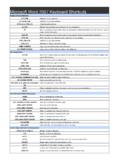
Transcription of Microsoft Excel 2007 Keyboard Shortcuts
1 Microsoft Excel 2007 Keyboard ShortcutsCTRL combination shortcut keysCTRL+Shift+(Unhides any hidden rows within the selection. CTRL+Shift+)Unhides any hidden columns within the selection. CTRL+Shift+&Applies the outline border to the selected cells. CTRL+Shift_Removes the outline border from the selected cells. CTRL Shift ~Applies the General number format in Microsoft Excel . CTRL+Shift+$Applies the Currency format with two decimal places (negative numbers in parentheses). CTRL+Shift+%Applies the Percentage format with no decimal places. CTRL+Shift+^Applies the Exponential number format with two decimal places. CTRL+Shift+#Applies the Date format with the day, month, and year. CTRL+Shift+@Applies the Time format with the hour and minute, and AM or PM. CTRL+Shift+!Applies the Number format with two decimal places, thousands separator, and minus sign (-) fornegative values. CTRL+Shift+*Selects the current region around the active cell (the data area enclosed by blank rows and blankcolumns).
2 In a PivotTable, it selects the entire PivotTable report. CTRL+Shift+:Enters the current time. CTRL+Shift+Copies the value from the cell above the active cell into the cell or the Formula Bar. CTRL Shift Plus ( )Displays the Insert dialog box to insert blank cells in Microsoft Excel . CTRL+Minus (-)Displays the Delete dialog box to delete the selected cells. CTRL+;Enters the current date. CTRL+`Alternates between displaying cell values and displaying formulas in the worksheet . CTRL+'Copies a formula from the cell above the active cell into the cell or the Formula Bar. CTRL+1 Displays the Format Cells dialog box. CTRL+2 Applies or removes bold formatting. CTRL+3 Applies or removes italic formatting. CTRL 4 Applies or removes underlining in Microsoft Excel . CTRL+5 Applies or removes strikethrough. CTRL+6 Alternates between hiding objects, displaying objects, and displaying placeholders for objects. CTRL+8 Displays or hides the outline symbols. CTRL+9 Hides the selected rows. CTRL 0 Hides the selected columns in Microsoft Excel .
3 CTRL+ASelects the entire worksheet . If the worksheet contains data, CTRL+A selects the current CTRL+A a second time selects the current region and its summary rows. Pressing CTRL+A athird time selects the entire worksheet . When the insertion point is to the right of a function name in aformula, displays the Function Arguments dialog box. CTRL+SHFT+A inserts the argument names andparentheses when the insertion point is to the right of a function name in a formula. CTRL+BApplies or removes bold formatting. CTRL+CCopies the selected cells. CTRL+C followed by another CTRL+C displays the Clipboard. CTRL+DUses the Fill Down command to copy the contents and format of the topmost cell of a selected rangeinto the cells below. CTRL+FDisplays the Find and Replace dialog box, with the Find tab selected. SHFT+F5 also displays this tab,while SHFT+F4 repeats the last Find action. CTRL+SHFT+F opens the Format Cells dialog box withthe Font tab selected. CTRL+GDisplays the Go To dialog box.
4 F5 also displays this dialog box. CTRL+HDisplays the Find and Replace dialog box, with the Replace tab selected. CTRL IApplies or removes italic formatting in Microsoft Excel . CTRL+KDisplays the Insert Hyperlink dialog box for new hyperlinks or the Edit Hyperlink dialog box for selectedexisting hyperlinks. CTRL+NCreates a new, blank workbook. CTRL ODisplays the Open dialog box to open or find a file. CTRL SHFT O selects all cells that containcomments in Microsoft Excel . Microsoft Excel 2007 Keyboard ShortcutsCTRL+PDisplays the Print dialog box. CTRL+SHFT+P opens the Format Cells dialog box with the Font tabselected. CTRL+RUses the Fill Right command to copy the contents and format of the leftmost cell of a selected rangeinto the cells to the right. CTRL+SSaves the active file with its current file name, location, and file format. CTRL TDisplays the Create Table dialog box in Microsoft Excel . CTRL+UApplies or removes underlining. CTRL+SHFT+U switches between expanding and collapsing of theformula bar.
5 CTRL+VInserts the contents of the Clipboard at the insertion point and replaces any selection. Available onlyafter you have cut or copied an object, text, or cell contents. CTRL+WCloses the selected workbook window. CTRL+XCuts the selected cells. CTRL YRepeats the last command or action, if possible in Microsoft Excel . CTRL+ZUses the Undo command to reverse the last command or to delete the last entry that you +SHFT+Z uses the Undo or Redo command to reverse or restore the last automatic correctionwhen AutoCorrect Smart Tags are displayed. Function keysF1 Displays the Microsoft Office Excel Help task pane. CTRL+F1 displays or hides the Ribbon, acomponent of the Microsoft Office Fluent user interface. ALT+F1 creates a chart of the data in thecurrent range. ALT+SHFT+F1 inserts a new worksheet . F2 Edits the active cell and positions the insertion point at the end of the cell contents. It also moves theinsertion point into the Formula Bar when editing in a cell is turned off.
6 SHFT+F2 adds or edits a cellcomment. CTRL+F2 displays the Print Preview window. F3 Displays the Paste Name dialog box. SHFT+F3 displays the Insert Function dialog box. F4 Repeats the last command or action, if possible. CTRL+F4 closes the selected workbook window. F5 Displays the Go To dialog box. CTRL F5 restores the window size of the selected workbook window inMicrosoft Excel . F6 Switches between the worksheet , Ribbon, task pane, and Zoom controls. In a worksheet that has beensplit (View menu, Manage This Window, Freeze Panes, Split Window command), F6 includes the splitpanes when switching between panes and the Ribbon area. SHFT+F6 switches between theworksheet, Zoom controls, task pane, and Ribbon. CTRL+F6 switches to the next workbook windowwhen more than one workbook window is open. F7 Displays the Spelling dialog box to check spelling in the active worksheet or selected range. CTRL+F7performs the Move command on the workbook window when it is not maximized. Use the arrow keysto move the window, and when finished press ENTER, or ESC to cancel.
7 F8 Turns extend mode on or off. In extend mode, Extended Selection appears in the status line, and thearrow keys extend the selection. SHFT+F8 enables you to add a nonadjacent cell or range to aselection of cells by using the arrow keys. CTRL+F8 performs the Size command (on the Control menufor the workbook window) when a workbook is not maximized. ALT+F8 displays the Macro dialog boxto create, run, edit, or delete a macro. F9 Calculates all worksheets in all open workbooks. SHFT F9 calculates the active worksheet in MicrosoftExcel. CTRL ALT F9 calculates all worksheets in all open workbooks, regardless of whether they havechanged since the last calculation. CTRL ALT SHFT F9 rechecks dependent formulas, and thencalculates all cells in all open workbooks, including cells not marked as needing to be F9 minimizes a workbook window to an icon. F10 Turns key tips on or off. SHFT F10 displays the shortcut menu for a selected item in Microsoft SHFT F10 displays the menu or message for a smart tag.
8 If more than one smart tag is present, itswitches to the next smart tag and displays its menu or message. CTRL F10 maximizes or restoresthe selected workbook window. F11 Creates a chart of the data in the current range. SHFT+F11 inserts a new worksheet . ALT+F11 opensthe Microsoft Visual Basic Editor, in which you can create a macro by using Visual Basic forApplications (VBA). F12 Displays the Save As dialog box. Other useful shortcut keysMicrosoft Excel 2007 Keyboard ShortcutsARROW KEYSMove one cell up, down, left, or right in a worksheet . CTRL+ARROW KEY moves to the edge of thecurrent data region (data region: A range of cells that contains data and that is bounded by empty cellsor datasheet borders.) in a worksheet . SHFT+ARROW KEY extends the selection of cells by one +SHFT+ARROW KEY extends the selection of cells to the last nonblank cell in the same columnor row as the active cell, or if the next cell is blank, extends the selection to the next nonblank cell BACKSPACED eletes one character to the left in the Formula Bar in Microsoft Excel .
9 Also clears the content of theactive cell. In cell editing mode, it deletes the character to the left of the insertion point. DELETER emoves the cell contents (data and formulas) from selected cells without affecting cell formats orcomments. In cell editing mode, it deletes the character to the right of the insertion point. ENDM oves to the cell in the lower-right corner of the window when SCROLL LOCK is turned on. Alsoselects the last command on the menu when a menu or submenu is visible. CTRL+END moves to thelast cell on a worksheet , in the lowest used row of the rightmost used column. If the cursor is in theformula bar, CTRL+END moves the cursor to the end of the text. CTRL+SHFT+END extends theselection of cells to the last used cell on the worksheet (lower-right corner). If the cursor is in theformula bar, CT ENTERC ompletes a cell entry from the cell or the Formula Bar, and selects the cell below (by default). In adata form, it moves to the first field in the next record.
10 Opens a selected menu (press F10 to activatethe menu bar) or performs the action for a selected command. In a dialog box, it performs the actionfor the default command button in the dialog box (the button with the bold outline, often the OK button).ALT+ENTER starts a new line in the same cell. CTRL+ENTER fills the selected cell range ESCC ancels an entry in the cell or Formula Bar in Microsoft Excel . Closes an open menu or submenu,dialog box, or message window. It also closes full screen mode when this mode has been applied, andreturns to normal screen mode to display the Ribbon and status bar again. HOMEM oves to the beginning of a row in a worksheet . Moves to the cell in the upper-left corner of thewindow when SCROLL LOCK is turned on. Selects the first command on the menu when a menu orsubmenu is visible. CTRL+HOME moves to the beginning of a worksheet . CTRL+SHFT+HOME extends the selection of cells to the beginning of the worksheet . PAGE DOWNM oves one screen down in a worksheet .