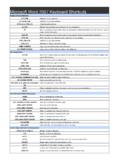
Transcription of Windows Media Player 10 Keyboard Shortcuts
1 Windows Media Player 10 Keyboard ShortcutsALTHide the menu ALT+1 Zoom to 50 percent ALT+2 Zoom to 100 percent ALT+3 Zoom to 200 percent ALT+AShow or hide album information in the Rip feature ALT+BStart burning a CD in the Burn feature ALT+CRip music from a CD to your computer in the Rip feature - or - Change synchronization settings in theSync feature ALT+ENTERShow video in full screen ALT+FShow the File menu ALT+F4 Quit the program in the current window ALT+F6, ALTShow the anchor window menu ALT+HShow the Help menu ALT+IShow or hide album information in your library - or - Show or hide Media information in the Rip feature ALT+L, ASave a new or changed playlist to your library ALT+L, BShow a list of items to burn to CD in the List pane in your library ALT+L, CSelect the columns to be shown in your library ALT+L, EShow a playlist from your library in the List pane.
2 ALT+L, HShuffle items in the List Pane in your library ALT+L, NCreate a playlist or auto playlist in the List pane in your library ALT+L, SShow or hide the List pane in your library - or - Sort items in the list by name, artist, album, rating, orfile name in your library - or - Show a list of items to synchronize to a portable device in the List pane inyour library ALT+L, UEdit items in the List pane by using the Edit Playlist dialog box in your library ALT+O, AActivate double-clicking to add selected items to the List pane in your library ALT+O, BShow a list of items to burn to CD in the List pane in your library ALT+O, CSelect the columns to be shown in your library ALT+O, GSelect items in the Details pane of your library that contain Media information for the selected sortorder ALT+O, IActivate double-clicking to play only selected items in a playlist in your library.
3 ALT+O, PActivate double-clicking to play all items in a playlist in your library ALT+O, RPlay items in the Now Playing list repeatedly in your library ALT+O, SShow or hide the List pane in your library ALT+O, WShow a list of items to play in the List pane in your library ALT+PShow the Play menu ALT+SSearch for items in your library that include the text in the Search box - or - Start or stopsynchronization in the Sync feature - or - Stop ripping music in the Rip feature - or - Stop burning a CDin the Burn feature - or - Access and download more skins in the Skin Chooser feature ALT+Shift+PRestore the Player from mini Player mode ALT+TShow the Tools menu ALT+VShow the View menu ALT+V.
4 GGo to the Features taskbar features Arrow keysMove left or right or up or down on menus or lists CTRL+1 Switch to full mode CTRL+2 Switch to skin mode CTRL+arrow keys, SPACEBARS elect or clear check boxes for multiple items that are not contiguous CTRL+BPlay the previous item CTRL+DEdit the current playlist on the File menu CTRL+EEject the CD or DVD on the Play menu Windows Media Player 10 Keyboard ShortcutsCTRL+FPlay the next item CTRL+HShuffle the playlist on the Play menu or the Skin shortcut menu CTRL+ICapture a still image from a DVD on the View menu CTRL+MShow the menu bar in full mode CTRL+NCreate a playlist on the File menu CTRL+OOpen a file on the Skin shortcut menu or the File menu - or - Open or play a
5 File in the Anchor window CTRL+PPlay or pause a file CTRL+SStop playback CTRL+Shift+BRewind (not available for all files) CTRL+Shift+CTurn captions and subtitles on or off CTRL+Shift+GPlay faster than normal speed (time compression) CTRL+Shift+SPlay slower than normal speed (time expansion) CTRL+TRepeat the playlist CTRL+TABS witch between the inner and outer areas of the Player CTRL+USpecify either a URL or path of a file CTRL+WClose or stop playing a file on the File menu DELETED elete a selected item in the Sync feature DOWN ARROWS elect the next item in the list ENTERPlay an item - or - Carry out the command for the selected item or button - or - Go to the selected link ESCHide the menu F1 Open Help F3 Search specified locations for digital Media files F5 Refresh the information in the panes in the Sync feature F8 Mute the volume F9
6 Decrease the volume Shift+arrow keys, SPACEBARS elect or clear contiguous check boxes Shift+F10 Show the shortcut menu for the selected item Shift+TABS elect the previous area SPACEBARS elect or clear a check box - or - Play an item - or - Carry out the command for the selected item orbutton - or - Go to the selected link TABS elect the next area UP ARROWS elect the previous item in the list Visit for more printable Keyboard Shortcuts