Example: dental hygienist
Mobile Printer Accessory Guide - Zebra Technologies
Healthcare mobile printers with disinfectant-ready plastics are ideal for mobile specimen collection or other healthcare applications. Use them to print barcode ... (barrel jack connector) 15-60V DC power supply with barrel jack connector. Connects directly to …
Tags:
Information
Domain:
Source:
Link to this page:
Documents from same domain

NOTICE OF EXPANSION - Zebra Technologies
www.zebra.comPSUs that serve as the power source for ZP models of Zebra printers ... http://www.zebra.com/power-supply-recall. ... It is strongly recommended that …

LS1203 Product Reference Guide - Zebra …
www.zebra.comASCII Character Set for USB ... The LS1203 Product Reference Guide provides general instructions for setting up, operating, maintaining, and

LS2208 PRODUCT REFERENCE GUIDE - Zebra …
www.zebra.comvi LS2208 Product Reference Guide ... ASCII Character Set ..... 5-16 Chapter 6: RS-232 Interface Introduction ...

ZC300 Card Printer - zebra.com
www.zebra.commost sensitive data during printing, such as account numbers. BOOST VALUE WITH NEW CAPABILITIES ... GLOBAL CONTACT DIRECTORY AT WWW.ZEBRA.COM/CONTACT. ... ZC300 CARD PRINTER FOR NORTH AMERICA, EUROPE, MIDDLE EAST AND AFRICA ZC300 Card Printer Specifications Continued on back MEDIA SPECIFICATIONS …

ZXP Series 9 Retransfer Card Printer Spec Sheet
www.zebra.comZXP Series 9 Retransfer Card Printer PAIRING OUTSTANDING PRINT QUALITY WITH THE FASTEST PRINT SPEEDS IN THE INDUSTRY Extending Zebra’s line of card printers, the ZXP Series 9™ is a retransfer card printer specifically engineered for high-security applications.

2022 HOSPITAL VISION STUDY - Zebra Technologies
www.zebra.comdynamic staff workflows 83% ... them with digital solutions that increase the accuracy of patient ... Enriching Staff Communications

3 Overlook Point - Zebra Technologies
www.zebra.com3 Overlook Point Lincolnshire, IL 60069 USA T: +1 847 634 6700 F: +1 847 913 8766 www.zebra.com Zebra Technologies Announces ARM® mbed™ IoT Starter Kit for Zatar IoT Starter Kit To Use Atmel®/ SMART Xplained board and kit

ZT200 Series Parts Catalog - Zebra Technologies
www.zebra.comAmericas Customer Service +01 877‐275‐9327 Page 1 November 29, 2017 ZT200 Series Parts Catalog _____ Outer Casing Components Item Number Description Part Number

ZT400 Series Parts Catalog - Zebra Technologies
www.zebra.comZT400 Series Parts Catalog _____ Replacement Components for Media Rewind Options Item Number Description Part Number Quantity 1 Media Guard for Media Rewind Spindle ZT400 Series P1058930-057 1 2 Media Rewind Spindle (includes Motor and PCBA) ZT410 (This item is only for replacing an existing media rewind spindle on a printer that shipped from ...

Technical Paper: Zebra ZXP Series 3 Linux Printer Driver
www.zebra.comA Zebra Technologies Technical Paper 2 ... language/format of the printer via a series of filters. In this implementation, the CUPS filter converts the document from raster format to a Card printer family specific format. ... required to convert that job into something the printer understands. CUPS includes filter programs for many common ...
Related documents

User Manual - NUU Mobile
us.nuumobile.comConnector Keypad 6 6 Left Soft Key 7 Right Soft Key 7 8 8 Navigation Padd. 9 Center Soft Key 9 10 Phone Key 10 11 11 End/Power Key 12 Number Pad a. Press & Hold 1 for voicemail b. Press & Hold # to change between normal mode & vibrate mode c. Press & Hold * to display recent tasks Press & Hold 0 for camera 12 1
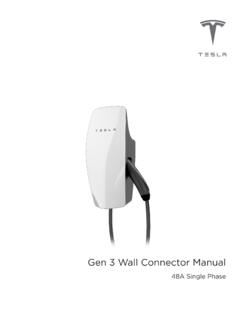
Gen 3 Wall Connector Manual - Tesla, Inc.
www.tesla.comJan 15, 2020 · Wall Connector is equipped with Wi-Fi to communicate with local site routers, vehicles, mobile devices, other Wall Connectors, and other Tesla products. Hosted Access Point Wall Connector hosts a WPA2 password-secured, 2.4 GHz, 802.11 Wi-Fi access point network to facilitate commissioning and connecting to other devices.

Gen 3 Wall Connector Commissioning Procedure - Tesla, Inc.
www.tesla.comNOTE: The Wi-Fi network will only broadcast for 5 minutes. To have the Wall Connector broadcast the SSID again, hold the button on the charging handle for 5 seconds or turn the circuit breaker off, then on again. NOTE: If you are unable to connect to the Wall Connector SSID, turn off the cellular data on your mobile device and try again. 3.

HP ZBook 14u G6 Mobile Workstation
www8.hp.com9. Power connector 20. HP Collaboration Keyboard 10. USB Type-C™ with Thunderbolt™ 21. Power button 11. Docking Connector 22. Speakers 1All units have a SIM card slot and icon but units that do not support WWAN are shipped with a non-removable SIM slot plug

Samsung Galaxy S8 / S8+ G950U / G955U User Manual - T …
www.t-mobile.combefore inserting a power connector to charge your device. If the charging port is not fully dry, your device may operate abnormally. For example, it may charge more slowly or overheat. For more information, refer to “Maintaining Water and Dust Resistance” on page 206. Your device is powered by a rechargeable, standard

Mobile Phone Repairing Course
www.mobilecellphonerepairing.comMobile Phone. It is also called P.A (Power Amplifier) and Band Pass Filter. Work: It filters and amplifies network frequency and selects the home network. Faults: If the PFO is faulty then there will be no network in the mobile phone. If it gets short then the mobile phone will get dead.

Mobile Access Portal Gateway Installation Guide
cgproducts.johnsoncontrols.com• Mobile Access Portal Gateway Quick Start Guide (Part No. 24-10737-16) Special Tools Needed To use the MAP Gateway, you need a mobile device (tablet or smartphone) or computer (laptop or desktop) that supports Wi-Fi. If the unit is permanently mounted to a vertical surface without a DIN rail, you need screws to mount the unit.