Example: tourism industry
myPhonak 4
myPhonak is an app developed by Sonova, a world leader in hearing solutions based in Zurich, Switzerland. Read the user instructions thoroughly in order to benefit from all the possibilities it offers. Intended use Intended use of the myPhonak app is …
Tags:
Information
Domain:
Source:
Link to this page:
Documents from same domain

myPhonak 4
www.phonak.comlow energy (BT-LE) capability and is compatible with iPhone® 5s and newer running iOS® Version 12.0 or newer. myPhonak can be used on Google Mobile Services (GMS) certified Android™ devices supporting Bluetooth® 4.2 and Android OS 7.0 and newer. Contents Quick overview 3 Installing the myPhonak app 5
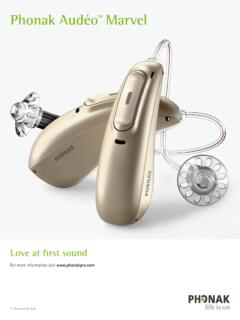
Phonak Audéo TM Marvel
www.phonak.comPhonak Audéo M Bluetooth® versions Direct calls / audio streaming Bluetooth® 4.2 wireless technology and most older Bluetooth phones The Bluetooth® word mark and logos are registered trademarks owned by Bluetooth SIG, Inc.

TV Connector - Phonak
www.phonak.com6 7 2.1 Device description 1 Connect button 2 Indicator light (LED) 3 microUSB power socket 4 Audio socket for optical (Toslink) or analog (3.5mm jack) cable 5 Power button 6 Volume up and down buttons (calibration) 2 4 5 1 6 6 TV Connector 3 Hearing aid Up to 15 meters (50 ft) Line-of-sight between your hearing aids and
Sample IEP Goals and Learning Objectives for GAP
www.phonak.comIEP goals for high school students may include all areas of the content standards (reading, writing, speaking, listening, and language). When getting started, however, the speaking and listening standards are an important place to start. Some sample IEP goals which are aligned to content standards illustrates how this works.

User Guide - Phonak
www.phonak.comc. Start over with step 1 (opposite). Connecting the power supply to the docking station 1. Place the docking station next to your TV / audio device and connect the smaller end of the charging cable to the power input of the docking station . 2. Plug the larger end of the charging cable into the universal power supply. 3.

Phonak AudéoTM B-R
www.phonak.com2 3 Your hearing aid & charger details Hearing aid model Earpieces c Audéo B90-R c Dome c Audéo B70-R c SlimTip c Audéo B50-R c cShell Charging accessories c Charger Case RIC incl. power supply c Power Pack c Mini Charger RIC incl. power supply If no box is checked and you do not know the model of your hearing aid or charging accessories,

Roger OnTM - Find the best hearing aid solution | Phonak
www.phonak.com10.1 Connect to a hearing aid or Roger receiver 36 10.2 Connect another microphone 39 10.3 Disconnecting Roger devices 41 11. Using in a large group 42 11.1 Using multiple microphones 43 12. Reset 44 13. Shipping mode 45 14. Care and maintenance 46 15. roubleshootingT 48 16. Compliance information 52 17. Information and explanation of symbols ...

Gebrauchsanleitung TV Connector - Phonak
www.phonak.com2 Inhalt 1. Willkommen 4 2. Lernen Sie Ihren TV Connector kennen 5 3. Erste Schritte 8 3.1 Vorbereiten des Netzteils 8 3.2 Unterstützte Audioanschlüsse 10 3.3 Anschließen von Audiogeräten 11 3.4 Optional: Anschließen von Audiogeräten mithilfe der optischen Buchse 12 3.5 Verbinden des TV Connector mit den Hörgeräten 13 4.

Phonak Audéo TM P
www.phonak.comlithium-ion battery. The Power Pack contains a built-in and non-removable rechargeable lithium-polymer battery. Please also read safety information regarding handling rechargeable hearing aids (chapter 23). * Incl. power supply and USB cable (< 3 m)

User Guide TV Connector - Phonak
www.phonak.comUser Guide TV Connector. 2 Contents 1. Welcome 4 2. Getting to know your TV Connector 5 3. Getting started 8 3.1 Setting up the power supply 8 3.2 Supported audio connections 10 3.3 Connecting to an audio device 11 3.4 Optional: Connecting to …
Related documents
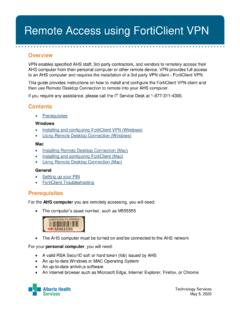
Installing and using FortiClient VPN
www.albertahealthservices.caThis guide provides instructions on how to install and configure the FortiClient VPN client and then use Remote Desktop Connection to remote into your AHS computer. If you require any assistance, please call the IT Service Desk at 1-877-311-4300.
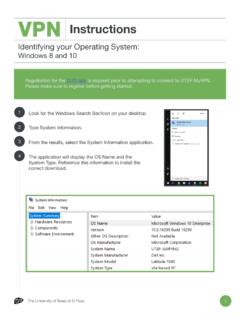
VPN Instructions - University of Texas at El Paso
www.utep.eduMar 31, 2020 · VPN Instructions ii How to Set Up My VPN: Windows 8 and 10 Download the application. • 64 Bit Downloads Windows • 32 Bit Download Windows Download the DUO app in your cellphone and set it up. • iOS • Android Double-click the msi in your computer to install. On the screen click Next and then again on the three following screens. Then click
INSTALLATION INSTRUCTIONS 30 (76 CM) …
www.whirlpool.comsecured per the instructions in this document. Four-wire power supply cord or cable must be used in a mobile home installation. The app liance wiring will need to be revised. See “Electrical Connection - U.S.A. Only” section. Tape measure Flat-blade screwdriver Phillips screwdriver Level Hammer Hand or electric drill

SOUNDTOUCH® 10 - Bose
assets.bose.comIf you do not complete the setup process, you will be responsible for installing security updates that Bose makes available. License Disclosures You can view the license disclosures that apply to the third-party software packages included with your speaker through the SoundTouch® app or by using your product’s IP address. SoundTouch® app 1.

Virtual Workspace Services Portal
portal.bankofamerica.cominstructions to download and install VMware Horizon Client . Note – Once the VMware Horizon Client download and installation is complete, you do not need to enter a Server Address or Description. Simply close the app. Do not open the VMware Horizon Client app to connect. Connect using Safari instead by continuing below.
Workday Mobile App User Guide
teamworks.wellsfargo.com4 February 2022 | Workday Mobile App User Guide . View your payslip in the Workday Mobile application . This section provides instructions on how to access and view your payslip using the Workday mobile application. 1. Once logged into the Workday mobile app, select the . Pay. application. Note: Select . View All. to see additional apps. 2.