Example: barber

NYCHA Self-Service Portal

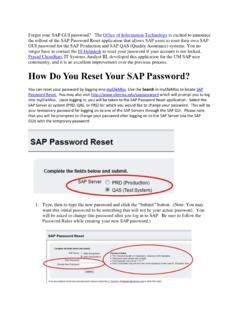
NYCHA Self-Service PortalUsername and PasswordUsername and password Functions Registered User Forgot Username If you forgot your registered username for NYCHA Self-Service Portal , you may retrieve it using this link. You will be required to enter certain personal information (Ex. Last Name, Registered e-mail Address, etc). to verify your identity. Registered User Forgot password If you forgot your account password for NYCHA Self-Service Portal , you may use this link to create a new password . You will be required verify your personal information and you may choose one of the two options presented to you for creating a new password . Registered User Reset password If you wish to change your account password for NYCHA Self-Service Portal , you may do so using this link. You will be required to create a new password , complying the password standards Forgot ) Select a User ) Enter Your Personal ) System displays your usernameDOEJ14012.

The system will reset your password to: Flrst 2 letters of Last Name @ Last 5 of SSN. Example: Joe Smith whose SSN is 123456789 will be reset to 'sm@56789' Personal Password Choose your own password that is a Mlnlmum of 8 Characters. The password must contain at least a Letter, a Number and a Special character: (@ # S A SUBMIT

Tags:

  Password, Esters

Information

Domain:

Source:

Link to this page:

Please notify us if you found a problem with this document:

Other abuse

Advertisement

Transcription of NYCHA Self-Service Portal

1 NYCHA Self-Service PortalUsername and PasswordUsername and password Functions Registered User Forgot Username If you forgot your registered username for NYCHA Self-Service Portal , you may retrieve it using this link. You will be required to enter certain personal information (Ex. Last Name, Registered e-mail Address, etc). to verify your identity. Registered User Forgot password If you forgot your account password for NYCHA Self-Service Portal , you may use this link to create a new password . You will be required verify your personal information and you may choose one of the two options presented to you for creating a new password . Registered User Reset password If you wish to change your account password for NYCHA Self-Service Portal , you may do so using this link. You will be required to create a new password , complying the password standards Forgot ) Select a User ) Enter Your Personal ) System displays your usernameDOEJ14012.

2 Forgot ) Select a User ) Enter Personal ) Choose one of the two options to create a new password3. Reset/Change ) Use your username and current password to create a new passwor
Related search queries