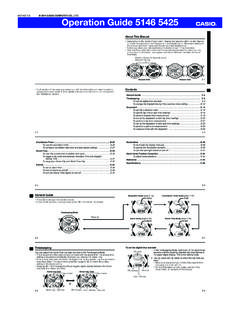
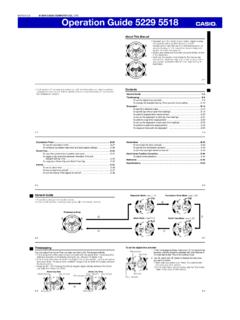
Transcription of Operation Guide 5081 - support.casio.com
1 Operation Guide 50811MO0911-EAGetting AcquaintedCongratulations upon your selection of this CASIO watch. To get the most out of yourpurchase, be sure to read this manual This manual Depending on the model of your watch, display text appears either as dark figureson a light background or light figures on a dark background. All sample displays inthis manual are shown using dark figures on a light background. Button operations are indicated using the letters shown in the illustration. Each section of this manual provides you with the information you need to performoperations in each mode. Further details and technical information can be found inthe Reference ModeCountdown Timer ModeWorld Time ModeStopwatch Mode General Guide Press C to change from mode to mode. In any mode (except a setting mode), press B to illuminate the ModePress C. TimekeepingYou can adjust the Home Time city date and time in the Timekeeping Mode. Pressing D in the Timekeeping Mode will toggle lower left display between thescreens shown City DateHome City Time DateSecondsDay of the weekHourMinutesSecondsPM indicatorDay of the weekTo set the time and date1.
2 In the Timekeeping Mode, hold down A for about threeseconds until the city code flashes on the lower rightdisplay. This is the setting Use D and B to select the city code you want. Make sure you select your Home City code beforechanging any other setting. For full information on city codes, see the City CodeTable .llllllllllllHourMinutesCity codePM indicatorSeconds3. Press C to change the flashing screen content in the sequence shown below toselect the other FormatHourMinutesDSTM onthYearCity CodeDayIlluminationDuration4. When the timekeeping setting you want to change is flashing, use D or B tochange it as described the city codeToggle the DST setting betweenDaylight Saving Time () andStandard Time ().Use D (east) and B(west).Press do this:Do this:Screen:5. Press A to exit the setting mode. The day of the week is displayed automatically in accordance with the date (year,month, and day) between 12-hour () and24-hour () timekeepingReset the seconds to Change the hour and minutesChange the year, month, or dayToggle the display illuminationduration between seconds ()and three seconds ()Press D (+) and B ( ).
3 Press Saving Time (DST)Daylight Saving Time (summer time) advances the time setting by one hour fromStandard Time. Remember that not all countries or even local areas use DaylightSaving change the Daylight Saving Time (summer time) setting1. In the Timekeeping Mode, hold down A for about threeseconds until the city code flashes on the lower rightdisplay. This is the setting Press C. This will display the DST setting Use D to toggle the DST setting on and off ( )DST on ( ) The default DST setting is OFF ().4. When the setting you want is selected, press A to exitthe setting mode. The DST indicator appears to indicate that DaylightSaving Time is turned indicator12-hour and 24-hour timekeeping With the 12-hour format, the PM indicator appears above the hour digits for times inthe range of noon to 11:59 and no indicator appears for times in the range ofmidnight to 11:59 With the 24-hour format, times are displayed in the range of 0:00 to 23:59, withoutthe PM indicator.
4 The 12-hour/24-hour timekeeping format you select in the Timekeeping Mode isapplied in all other can use the stopwatch to measure elapsed time, laptimes and split times. If you specify a distance value, thestopwatch also will calculate and display speeds. The digital display range of the stopwatch is 99 hours,59 minutes, seconds. The stopwatch continuesto run until you stop it. If it reaches the above limit, it willrestart the time measurement from zero. The stopwatch Operation continues even if you exit theStopwatch Mode. If you exit the Stopwatch Mode while astopwatch Operation is in progress, the segments in theupper right dial will appear and disappear sequentiallyas stopwatch seconds are counted. This is to let youknow that a stopwatch Operation is in progress. All of the operations in this section are performed in theStopwatch Mode, which you enter by pressing handImportant! Check to make sure that the speed hand is not moving before you perform anyStopwatch Mode button a Distance ValueYou can use the procedure below to specify a distance value, if you want.
5 If youspecify a distance value, the watch will calculate and indicate speed for certainstopwatch operations. The distance value represents kilometers, miles, or any other distance unit you a distance value of , for example, can mean kilometers or No speed calculation is performed when is specified as the current distancevalue. For lap time readings, you can specify either the lap distance (when all the laps arethe same distance) or the total race distance. For split time readings, you can specify the total race distance only. Though thewatch will indicate a speed each time you take a split reading, they will be based onthe total race distance, and so they will not indicate actual intermediate split Guide 50812To specify a distance value1. In the Stopwatch Mode, make sure the stopwatch isstopped and reset to all zeros. If you need to reset the stopwatch to all zeros, press Hold down A for about three seconds until the watchbeeps, DIST () appears in the lower right display,and the left digit of the current distance value settingflashes in the lower left display.
6 This is the distance value setting Press C to move the flashing between the values onthe left side and right side of the distance value digitdecimal While either the left or right distance value is flashing,use D (+) and B ( ) to change it. You can specify a distance value in the range of After specifying the distance value you want, press Ato exit the setting speed is indicated While an elapsed time measurement Operation is beingperformed in the Stopwatch Mode, the watch will displaya speed value, which is calculated based on thedistance you specified and the elapsed time. The speedis indicated by the upper right dial, two indicators (1000and MACH), and the speed hand. The upper right dial indicates the 100s digit value. 1000 appears when the speed exceeds 1,000. MACH appears when the speed exceeds 1,226. The speed hand indicates speed values less than even-numbered values are :At a speed of 1,740, the upper right dial indicates 1000and MACH is upper right dial indicates speed hand indicates 40.
7 Speed can be indicated from 0 to 1998. OVER isindicated by the speed hand when the speed handUpperright dialOVERMach (MACH)Speed (1000)Time MeasurementYou need to specify either lap time or split time measurement before you start astopwatch Operation . If you want to measure total elapsed time, select split time specify lap time or split time readings1. In the Stopwatch Mode, make sure the stopwatch is stopped and reset to all zeros. Make sure that LAP (lap times) or SPL (split times) is shown in the lower rightdisplay. If you need to reset the stopwatch to all zeros, press Press A to toggle between LAP (lap times) and SPL (split times) in the lower rightdisplay. AElapsed Time MeasurementUse the following procedure to measure elapsed time, without taking lap time or splittime perform elapsed time measurementSelect split time (SPL) measurement and then perform the following button Start D Stop A Reset If you have a distance value specified for the current elapsed time measurement, theupper right dial and speed hand will indicate the overall speed when you press D tostop the elapsed time Operation .
8 After pressing D to stop an elapsed time Operation , you could press D again torestart from the point where you left TimeA lap time reading shows the time elapsed since the lastlap time reading was taken. If you want the watch to calculate the speed of each lap(when all of the laps are the same distance), specify thelap distance for the distance setting. If you want the watch to calculate the speed of the entirerace, specify the race distance for the distance setting. Aspeed will be indicated each time you take a lapreading, but these lap speeds will not indicate actualspeed of the entire set up the stopwatch to take lap time readings1. In the Stopwatch Mode, make sure the stopwatch is stopped and reset to all zeros. If you need to reset the stopwatch to all zeros, press Make sure that LAP (lap times) is shown in the lower right display. If SPL (split times) is displayed, press A to toggle it to timeTo perform a lap time measurementSelect lap time (LAP) measurement and then perform thefollowing button Start A Lap* A Lap* D Stop A Reset* The lap time is released automatically in about 12seconds.
9 You can press A to take lap readings as many times asyou like. The LAP indicator flashes while a lap reading isdisplayed. A lap number (#01 through #99) alternates with the laphour value in the lower right display while a lap timereading is displayed. If you take more than 99 lapreadings, the lap number will restart from #00 followinglap #99. Pressing D to stop elapsed time measurement displaysthe time (and speed if a distance is specified) of the numberSpeed(calculated)MinutesSecondsLAP indicator1/1000secondsSplit TimeA split time reading shows the time elapsed since thebeginning of the current time measurement. If you want the watch to calculate the speed of the race,specify the race distance for the distance setting. For split time readings, you can specify the total racedistance only. Though the watch will indicate a speedeach time you take a split reading, they will be based onthe total race distance, and so they will not indicateactual intermediate split set up the stopwatch to take split time readings1.
10 In the Stopwatch Mode, make sure the stopwatch is stopped and reset to all zeros. If you need to reset the stopwatch to all zeros, press Make sure that SPL (split times) is shown in the lower right display. If LAP (lap times) is displayed, press A to toggle it to timeTo perform a split time measurementSelect split time (SPL) measurement and then performthe following button Start A Split A Split Release* D Stop A Reset* The split time is released automatically if you do notpress A within about 12 seconds. You can press A to take split readings as many timesas you like. The SPLIT indicator flashes while a lapreading is displayed. The stopwatch continues elapsed time measurementinternally while a split time reading is A to release the split will switch the lower leftdisplay to the elapsed time measurement, or you alsocould press D to stop elapsed time measurementinstead. Pressing D to stop elapsed time measurement displaysthe time (and speed if a distance is specified) of the finalsplit (which is the overall elapsed time).