Example: bankruptcy
OPERATION MANUAL - TCL
Operating Humidity: 20% to 80%, non-condensing Storage Temperature: -15°C to 45°C (5°F to 113°F) Storage Humidity: 10% to 90%, non-condensing Cleaning • Dust the set by wiping the screen and the cabinet with a soft, clean cloth or some special liquid cleaner. • Do not apply excessive force to the screen when cleaning.
Tags:
Information
Domain:
Source:
Link to this page:
Documents from same domain
User Guide - TCL
www.tcl.comJul 10, 2020 · WARNING: The TV is unstable if it is not properly attached to the base or mounted to the wall. Be sure to follow the base or wall mounting instructions provided in the User’s Guide to ensure your safety. WARNING: Do not expose batteries to excessive heat such as sunshine, fire, and so forth. Proper operating voltage

C725/C727/P725 SERIES
www.tcl.comWarning: Excessive sound pressure from earphones and headphones can cause hearing loss. USB2.0 or USB3.0 socket (input) The USB socket(s) can be used to connect a USB 2.0 or USB 3.0 device. Note: The number of USB sockets on the TV may vary according to TV model. LAN Router / Modem ANTENNA IN AV IN adapter V L R V R V R DIGITAL AUDIO OUT ...

4series Roku User Guide US-CA-8.1 - TCL
www.tcl.comApr 21, 2016 · Important: This television is a table model and is designed to sit on a firm, flat surface. Don’t place the TV on soft carpeting or similar surface because the ventilation slots on the bottom of the unit will be blocked, resulting in reduced lifetime from overheating. To assure adequate ventilation for this product, maintain a spacing of 4 inches
6series Roku User Guide US-CA-8.1 - TCL
www.tcl.comApr 21, 2016 · Low power standby mode The Power button (indicated by the power symbol) on this TV and its remote control puts the TV into a very low power standby mode but does not completely turn the power off. To completely shut the power off, you must disconnect the power cord from the power outlet. The main plug/appliance coupler is used as a disconnect ...

User Guide - TCL
www.tcl.com1. When the power cord is connected, the TV will be turned on directly or be in standby mode. If the TV is in standby mode, press the button on the set or the button on the remote control to turn it on. 2. To put the TV into standby mode, press the button on the remote control. The TV set remains powered on, but with low energy consumption. 3.

Hi! Let’s get started. - TCL
www.tcl.comthe TV on soft carpeting or similar surface because the ventilation slots on the bottom of the unit will be blocked, resulting in reduced lifetime from overheating. To assure adequate ventilation for this ... harmful interference to radio or television reception, which can be determined by turning the equipment o and on, the user is encouraged ...
User Guide
www.tcl.comElectrical Code (Section 54 of the Canadian Electrical Code, Part 1) which provides guidelines for proper grounding and, in particular, specifies that the cable ground should be connected to the grounding system of the building as close to the point of cable entry as practical.

User guide. - TCL
www.tcl.com7 8 • Do not allow your phone to be exposed to adverse weather or environmental conditions, such as moisture, humidity, rain, infiltration of

3series Roku User Guide US-CA-8.1 - TCL
www.tcl.comtipped over, pushed off, or pulled off the stand. This could cause personal injury and/or damage to the TV. Refer to the Important Safety Instructions on the following pages. Low power standby mode The Power button (indicated by the power symbol) on this TV and its remote control puts the TV into a very low
Related documents

VEHICLE-MOUNTED COMPUTERS - Zebra Technologies
www.zebra.comZebra Vehicle Mounted Computers Product Family VC8300 8” VC8300 10” Display Half Full Platform Qualcomm SD660 Qualcomm SD660 Keyboard Integrated External / Virtual Features •Unique feature set for continuous operations in freezers, cold storage and condensing environments •Multiple mounting options, •A 10-second quick release mount ...

HP Z2 Mini G5 Workstation
www8.hp.comConvertibility Z2 Mini G5 can either be placed on a flat surface or mounted behind a display or under a desk. (Mounting sold separately) Expansion Slots (see system board section ... Humidity Operating: 10% to 85% RH, non-condensing, 35° C maximum wet bulb Non-operating: 10% to 90% RH, non-condensing, 35° C maximum wet bulb Maximum Altitude ...

HIGH EFFICIENCY CONDENSING BOILERS - Lochinvar, LLC
www.lochinvar.comFTXL boilers have a top-mounted, micrometal fiber burner, with a blower/gas valve assembly that drives heat energy downward, through stainless steel fire tubes, with exhaust venting through the bottom of the unit. With up to 10:1 modulation turndown, the burner automatically changes its firing rate as building heat loads vary.
DIN Panels and Accessories - Lutron Electronics Company Inc
www.lutron.comnon-condensing. Indoor use only. Door is required if LQSE-4A-D/LQSE-4A5-230-D module is used and calibration point exceeds 70 °C (158 °F). See optional accessories for door models. Cooling Passive cooling Line-Voltage Connections Use copper wire only. In a feed-through panel, DIN rail-mounted terminal blocks
Temperature Sensors ET Series - Schneider Electric
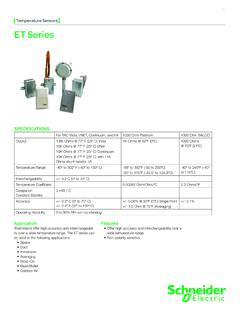
iportal2.schneider-electric.commounted on the back of a 1 Gang stainless steel plate. The foam pad will insulate the sensor from any drafts in the wall. (2) 6/32” x 1” machine screws are provided for junction box mounting. Be sure that the sensor is not mounted on an outside wall, due to the extreme temperature changes from either drafts or heat transfer. INSTAllATION ...
Sivoia QS Smart Panel Power Supply - Lutron Electronics …
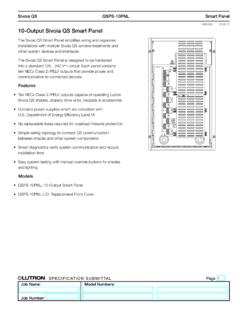
www.lutron.com• May be surface mounted or recess mounted at a location within allowable distance to powered devices, limited by wire gauge used; see the section titled: Wiring Rules With cover All knockouts: ∅ 7/8 in (22 mm) Bottom Side 10.88 in (276 mm) 18.00 in (457 mm) 4.16 in (106 mm) Without cover Rear 10.38 in (264 mm) 17.50 in (445 mm) 9.50 in ...
HP Desktop Mini PC Accessories
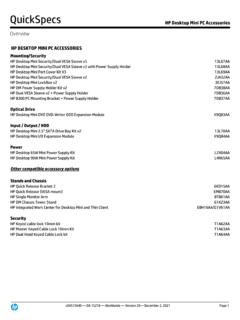
h20195.www2.hp.com(all conditions non-condensing) Temperature (operating) 41° to 122° F (5° to 50° C) Relative Humidity (operating) 10% to 80% Maximum Wet Bulb Temperature (operating) 86° F (30° C) VESA mount Yes, 100mm Option kit contents 3 4mm ladder screws, 3 8mm ladder screws, 1 29mm secured torx screw, 1 54mm secured