Example: marketing
OptiPlex 7090 Tower
SupportAssist is the smart technology that keeps your computer running at its best by optimizing settings, detecting issues, removing viruses and notifies when you must make system updates. SupportAssist proactively checks the health of your system's hardware and software. When an issue is detected, the necessary system state
Tags:
Information
Domain:
Source:
Link to this page:
Documents from same domain
Dell Optimizer Version 2.0 User's Guide
dl.dell.comOct 10, 2020 · Dell Optimizer is a software application that intelligently optimizes the performance of your system by using artificial intelligence and machine learning. Dell Optimizer dynamically configures your system settings to optimize the performance of your applications.
Dell Docking Station WD19DCS Dual Cable User Guide
dl.dell.comStation WD19DCS to supported Dell systems, the dock button works like your system's power button and you can use it to power on/sleep/force shutdown the system. NOTE: The dock button is not functional when connected to unsupported Dell systems or non-Dell systems. 4. 8 Identifying Parts and Features
Inspiron 15-3505 Laptop Users Guide - Dell
dl.dell.comViews of Inspiron 3505. Right. 1. SD-card slot. Reads from and writes to the SD card. The computer supports the following card types: Secure Digital (SD)
Inspiron 15 7000 Gaming Setup and Specifications
dl.dell.comInspiron 15 7000 Gaming Setup and Specifications Computer Model: Inspiron 15-7567 Regulatory Model: P65F Regulatory Type: P65F001
XPS 13 9310 Re-imaging guide for Windows - Dell
dl.dell.comExpanded compatibility Fixed device issues Support for new features However, if your computer is operating normally and there are no driver issues or updates being prompted by Windows, driver updates may be unnecessary. Updating drivers unnecessarily may create new problems.
XPS 15 9510 Re-imaging guide for Windows - Dell
dl.dell.comExpanded compatibility Fixed device issues Support for new features However, if your computer is operating normally and there are no driver issues or updates being prompted by Windows, driver updates may be unnecessary. Updating drivers unnecessarily may create new problems.
Dell Wyse USB Imaging Tool
dl.dell.comsupport for Windows 10 Enterprise LTSC 2019 (64-bit) on Wyse 5070 Thin Client, Wyse 5470 Thin Client and Wyse 5470 All-in-One Thin Client. Key features USB Imaging Tool has the following key features: Provision to push an Image from a network.
Precision 3560 Setup and Specifications
dl.dell.comS4 (Hibernate) - The computer consumes the least power compared to all other sleep states. The computer is almost at an OFF state, expect for a trickle power. The context data is written to hard drive. S5 (OFF) - The computer is in a shutdown state. 10 Views of Precision 3560
Dell Precision 5560
dl.dell.comConnect the 8K display directly to a Thunderbolt port on your computer. Power on the display and than turn off the power on the display. Daisy chain two 4K monitor via WD19TB series cannot reach 4K resolution. Question. When two 4K display is connected by Daisy chain via WD19TB series docking station, it cannot reach resolution upto 4K *2 @60 ...
Dell EMC OpenManage Enterprise Release Notes
dl.dell.comOct 01, 2021 · Enterprise's system management and monitoring is best suited for enterprise LANs and is not recommended for usage over WANs. For information about supported browsers, see the OpenManage Enterprise Support Matrix available on the support site. With OpenManage Enterprise, a web-based one‑to‑many systems management application, users can:
Related documents
Aruba 2930F Switch Series - Data sheet
www.arubanetworks.comcreating smart digital workplaces that are optimized for mobile users with an integrated wired and wireless approach. ... • TPM-based Security- Includes a Trusted Platform Module (TPM) for secure hardware-based generation and storage of cryptographic keys …
HP 290 G4 Microtower PC
www8.hp.comsmart investment. *Product image may differ from actual product HP recommends Windows 11 Pro for business Powered up processing ... TPM feature will be supported on machine pre-con gured with FreeDOS, and will be default set as enabled in BIOS setup menu if the machine is dTPM, but will be default set as disabled in BIOS setup menu if the ...

Notebook PC HP EliteBook x360 1040 G8
h20195.www2.hp.comPower HP Smart 65 W USB Type-C® adapter; HP 65 W USB Type-C® slim adapter Battery type HP Long Life 4-cell, 54 Wh Li-ion polymer; HP Long Life 4-cell, 78.5 Wh Li-ion polymer Battery life Up to 22 hours Dimensions 31.93 x 20.26 x 1.66 cm Weight Starting at 1.32 kg (Weight will vary by con guration.)
Dell Latitude 7290 7390 7490 Technical Guidebook
dl.dell.comSecurity TPM 2.0 FIPS 140-2 Certified, TCG Certified (February 2018) Optional Hardware Authentication Bundle 1: FIPS 201 Contacted Smart Card with Control Vault 2.0 Advanced Authentication with FIPS 140-2 Level 3 Certification Product View and Technical Specifications for Latitude 7290 7
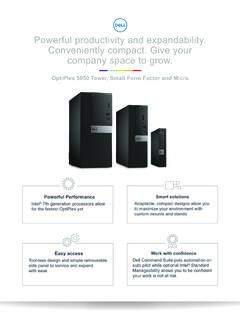
Powerful productivity and expandability. Conveniently ...
i.dell.comSmart solutions Adaptable, compact designs allow you to maximize your environment with ... Security Options Trusted Platform Module6 TPM 1.2 or 2.0, Dell Data Protection| Encryption, Microsoft Windows Bitlocker, Local HDD data wipe via BIOS ("Secure Erase"), Encryption - SED HDD (Opal FIPS), Chassis lock slot ...

Compact, flexible desktops designed to provide all the ...
i.dell.comWith TPM, chassis intrusion switch, Dell Data Protection and cable covers for certain form factors, you can work more and focus less on security risks More power Intel® 7th generation processors allow for the fastest OptiPlex yet with support up to Core™ i5 Stay flexible Versatile suite of stand and mounting options to tailor your workspace to

ThinkPad X250 Platform Specifications - Lenovo
psref.lenovo.comDiscrete TPM 1.2, TCG Certified Delivers improved thermal and power efficiency, up to 30 day standby, faster resume time, enhanced security, as well as anti-tampering measures Intel vPro Technology Optional: Fingerprint reader on the keyboard bezel, swipe sensor Internal battery External battery Max battery life10 AC adapter