Example: bachelor of science
Owner’s Manual - Garmin
Red Light and Speed Cameras NOTICE Garmin is not responsible for the accuracy of or the consequences of using a red light or speed camera database. 2 Driver Awareness Features and Alerts. NOTE: This feature is not available for all regions or product models.
Tags:
Information
Domain:
Source:
Link to this page:
Documents from same domain

EDGE® 1030 Owner’s Manual - Garmin International
static.garmin.comCharging the Device NOTICE To prevent corrosion, thoroughly dry the USB port, the weather cap, and the surrounding area before charging or connecting to

Owner’s Manual - Garmin International
static.garmin.comIntroduction WARNING See the Important Safety and Product Information guide in the product box for product warnings and other important information.

Lidar Lite v3 Operation Manual 2 and Technical …
static.garmin.com1 Lidar Lite v3 Operation Manual and Technical Specifications Laser Safety WARNING This device requires no regular maintenance. In the event that the device

Printing a Mounting Template - Garmin
static.garmin.comPrinting a Mounting Template Notice It is not recommended that you print a mounting template on your own. Use the template that came in the product box.

GPSMAP 62 series - Garmin
static.garmin.comGPSMAP 62 Series Quick Start Manual 3 3. Replace the battery cover. For best results, after you install new batteries, update the battery type in the

Important Safety and Product Information 2 …
static.garmin.comIMPORTANT SAFETY AND PRODUCT INFORMATION WARNING Failure to heed the following warnings could result in an accident or collision resulting in death or

Important Safety and Product Information 2 …
static.garmin.comImportant Safety and Product Information 2 Informations importantes sur le produit et la sécurité 3 guida Informazioni importanti sulla sicurezza e sul

Instructions - Garmin
static.garmin.com1 GLO™ GLONASS and GPS Sensor Instructions August 2012 190-01492-00_0B Printed in Taiwan

GNS 430(A) - Garmin International
static.garmin.com190-00140-00 Rev. P GNS 430(A) Pilot’s Guide and Reference i RECORD OF REVISIONS Revision Date of Revision Description A 12/98 Initial Release B 4/99 Update to conform to recent SW changes

GNS 530(A) - Garmin International
static.garmin.com190-00181-00 Rev. H GNS 530(A) Pilot’s Guide and Reference i RECORD OF REVISIONS Revision Date of Revision Description A 5/00 Initial Release B 5/01 Update to reflect software changes through 2.06
Related documents
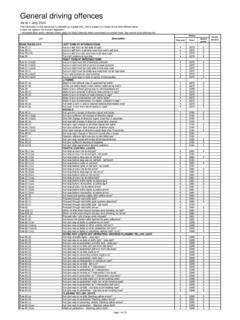
General driving offences - Transport for NSW
www.nsw.gov.auRule 59 (1) Proceed through red traffic light* 6: $464 3: Rule 59 (1) Proceed through red traffic light (camera detected)* 6: $464 3: Rule 59 (1) Proceed through red traffic light - toll booth 3: $194 Rule 60 Proceed through red traffic arrow* 6 $464: 3 Rule 60A (1) Motor vehicle enter bicycle storage area showing red light* 6 $464: 3

Miniature 1080p WiFi IP Camera User Manual
s3-ap-southeast-2.amazonaws.comSwitch the power to ON to boot up the camera. It will take about 30-60 seconds to finish booting up. With the power switch ON, hold down the reset button for 5 seconds to restore the factory settings. 1. The blue light is the power indicator. Solid blue means the device is on. 2. The red light is the WiFi indicator. a.

11 Light, Shadows and Reflections W opaque
www.ncert.nic.in11 Light, Shadows and Reflections W e see so many objects ar ound us. On the way to school we ... A red rose and a yellow rose, for instance. Do the shadows look different in colour, when the colours of ... a simple camera. Fig. 11.3 A shadow is obtained only on a screen Fig 11.4 Shadows of animals hidden in your hand ±

Digital Camera Icons Explained - Virtually Badges
virtuallybadges.weebly.comAuto Flash: This setting allows the camera to determine the appropriate flash levels. Fill (force) Flash: This flash setting will fire regardless of whether the camera thinks it’s necessary. No Flash: This turns off the flash. Red-eye Reduction Flash: This …
Scania Next Gen Quick Guide
www.scania.comAEB is an advanced emergency braking system which uses a camera and distance sensor to mitigate the effects of road accidents with vehicles ahead. When AEB detects a collision risk, the system is activated in 3 stages: 1. A red warning with an audible signal is …