Example: dental hygienist
Please read the instructions carefully before completing ...
Please read the instructions carefully before completing authorization request. Complete all applicable fields. All Prior Authorization requests must either be faxed on this template or be submitted through the Web Bill Processing Portal (https://owcpmed.dol.gov). Fax with supporting medical documentation, including the Claimant ID on all pages.
Tags:
Information
Domain:
Source:
Link to this page:
Documents from same domain

DFEC Authorization Online - DOL
owcpmed.dol.govsubmit authorization requests via Direct Data Entry (DDE) - on line submission. This tutorial provides instructions for providers in submitting requests via the DDE process for: • Durable Medical Equipment (DME) • General Medical • Home Health • Physical Therapy/Occupational Therapy ... Click “Ok” to return to the previous page to ...

Electronic Data Interchange (EDI) Process
owcpmed.dol.gov•TA1 Outbound Acknowledgement –It reports the status of the processing of an interchange. This report confirms whether or not EDI successfully received the

PAYMENT INFORMATION FORM ACH VENDOR PAYMENT …
owcpmed.dol.govThe information being collected on this form is required under the provision of 31 U.S.C. 3322 and 31 CFR 210. This information will be used by the Treasury Department to transmit payment data by electronic means to vendor’s financial institution. Failure to provide the requested information may delay or prevent the receipt of payments

Authorization Tips - owcpmed.dol.gov
owcpmed.dol.govAuthorization Tips request will immediately route to the appropriate approver. ... Once you receive the return, you will have to make necessary corrections and resubmit the authorization request. ... • Durable Medical Equipment (Include the prescription from the prescribing doctor as well as a letter of medical necessity)

C1. OWCP Provider ID: C2. Tax ID (SSN/FEIN): C3. Name: C4 ...
owcpmed.dol.govC1. Type or print service rendering provider’s OWCP ID Required C2. Type or print provider’s Tax ID (SSN or FEIN) Required C3. Type or print provider’s name Required C4. Type or print fax number. If entered, this fax number will be used for communication related …

Claimant Reimbursement Forms - DOL
owcpmed.dol.gov• The OWCP-915 is used to seek reimbursement for out-of-pocket medical expenses pertaining to the treatment of an accepted condition including (but not limited to) medical treatments, prescription medications and medical supplies. • Please submit a separate reimbursement form for each provider where an out of pocket expense was incurred.

WCMBP System Provider Enrollment
owcpmed.dol.govNote: Taxonomy codes refer to the Healthcare Provider Taxonomy Code Set, which categorize the type, classification, and/or specialization of health care providers. This step and some of the subsequent steps may or may not be required, depending on the enrollment and provider type chosen. For example, a Non-Medical Vendor Provider Type will not be

Updating Provider License in the Provider Portal - DOL
owcpmed.dol.govSelect the Provider Re-Enrollment hyperlink to navigate to the View/Update Provider Data screen. If this is your first time accessing the Provider Portal as a Legacy Provider, each of the steps ... This is a guide for providers that are registered on …

Updating Provider License in the Provider Portal
owcpmed.dol.govUn-registered Provider terminated due to license expiration Author: Thompson, Patrick Created Date: 12/8/2020 11:22:39 AM ...

PAYMENT INFORMATION FORM ACH VENDOR PAYMENT …
owcpmed.dol.govach vendor payment system This form is used for the ACH payments with an adthat carries payment-related information. dendum record Recipients of these payments should bring this information to the attention of their financial institution when presenting this form for completion.
Related documents
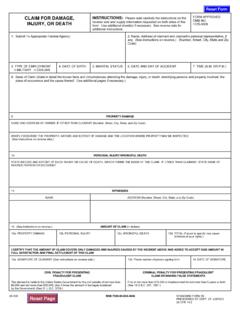
CLAIM FOR DAMAGE, INSTRUCTIONS: Please read carefully …
www.aoc.govINSTRUCTIONS: Please read carefully the instructions on the reverse side and supply information requested on both sides of this form. Use additional sheet(s) if necessary. See reverse side for additional instructions. FORM APPROVED OMB NO. 1105-0008 1. Submit To Appropriate Federal Agency: 2. Name, Address of claimant and claimant’s personal ...
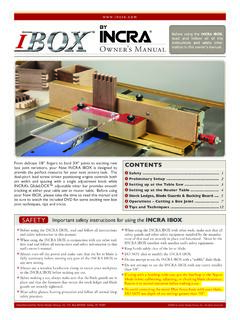
TM INCRA IBOX read and follow all of the instructions and ...
incra.comread and follow all of the instructions and safety infor-mation in this owner’s manual. by From delicate 1/8” fingers to bold 3/4” joints to exciting new ... Carefully slide the IBOX to the left or right until the blade “kisses” the steel pin plates on the IBOX, Fig. 4 and Detail 4A. Make sure that
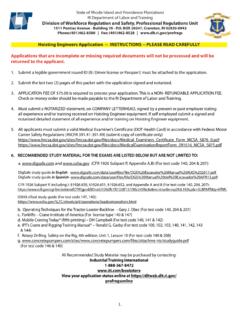
Hoisting Engineers Application -- INSTRUCTIONS -- PLEASE ...
dlt.ri.govHoisting Engineers Application -- INSTRUCTIONS -- PLEASE READ CAREFULLY Applications that are incomplete or missing required documents will not be processed and will be returned to the applicant. 1. Submit a legible government issued ID (IE: Driver license or Passport) must be attached to the application. 2.
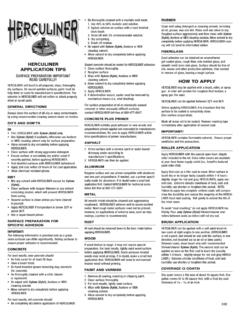
SURFACE PREPARATION IMPORTANT READ CAREFULLY! …
herculiner.comREAD CAREFULLY! HERCULINER will bond to all prepared,clean,thoroughly dry surfaces. On sound-painted surfaces,paint must be fully dried or cured to manufacturer’s specifications. The solvents in HERCULINER will not soften or attack properly dried or cured paint. GENERAL DIRECTIONS Always clean the surface of all oily or waxy contaminants

LOGISTICARE STUDENT LOG IN INSTRUCTIONS --READ …
lgtcsafety.com5. Go to upper right-hand corner, enter the Access Code provided by Logisticare using all CAPS 6. Click “APPLY”, the balance will read ZERO 7. On left side Enter “LEARNER” email address and the “LEARNER” name (same as driver’s license) company address and …

FIREARMS APPLICANT PROCEDURE PLEASE READ …
www.nj.govPLEASE READ CAREFULLY!! (Improperly prepared applications will not be accepted or processed) All Applicants: 1. Type or Print all information clearly, on all forms. 2. All addresses must be complete with house number, street, town, state, and zip code and PO Box (If applicable). 3. All forms must be signed. It is requested you complete this in the
CAREFULLY READ THIS SECTION, AS THESE SAFETY …
cva.comCAREFULLY READ THIS SECTION, AS THESE SAFETY CONCERNS ARE APPLICABLE TO MUZZLELOADERS AND, IN SOME INSTANCES, CENTERFIRE GUNS AS WELL. If you have questions, doubts, or concerns, please call CVA Customer Service at 770-449-4687. 1. Never smoke when shooting or handling a firearm or related equipment. Ashes and/