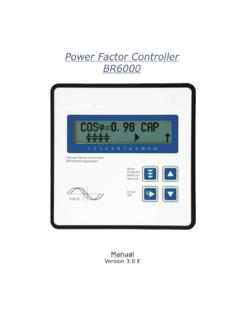
Transcription of Power Factor Controller BR 6000 - …
1 Power Factor ControllerBR 6000 ManualVersion EPower Factor Controller BR6000 Version , Oct. 2003 CONTENTSS ection 1 General3 Section 2 Installation of the Controller / connection of phase-correction in special output / fault messagesSection 3 Operating modes and operation / display lockSection 4 Manual operation / Programming of fixed stages13 Section 5 Service menu14 Section 6 Expert mode14 Section 7 Initial operation16 Section 8 Control principle16 Section 9 Troubleshooting17 Section 10 Interface18 Section 11 Maintenance and warranty18 Section 12 Type series18 Section 13 Technical data19 Annex:Annex 1 Table of control series20 Description of control-series editorAnnex 2 Default settings21 Annex 3 Controller coupling22 Annex 4 MODBUS Protocol23 Operating diagram (Brief programming)-2-Section1 GeneralThe BR 6000 Power Factor Controller is the first of a new generation of controllersincorporating innovative ideas and a broad diversity of is distinguished by user-friendly operation based on menu-guided displays in plaintext.
2 Its new features permit an intuitive mode of operation. Easy-to-understand symbolsand texts in the local language combine simplest operability with self-evident highlight is the option of a user-edited control series - in addition to a set ofintegrated control series - allowing the Controller to be used in all compensationnetworks. The display of diverse line parameters as well as storage of various values ofthe compensation network permit simple fault analysis and system monitoring. Severalanalog instruments can be obviated thanks to integrated display basic version contains a number of additional features:Six or 12 switching outputs (depending on the version)Switching outputs with a relay or transistor outputTwenty pre-programmed control series with a self-optimized intelligent controlresponseControl-series editor for user-defined control seriesComplete menu-guided operation and displayIlluminated graphic display with 2 x 16 charactersFour-quadrant operationDisplay of various line parameters (V, I, F, Q, P, )Storage of maximum line-parameter and switching-operation values as well asof the turn-on times of individual capacitor contactorsManual / automatic operationProgramming of fixed stages and the option of skipping individual outputsNo-voltage turn-offFault detection for various statuses and interference-message outputSwitchboard-integrated housing 144x144x55 mmThe BR 6000 extended version offers the following options:!
3 !!!!!!!!!!!!! Display of voltage and current harmonicsDisplay of temperatureMonitoring of the individual capacitor Power FSecond target cos phi can be selected externally (tariff conversion)Coupling of two controllers (master / slave operation) or extension over 12stagesAdditional user programmable message relay for cabinet fan, energy supplymessage, undercurrent, harmonics limit values, features of option F with additionalRS 232 or 485 interface , MODBUS or ASCII-3-Fig. 2 BR 6000 rear view123456789101112 Power Factor ControllerBlindleistungsreglerReguladore s Automaticosde Energia ReactivaBR 6000 AutoProgramManualServiceEnterOKcosjCOSj= 0 , 98 I NDThe Controller is supplied as standard for an operating voltage of 230 VAC (L-N), ameasuring voltage of VAC (L-N) 50/60 Hz and a measuring current of 5A or 1A(programmable). A voltage converter is required for different operating 1 BR 6000 front view-4-Operating mode- Automatic- Programming- Manual operation- Service- Expert modeEnter / OKConfirm andstore valuesIncreaseselectedparameterReducesel ectedparameterL1 (R)L2 (S)L3 (T)Nmeas.
4 CurrentIm (5A/1A)1. 1-6alarm-relaycapacitorcontactors 7-12power factorcontrollerBR6000only BR6000- 12T6, *target COSPHI2 ** optionRS 232 *UbUmImLNLN k lBR6000-R12-meas. voltage: 30 -300V L-N 50/60 Hzsupply voltage: 230V L-N50 : Power Factor Controller BR6000-R12 LNLNkl 2 Installation and connection of the controllerThe BR 6000 is designed to be incorporated into the front panel of a PFC-cabinet. Itrequires a switchboard section of 138 x 138 mm to DIN 43 700. The Controller is insertedfrom the front and is attached by means of the appended clamps. The Controller maybe inserted only by qualified technicians and must be operated in accordance with thespecified safety the BR 6000 is connected up, all leads and cables must be checked to ensure thatno current is flowing through them and the current converter must be should be taken to ensure that the measuring voltage and current are in the correctphase position.
5 The measuring-current circuit must be wired with copper leads . The connection should be set up as shown in Fig. 3. The specified safetyregulations must be measuring voltage may lie in the range from 30 - 300 V and is connected betweenL1-N (corresponds to 50 - 525 V L-L ).The operating voltage is 230 V +/- 10% and can be connected between L1 - N in a 400-Vpower line and between L - L in a 110-V Power 3: BR 6000 Connection planA connection between L-L is possible when ameasuring-voltage converter is used and the corresponding phase shift U-I isprogrammed (see Programming).The coil voltage for the capacitor contactors and the measuring voltage must be drawnfrom the same phase conductor, as only the measuring voltage is monitored. (Protectionagainst direct reconnection of the capacitor contactors in the event of momentary single-phase Power failure)L1 (R)L2 (S)L3 (T) (5A/1A)1.
6 1-6interferencemessagerelaycapacitorcont actors 7-12power factorcontrollerBR6000only for 12-stagecontrollersT6, *target cos phi2 /external ** only optionRS 232 *UbUmImLNLN k l-5- Power feedLoad Current measurementWhen installing the current converter, care should be taken to ensure that the loadcurrent flows through it. The outputs of the compensation network must be installedbehind the current converter (in the direction of current flow). If the BR 6000 isconnected up via sum-current converters, the overall conversion ratio is converter clamps should be grounded on one side!kKkKlLlLFeed 1 Feed 2 KLKLM easurement via sum current Connection of BR 6000 in systems differing from of phase-correction between voltage and current in the meas. SystemExample 1 : L1 Meas. Voltage L2-L3( V-convertermust be used)Phase U/I [ 90 ]Meas.
7 Phase correctionExample 2:L1N - L2no120 Example 3:L1 (k<->l)N - L1no180 Example 4:L1N - L3no240 Example 5L1 (k<->l)L2 - L3required270 -6-L1 (R)L2 (S)L3 (T) -voltageL2-L3klBR6000T2AT2 APEUbUmImLNL Nk Alarm output / fault messagesThe alarm contact is closed in normal operation and opens in the event of a fault. Therelevant fault is simultaneously shown on the display in plain text (alternating with thestandard display in automatic operation). The following fault messages are displayed:UNDER-COMPENSATEDD isplay and relay outputOVER-COMPENSATEDD isplay and relay outputOVERCURRENTD isplay and relay outputMEASURING VOLTAGE ?Display and relay outputOVERTEMPERATURED isplay and relay outputOVERVOLTAGED isplay and relay outputUNDERVOLTAGED isplay and relay outputWhen the operating voltage is switched on, the BR 6000 briefly displays its designationand software version, then changes to its normal operating status (automatic operation).
8 The active cos-phi value is always displayed in the upper line and the currently connectedcapacitors are shown as symbols in the lower line (operating display).!!!!!!!Section 3 Operating modes and programming!!!!!!HARMONICSW arning / relay programmableMEASURING CURRENT <Only display (warning)SWITCHING OPERATIONSOnly display (warning)REMOTE IN*Operating status displaysREMOTE OUT*For remote access (remote)REMOTE STOP**=only optionalThe alarm output can be checked, for example, by generating an artificial fault'MEASURING VOLTAGE'. This is done by interrupting the voltage supply of the measuringvoltage. A fault message appears after 10 minutes.(Display: MEASURING VOLTAGE / relay is activated)Checking the alarm output-7-21 3456789101112 COSj=0, 98 CA P RAutomatic operationDisplay of active Power -line cos phiDisplay of 2nd activemessage relayActive capacitorbranchesControl direction(here connected-in)Supply display (for4-quadrant operation)The control direction is symbolizedby a closed arrowThe connecting-in arrow is alwayslocated after the maximum possiblenumber of stages (end stop)An open arrow indicates that therequired blocking time (dischargetime) is running before an impendingswitching stepA double arrow symbolizes fastswitching of several branchesConnecting-inConnecting-outThe Power values of the individual capacitors are monitored constantly.
9 If a capacitor isdefective or if the deviation from the rated Power is excessive, the correspondingcapacitor is displayed Automatic operation - display ProgrammingThe BR 6000 is set to automatic operation as standard. Capacitor stages are thenautomatically connected in or out in order to reach the target Power Factor . This happenswhen the required reactive Power exceeds the value of the smallest capacitor automatic operation, various network parameters can be displayed by repeatedlypressing the "ENTER key:ActionDisplayENTER1 LINE VOLTAGEin VENTER2 APPARENT CURRENTin AENTER3 REACTIVE POWERin kvarENTER4 ACTIVE POWERin kWENTER5 APPARENT POWERin kVAENTER6 DIFF. kVAR TO TARGET COSENTER7 FREQUENCYin HzENTER8 TEMPERATUREin CENTER9 HARMONICS ( )V / %, I / %Selection via arrow-keysENTER10 THD-V, THD-Iin %ENTERS oftware versionENTERR eturn to: 1 LINE VOLTAGEThe Power value specifies the total Power (3-phase) assuming symmetrical load.
10 If nokey is pressed for 60 seconds, the display automatically returns to the operating status!Pressing the "Operating mode key once takes the user from automatic operation toming mode. Parameter 1 ( I-CONVERTER) is reached by pressing "ENTER .The upper display always shows the parameter and the lower one the set value. Thevalues are changed by pressing thekeys. Subsequent pressing of the "ENTER keystores the value and takes the user to the next quit programming mode in any step, press the "Operating mode key.:Program /,Automatic display operationto programmingto manual operationto value bufferto special functionsProgrammingManual operationServiceExpert modeRepeated pressing of the "Operating Mode key takes the user to the various menus insequence:matic operation -ming -(manual operation)-mode and backAutoProgramManualService - SELECTION:This selects the language of the operating menu(currently German, English, Spanish)1 I-CONVERTER PRIM2 I-CONVERTER SEC3 END STOPP4 CONTROL SERIES5 CONTROL PRINCIPLESEQUENTIAL connectionLOOP connectionINTELLIGENT loop connectionCOMBINED CHOKE6 Power 1.