Example: barber
Processing Payroll - ADP
ADP ezLaborManager v11.18.33 5 Processing Payroll with RUN Powered by ADP® Quick Reference Move the Pay Cycle to the Next Pay Period 1 Log in to ezLaborManager. 2 Click the Move to Next Pay Period icon. 3 Click the Start Move icon for the pay cycle you want to move to the next pay period. 4 If the Move to Next Pay Period process stops, follow the on-screen …
Tags:
Information
Domain:
Source:
Link to this page:
Documents from same domain

Changing Employee Information - ADP
otcdc1.adp.comHire Wizard opens on the page where you left off. 5 Complete Steps 5 - 11 of the Hire Employees section on page 2 to continue the contractor hire process. Rehire Employees 1 In RUN Powered by ADP ®, click the Employee tab and select the Employment Info …

Processing Payroll - ADP
otcdc1.adp.comADP ezLaborManager 3 Processing Payroll and Calling In Your Payroll Data Quick Reference Processing payroll involves four basic procedures, which are outlined briefly below. If you need more detailed information on a procedure, see the corresponding ch apter later in this guide. (Clicking the section heading below will take you directly to the ...
Related documents

Application for Funding Mobility Devices
www.forms.ssb.gov.on.caADP contributes only to the cost of the most basic equipment required for ongoing daily mobility as defined by ADP for funding purposes. Funding assistance is not available to purchase equipment required for occasional use, as an alternate means of transportation, used only at school

ADP - United States Army
armypubs.army.mil31 July 2019 ADP 3-28 v Preface Army doctrine publication (ADP) 3-28 is the doctrinal foundation for the Army’s contribution to defense support of civil authorities (DSCA). ADP 3-28 explains how the Army conducts DSCA missions and National Guard civil support missions as part of unified land operations. ADP 3-28 focuses on achieving

ADP 6-22 - Federation of American Scientists
irp.fas.orgADP 6-22 establishes and describes what leaders should be and do. Having a standard set of leader attributes and core leader competencies facilitates focused feedback, education, training, and development across all leadership levels. ADP 6-22 describes enduring concepts of leadership through the core competencies and

ADP TIME & aTTENDANCE “eTIME” ManuaL
kb.eess.adp.comADP eTIME is a Time and Attendance System that allows Employees to: Enter time worked (hourly employees only) via timestamp punch in and out Submit requests for time off (i.e. paid time off, vacation, sick, etc.) Access and view timecard details, making corrections to timecards as necessary to ensure accuracy

Employee Information Form v5 - support.adp.com
support.adp.comTitle: Employee Information Form v5 Author: ADP, LLC. Subject: Employee Information Form Keywords: April 2020 Created Date: 3/11/2020 10:02:03 AM
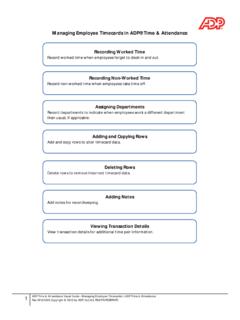
Managing Employee Timecards in ADP® Time & Attendance
support.adp.comADP provides this publication 'as is' without warranty of any kind, either express or implied, including, but not limited to, the implied warranties of merchantability or fitness for a particular purpose. ADP is not responsible for any technical inaccuracies or typographical errors which may …

ADP Portal - View and/or Print Pay Statements
www.atlm.eduADP Portal - View and/or Print Pay Statements Job Tool EMP-CS-2036JT Revision 02 | Date 12/9/2016 University System of Georgia Shared Services Center Page 1 of 3 1005 George J. Lyons Pkwy, Sandersville, Georgia 31082 Toll Free (855) 214-2644 • Phone (478) 240-6500 • Fax (478) 240-6414 Email helpdesk@ssc.usg.edu • Website www.ssc.usg.edu