Transcription of PROSCAN - Abt Electronics
1 PRO S CA N. 55" 1080p LED Television PLED5529A-B. Contents Contents Caution 2. Safety Information 3. Unit and Accessories 4. Introduction 5-9. 1. Front View 5. 2. Rear View 6. 3. Instruction for Wall Mount 7. 4. Remote Control 8-9. Basic Operation 10. OSD Menu 11-17. 1. Picture menu 11. 2. Audio menu 12. 3. Time menu 13. 4. Setup menu 14. 5. Lock menu 15. 6. Channel menu 16-17. Simple Troubleshooting 18. 19. 1. Caution Caution is intended to alert the user to the presence of un-insulated "dangerous to constitute a risk of electric shock to the persons. The exclamation point within an equilateral triangle is intend to alert the user to the presence of important operating and maintenance (servicing).
2 Instructions in the literature accompanying the appliance. Correct disposal of this Product (Waste Electrical & Electronic Equipment (WEEE). Your product is designed and manufactured with high quality materials and components which can be recycled and reused. This symbol means that electrical and electronic equipment, at their end- of-life should be disposed of separately from your household waste. Please dispose of this equipment at your local community waste collection/. recycling centre. In the USA there are separate collection systems for used electrical and electronic products. Please help us to conserve the environment we live in! This unit complies with America Safety directives.)
3 3124140. CERTIFIED TO CSA STD. This unit complies with FCC directives. ENERGY. PERFORMANCE. VERIFIED. VE. RI FI ED This unit complies with Canada Energy efficiency directives. RENDEMENT. lntertek ENERGETIQUE. EP 4005700 VERIFIE. 2. Safety Information Safety Information Electrical safety power Physical safety 3. Unit and Accessories Unit and Accessories INPUT. 1 2 3. 4 5 6. 7 8 9. 0 -/-- PICTURE SOUND SLEEP DISPLAY. VOL+ CH+. MUTE. VOL- CH- EXIT MENU. OK. CC MTS EPG FAV. TV set Remote control Batteries: 2xAAA. Instructions for fixing stand User's manual Instructions for fixing stand 4. Introduction Introduction 1. Front View INPUT. MENU. CH+. CH- VOL+.
4 VOL- Power Indicator POWER. Remote Control window (Keep clear). Turn on/standby theTV set. 1). (IR) Infrared Receiver: Receives IR signals from the remote control. (Power on/Standby)LED Indicator: Press POWER to turn on and off. Indicator on(Red) Standby mode Indicator on(Green) Power on mode The effective receiving range for the signal is 5-8 metres from the front of the remote control window, and 300 to the left or right side and 200 above or below the remote control window. 2). The functions of the buttons: TV. INPUT: Press to display the input source menu. AV. MENU: Press to display the OSD menu, Component press again to exit the menu. HDMI1.
5 HDMI2. CH+/-: Press to scan through channels. HDMI3. VOL+/-: Press to adjust the volume. VGA. Press INPUT button on the TV set or remote control to display the input source menu, and use CH+/- button on the TV set or / button on remote control to select the input source, press OK button on the remote control to enter. Note: Before you select the input source, make sure the connections are prepared. 5. Introduction 2. Rear View R. Audio out L. PC-IN. AC POWER IN. for Service . USB. AC POWER IN: Connect it to AC100-240V~ 50/60Hz power supply with the mains cable. Headphone out: Connect it to your headphone or audio equipments. COAX : Digital audio output.
6 VIDEO : Connect it to video output of video device. L/R in : Connect them to audio output of video device. HDMI1/2/3 : Connect it to the HDMI output of video device. USB for Service : For service use only. PC in RF : Connect antenna or cable 75 Ohm coaxial to receive TV signal. YPbPr : Connect them to the video output terminal of DVD. AUDIO L/R out : Connect them to audio equipments. 6. Introduction 3. Instruction for Wall Mount The wall mount kit (not included) with your purchase allows you to mount your PROSCAN TV on the wall. For detailed information on installing the wall mount, refer to the instructions provided by the wall mount manufacturer.
7 It is strongly recommended to contact a technician for professional assistance for wall mount installation. PROSCAN is not responsible for any damage to the product or injury to yourself or others resulting from the wall-mounting. Dimensions for Mounting Hole Pattern 400mm 400mm - This PROSCAN TV is compatible with a 400mm x 400mm mounting hole pattern. - 4 pcs of type M6 screws are required for installing the wall mount bracket to your PROSCAN TV. Do not use screws that are longer than 12 mm. Screws that are too long may cause damage to the inside of the TV set. - Do not fasten the screws too tight for this may damage the TV or cause the TV to fall, resulting in personal injury.
8 PROSCAN is not liable for these kinds of incidents - Do not mount your PROSCAN TV at more than a 15 degree tilt. - Always use two people to mount the TV to a wall. - Do not install your Wall Mount Kit while your TV is turned on. It may result in personal injury due to electric shock. 7. Introduction 4. Remote Control The remote control is using Infra-Red(IR). Point it towards the front of the LED TV. The remote control may not work correctly if it is operated out of range or out of angle. INPUT POWER(red button): Turn the TV on/standby. INPUT: Press to display the input source menu. 1 2 3 Number Buttons: Choose channel directly. Select channel 5, Press button "5".
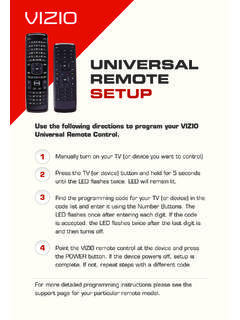
9 4 5 6 Select channel 62, Press button "6", then press button "2" in 2. seconds;. Select channel 151, Press button "1", and press button "5" in 2. 7 8 9. seconds, and press button "1" in 2 seconds;. Select channel 5-1, Press button "5", and press button "- / - -". 0 -/-- in 2 seconds, and press button "1" in 2 seconds;. PICTURE SOUND SLEEP DISPLAY. (RETURN): Return to the previous channel viewed. PICTURE: Press repeatedly to cycle through the available video picture modes. VOL+. MUTE. CH+. SOUND: Press to cycle through the different sound settings. SLEEP : Shutdown timer. VOL- CH- DISPLAY: Display the information of current mode. EXIT MENU. VOL+/-: Press to adjust the volume.
10 CH+/-: Press to scan through channels. MUTE: Press to mute the sound, press again or press VOL+ to OK unmute. MENU: Press to display the OSD menu. EXIT: Press to exit the OSD menu. Thumbstick( ): Allows you to navigate the on-screen menus and adjust the system settings to your preference. OK: CONFIRM button. CC MTS EPG FAV. CC: Press to display the closed caption. MTS: Press to select the audio channels. EPG: Press to enter the EPG menu directly. FAV: Press to add or remove favorite channel. Universal Remote Code:11359. Universal Remote Control not included. 8. Introduction Installing Batteries 1. Open the battery compartment cover on the back of the remote control.