Example: air traffic controller
Quick Installation Guide - TP-Link
Connect your computer to the router (Wired or Wireless) Ethernet cable Turn off the Wi-Fi on your computer and connect the devices as shown below. ©2016 TP-LINK 7106506343 REV1.0.0 Wireless a. Find the SSID (Network Name) and Wireless Password printed on the label at the bottom of the router. 2. Configure the router using a web browser
Tags:
Information
Domain:
Source:
Link to this page:
Documents from same domain

AC1200 Wireless Dual Band Router - TP-Link
static.tp-link.comAC1200 Wireless Dual Band Router Archer C50 300Mbps + 867Mbps Easy Setup Dual Band Wi-Fi 4 × 5dBi Antennas ... AC1200 (300Mbps on 2.4GHz + 867Mbps on 5GHz) Wi-Fi for reliable connections. 5GHz 867Mbps ... Cable or DSL Modem Subscription with an …

TL-WR841N TL-WR841ND 300Mbps Wireless N Router - TP …
static.tp-link.comThe 300Mbps Wireless N Router delivers exceptional range and speed, which can fully meet the need of Small Office/Home Office (SOHO) networks and the users demanding higher networking performance.

TL-WR841N TL-WR841ND 300Mbps Wireless N Router
static.tp-link.comPowered by 2x2 MIMO technology, the 300Mbps Wireless N Router delivers exceptional range and speed, which can fully meet the need of Small Office/Home Office (SOHO) networks and the users demanding higher networking performance.

How to configure VPN function on TP-LINK Routers
static.tp-link.com3 2. How to configure LAN-to-LAN IPsec VPN on TP-LINK Router Suitable for: TL-ER6120, TL-ER6020, TL-ER604W, TL-R600VPN To setup an IPsec VPN tunnel …

How to configure VPN function on TP-LINK Routers
static.tp-link.com3 2. How to configure LAN-to-LAN IPsec VPN on TP-LINK Router Suitable for: TL-ER6120, TL-ER6020, TL-ER604W, TL-R600VPN To setup an IPsec VPN tunnel …

Quick Installation Guide - static.tp-link.com
static.tp-link.comEnglish 1 1 Power on Plug the extender into an electrical outlet near your router and press the power button if it has one. 2 Connect your computer to the extender

Quick Installation Guide - TP-Link
static.tp-link.comQuick Installation Guide AC1750 Wireless Dual Band Gigabit Router Connect the Hardware 7106505288 REV3.0.0 Verify that the following LEDs are

Guía Rápida De Instalación - static.tp-link.com
static.tp-link.com11 E s p a ñ o l a M Extensor Universal de Cobertura WiFi Nota: El modelo que se toma como ejemplo en esta guía de usuario es el “TL-WA850RE”. Si desea obtener información adicional acerca de la instalación, consulte

Installation Guide - TP-Link
static.tp-link.comThis guide is applicable to products including CPE210, CPE220, CPE510 and CPE520. • Package Contents Installation Guide Outdoor CPE CPE210 / CPE220 / CPE510 / C PE520 Pharos CPE Passive PoE Adapter Pole Mounting Straps Mounting Bracket Plastic Wall …

TL-WA901ND 300Mbps Wireless N Access Point - TP-Link
static.tp-link.comTL-WA901ND 300Mbps Wireless N Access Point User Guide 1 Package Contents The following items should be found in your package: One TL-WA901ND 300Mbps Wireless N Access Point
Related documents

AC1200 WiF Range Extender
www.downloads.netgear.comAC1200 WiF Range Extender . Front and Side Panels. The LEDs are located on the front panel. A switch, buttons, and an Ethernet port are located on the side panel. Power LED WPS LED Router Link LED Client Link LED Factory Reset button WPS button Power On/Off button Ethernet port Router Arrow LED Client Arrow LED Access Point/Extender switch ...
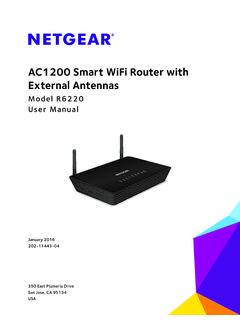
AC1200 Smart WiFi Router with External Antennas
www.downloads.netgear.comThe AC1200 Smart WiFi Router with External Antennas is compatible with the latest WiFi devices and is backward compatible with 802.11 a/b/g and n devices. With simultaneous
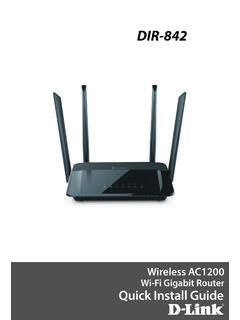
DIR-842 - D-Link
support.dlink.com2. Select the Wi-Fi Network name you assigned in the wizard and connect. Note: If you did not run the setup wizard or you reset the router to its default settings, refer to the Wi-Fi Configuration Card included for the default Wi-Fi Network Name and Wi-Fi Password. You can also connect wireless devices to the DIR-842 router using WPS: 1.

Whole Home Mesh Wi-Fi System
m.media-amazon.comWi-Fi Dead-Zone Killer Eliminate weak signal areas with whole home Wi-Fi. No more searching around for a stable connection. TP-Link AC1200 Whole Home Mesh Wi-Fi System Deco S4 Parental Controls Limit online time and block inappropriate websites according to unique profiles created for each family member. No More Buffering