Example: confidence
Remote Control Quadcopter Instruction Manual - B&H …
guidelines in this manual. • The supplied USB charger is specifically designed to charge the LiPo battery. Never use other charging equipment. • The quadcopter is not intended for use by children under fourteen (14) years old. Adult supervision is required at all times. • Regularly examine for any damage to the
Tags:
Information
Domain:
Source:
Link to this page:
Documents from same domain

iPod Classic User Guide - B&H Photo Video
www.bhphotovideo.comiPod classic User Guide. 2 2 Contents Chapter 1 4 iPod classic Basics 5 iPod classic at a Glance 5 ... To use iPod classic, you put music, videos, photos, and other files on your computer ... From the main menu, choose Shuffle Songs. You can also shuffle songs from the Now Playing screen.

User Manual for Amazfit Band 5 - B&H Photo
www.bhphotovideo.comSleep breathing quality The Amazfit Band 5 can monitor your SpO2 when you are sleeping to help you calculate your sleep breathing quality score and establish good sleeping habits. To enable the sleep breathing quality monitoring function, go to Profile > Amazfit Band 5 > Health Monitoring in the bound app.

Digital Photo Professional Instruction Manual
www.bhphotovideo.comOIt is prohibited to reproduce, in whole or part, the contents of this Instruction Manual without permission. OCanon may change without notice the software specifications and contents of this Instruction Manual. OThe software screens and displays printed in this Instruction Manual may differ slightly from the actual software.
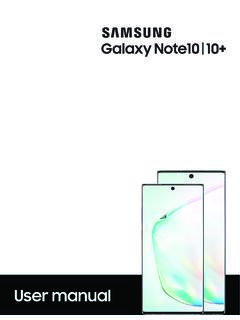
Samsung Galaxy Note10|10+ User manual N970U|N975U …
www.bhphotovideo.comWirelessly charge your compatible Samsung devices using your phone. Some features are not available while sharing power. 1. From Quick Settings, tap Wireless PowerShare to enable this feature. 2. With the phone face down, place the compatible device on the back of the phone to charge. A notification sound or vibration occurs when charging begins.

MacBook Pro User's Guide
www.bhphotovideo.compower cord to the adapter. Plug the other end into a power outlet. For an illustration, see page 30. Step 2: Connect Your Cables Next, for an Internet connection, connect your MacBook Pro to a DSL modem, cable modem, external modem, or Ethernet network. If you’re connecting to a wireless AirPort Extreme network, you don’t need cables.
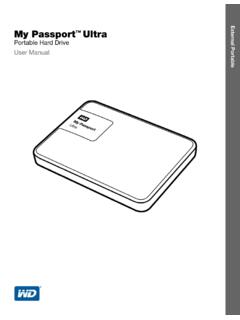
My Passport Ultra User Manual - B&H Photo
www.bhphotovideo.comPortable Hard Drive User Manual My Passport Ultra User Manual. ii WD Service and Support Should you encounter any problem, please give us an opportunity to address it before returning this product. Most technical support questions can be answered through our knowledge base
Smart Watch Phone User Guide - B&H Photo Video Digital ...
www.bhphotovideo.com3.4.4 BT dialer Paired devices from smart watch 3.4.5 Remote notifier When there is SMS, incoming messages from QQ and other applications on the connected phone, the watch phone will alert you to read them. 3.4.6 Remote cameras Use phone camera take photos, but remote by watch, its need switch on the camera of phone in advance.

PREDATOR ORION 3000 USER’S MANUAL - B&H Photo
www.bhphotovideo.com1 Upgrading your computer - 5 Pre-installation instructions Always observe the following before you install any component: 1. Make sure that the ODD and card reader slot is empty.
Legion Y540 Series User Guide - B&H Photo
www.bhphotovideo.com3. Audio connector Connect headphones or a headset with a 3.5-mm (0.14-inches) and 4-pole plug to listen to the sound from the computer. Note: The conventional microphone is not supported. Chapter 1. Meet your computer 5
S e t u p a n d u s e yo u r S o l o W i r e l e s s h e a ...
www.bhphotovideo.comS e t u p a n d u s e yo u r S o l o W i r e l e s s h e a dp h o n e s Here's ever ythin g you need to know to make the most of your S olo Wireless he adphone s . 3 3. 1. ... To ac tivate S iri on your iO S device or t he voice -command fe ature on ano ther device, use t he b but ton on the lef t e arcup, or t he center but ton on t he ...
Related documents
EMI Design Guidelines for USB Components
www.ti.comEMI Design Guidelines for USB Components 1. Disclaimer This document is provided "as is" with no warranties whatsoever, including any warranty of merchantability, fitness for any particular purpose, or any warranty otherwise arising out of proposal, specification, or sample.

AUDIO VISUAL SYSTEMS GENERAL STANDARDS & GUIDELINES
its.unl.edu4.1 Industry standards, guidelines, and best practices (InfoComm): 1. INFOCOMM, AV/IT Infrastructure Guidelines for Higher Education 2. ANSI/INFOCOMM 1M -2009, Audio Coverage Uniformity in Enclosed Listening Areas 3. ANSI/INFOCOMM 2M-2010, Standard Guide for Audiovisual Systems Design and Coordination Process(Project Management process) 4.
USB hardware and PCB guidelines using STM32 MCUs ...
www.st.comThis application note gives an overview of the USB peripherals implemented on STM32 MCUs, and provides hardware guidelines for PCB design, to ensure electrical compliance with the USB standards. For more details, refer to the USB or OTG sections in the reference manual related to the MCU used for your application. Table 1. Applicable products

Guidelines For Equipment Safety - Moline Machinery
www.moline.comGuidelines For Equipment Safety TITLE PAGE ... a USB fl ash drive (as shown at right), or as a hard copy if requested. • Know how the equipment functions and understand the ... • Any machine with moving parts and/or electrical components can be potentially dangerous

Temperature and humidity monitoring systems for fixed ...
www.who.intTechnical Supplement: Temperature and humidity monitoring systems for fixed storage areas 7 Glossary Component: Any major piece, part or assembly of the main equipment or sub-equipment that does not have its own power supply and could not …

SIMATIC HMI HMI Device TP 177A, TP 177B, OP 177B ... - …
cache.industry.siemens.comPreface TP 177A, TP 177B, OP 177B (WinCC flexible) 4 Operating Instructions, 08/2008, 6AV6691-1DG01-0AB1 Position in the Information Scheme These operating instructions form part of the SIMATIC HMI documentation.

User's Manual - GIGABYTE
download.gigabyte.com1 x USB 3.1 Gen 1 header 2 x USB 2.0/1.1 headers 1 x serial port header 1 x parallel port header 1 x Clear CMOS jumper Back Panel Connectors 1 x PS/2 keyboard/mouse port 1 x D-Sub port 1 x DVI-D port 1 x HDMI port 2 x USB 3.1 Gen 1 ports 4 x USB 2.0/1.1 ports 1 x RJ-45 port