Example: bachelor of science
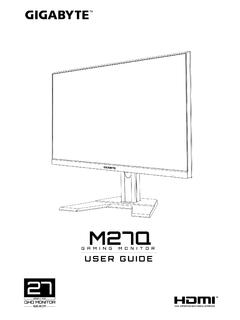
User's Manual - GIGABYTE
1 x USB 3.1 Gen 1 header 2 x USB 2.0/1.1 headers 1 x serial port header 1 x parallel port header 1 x Clear CMOS jumper Back Panel Connectors 1 x PS/2 keyboard/mouse port 1 x D-Sub port 1 x DVI-D port 1 x HDMI port 2 x USB 3.1 Gen 1 ports 4 x USB 2.0/1.1 ports 1 x RJ-45 port
Information
Domain:
Source:
Link to this page:
Documents from same domain
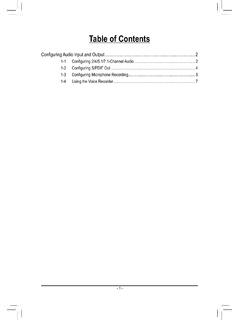
Configuring Audio Input and Output 2
download.gigabyte.comThe recordings will saved in Documents>Sound Recordings. Voice Recorder records audio in MPEG-4 (.m4a) format. You can play the recording with a digital media player program that supports the audio file format. After setting up the audio input device, to open the Voice Recorder, go to the Start menu and search for Voice Recorder.

Configuring a RAID Set - GIGABYTE
download.gigabyte.comA recovery volume and a RAID array cannot co-exist in the system at the same time, that is, if you have already created a recovery volume, you are unable to create a RAID array. • By default, only the master drive can be viewed in the operating system; the recovery drive is hidden. ...

Configuring a RAID Set (B450 Series)
download.gigabyte.comTo delete a RAID array, select the array to be deleted on the RAIDXpert2 Configuration Utility\Array Management\Delete Array screen. Press <Enter> on Delete Array to enter the Delete screen. Then set Confirm to Enabled and press <Enter> on Yes (Figure 8). Figure 8

Configuring Audio Input and Output 2
download.gigabyte.comB. Playing the Recorded Sound The recordings will saved in Documents>Sound Recordings. Voice Recorder records audio in MPEG-4 (.m4a) format. You can play the recording with a digital media player program that supports the audio file format. After setting up the audio input device, to open the Voice Recorder, go to the Start menu and search for

Unique Features (X570 Series) - GIGABYTE
download.gigabyte.cominstructions to complete. 2. Update the BIOS without Using the Internet Update Function: Click Update from File, then select the location where you save the BIOS update file obtained from the Internet or through other source. Follow the on-screen instructions to complete. 3. Save the Current BIOS File: Click Save to File to save the current ...

User's Manual - GIGABYTE
download.gigabyte.com* Due to a Windows 32-bit operating system limitation, when more than 4 GB of physical ... BIOS 1 x 64 Mbit flash Use of licensed AMI UEFI BIOS PnP 1.0a, DMI 2.7, WfM 2.0, SM BIOS 2.7, ACPI 5.0 ... Support for Q-Flash Support for Smart Switch

BIOS Setup - GIGABYTE
download.gigabyte.comA user password only allows you to view the BIOS settings but not to make changes. Server Management Server additional features enabled/disabled setup menus. Boot This setup page provides items for configuration of boot sequence. Exit Save all the changes made in the BIOS Setup program to the CMOS and exit BIOS Setup. (Pressing

G32QC - GIGABYTE
download.gigabyte.comNote: The default Profile folder is located at the OSDsidekick installation path. D Click and do any of the following to customize the profile: - Rename the profile. - Click to modify the profile picture. Browse for the picture, and click OK to upload. - Click to confirm the modifications. - Click to reject the modifications.
Copyright
download.gigabyte.comAddress: 17358 Railroad street, City Of Industry, CA91748 Tel.: 1-626-854-9338 Internet contact information: https://www.gigabyte.com FCC Compliance Statement: This device complies with Part 15 of the FCC Rules, Subpart B, Unintentional Radiators. Operation is subject to the following two conditions: (1) This device

Configuring a RAID Set (Z590 Series)
download.gigabyte.comthe power connectors from your power supply to the hard drives. RAID 0 RAID 1 RAID 5 RAID 10 Minimum ... An M.2 PCIe SSD cannot be used to set up a RAID set either with an M.2 SATA SSD or a SATA hard drive. ... launch the Intel® Optane™ Memory and Storage Management utility from the Start menu. Step 1: Go to the Manage menu and click Rebuild ...
Related documents
EMI Design Guidelines for USB Components
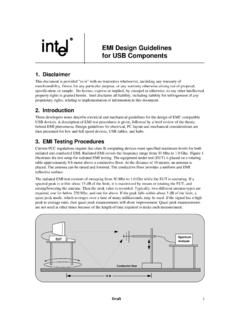
www.ti.comEMI Design Guidelines for USB Components 1. Disclaimer This document is provided "as is" with no warranties whatsoever, including any warranty of merchantability, fitness for any particular purpose, or any warranty otherwise arising out of proposal, specification, or sample.

AUDIO VISUAL SYSTEMS GENERAL STANDARDS & GUIDELINES
its.unl.edu4.1 Industry standards, guidelines, and best practices (InfoComm): 1. INFOCOMM, AV/IT Infrastructure Guidelines for Higher Education 2. ANSI/INFOCOMM 1M -2009, Audio Coverage Uniformity in Enclosed Listening Areas 3. ANSI/INFOCOMM 2M-2010, Standard Guide for Audiovisual Systems Design and Coordination Process(Project Management process) 4.
USB hardware and PCB guidelines using STM32 MCUs ...
www.st.comThis application note gives an overview of the USB peripherals implemented on STM32 MCUs, and provides hardware guidelines for PCB design, to ensure electrical compliance with the USB standards. For more details, refer to the USB or OTG sections in the reference manual related to the MCU used for your application. Table 1. Applicable products
Remote Control Quadcopter Instruction Manual - B&H …
www.bhphotovideo.comguidelines in this manual. • The supplied USB charger is specifically designed to charge the LiPo battery. Never use other charging equipment. • The quadcopter is not intended for use by children under fourteen (14) years old. Adult supervision is required at all times. • Regularly examine for any damage to the

Guidelines For Equipment Safety - Moline Machinery
www.moline.comGuidelines For Equipment Safety TITLE PAGE ... a USB fl ash drive (as shown at right), or as a hard copy if requested. • Know how the equipment functions and understand the ... • Any machine with moving parts and/or electrical components can be potentially dangerous

Temperature and humidity monitoring systems for fixed ...
www.who.intTechnical Supplement: Temperature and humidity monitoring systems for fixed storage areas 7 Glossary Component: Any major piece, part or assembly of the main equipment or sub-equipment that does not have its own power supply and could not …

SIMATIC HMI HMI Device TP 177A, TP 177B, OP 177B ... - …
cache.industry.siemens.comPreface TP 177A, TP 177B, OP 177B (WinCC flexible) 4 Operating Instructions, 08/2008, 6AV6691-1DG01-0AB1 Position in the Information Scheme These operating instructions form part of the SIMATIC HMI documentation.