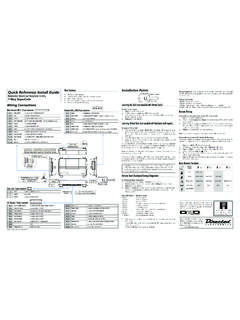
Transcription of Remote Start Keyless Entry Model 5101 Installation Guide
1 Remote Start Keyless Entry Model 5101 Installation Guide This product is intended for Installation by a professional installer only! Attempts to install this product by a person other than a trained professional may result in severe damage to a vehicle s electrical system and components. 2008 Directed Electronics, Vista, CA N4102V 2008-09 Bitwriter , Code Hopping , Doubleguard , ESP2 , Fail-Safe , Ghost Switch , Learn Routine , Nite-Lite , Nuisance Prevention Circuitry, Revenger , Silent Mode , Soft Chirp , Stinger , Valet , Vehicle Recovery System , VRS , and Warn Away are all Trademarks or Registered Trademarks of Directed with date code of 6A or older require an IC upgrade (p/n 998M).
2 Some Bitwriters with a date code of 6B do not require the IC upgrade. Refer to Tech Tip # 1112 for more information. Bitwriter 2 Bitwriter (p/n 998U) requires chip version or newer to program this ! Safety first ..5 What is included ..7 Installation points to remember ..7 Virtual tach ..7D2D ..8 The control center ..8 Valet program switch ..8 Status LED ..8 Before beginning the Installation ..9 After the Installation ..9 Component locations and finding wires ..10 Making your wiring connections.
3 10 Primary harness (H1), 12-pin connector ..11 Auxiliary harness (H2), 7-pin connector ..11 Heavy gauge Remote Start , (H3) 8-pin connector ..12 Remote Start input, 5-pin connector ..12 Remote Start auxiliary output, 5-pin ..13 Door lock harness, 3-pin connector ..13 Wire connection guides ..14 Primary harness (H1) ..14 Auxiliary harness (H2) ..20 Heavy Gauge, 8-pin connector ..24 Remote Start input - 5-pin connector ..26 Remote Start auxiliary output, 5-pin ..28 Door lock wire diagrams ..29 Neutral safety switch interface.
4 30 Testing the neutral safety switch ..30 Plug-in LED and valet/program switch ..31 Bitwriter interface - 3-pin black plug ..31 Tachometer settings ..32 Virtual tach ..32 Tach learning ..33 Tach threshold On/Off ..34D2D Jumper settings ..34 Setting the light flash polarity ..35 Remote control Learn Routine ..36 Remote control configuration ..391-way Remote control ..39 Additional system features ..40 System features learn routine ..40 Feature menus ..43 Menu 1 - Keyless Entry ..43 Menu 2 - Convenience.
5 44 Menu 3 - Remote Start ..45 Feature descriptions ..46 Menu 1 - Keyless Entry ..46 Menu 2 - Convenience ..48 Menu 3 - Remote Start ..51 Bitwriter ..54 Shutdown diagnostics ..56 Remote starting diagnostics ..57 Remote Start safety check ..58 Troubleshooting ..59 Keyless Entry system ..59 Remote Start ..595 2008 Directed Electronics. All rights ! Safety firstThe following safety warnings must be observed at all times:Due to the complexity of this system, Installation of this product must only be performed by an authorized Directed Electronics properly installed, this system can Start the vehicle via a command signal from the Remote control.
6 Therefore, never operate the system in an area that does not have adequate ventilation. The following precautions are the sole responsibility of the user; however, autho-rized Directed Electronics dealers should:Never use a test light or logic probe when installing this unit. Always use a multimeter. Never operate the system in an enclosed or partially enclosed area without ventilation (such as a garage). When parking in an enclosed or partially enclosed area or when having the vehicle serviced, the Remote Start system must be disabled using the installed toggle switch.
7 It is the user s sole responsibility to properly handle and keep out of reach from children all Remote controls to assure that the system does not unintentionally Remote Start the MUST INSTALL A CARBON MONOXIDE DETECTOR IN OR ABOUT THE LIVING AREA ADJACENT TO THE VE-HICLE. ALL DOORS LEADING FROM ADJACENT LIVING AR-EAS TO THE ENCLOSED OR PARTIALLY ENCLOSED VEHICLE STORAGE AREA MUST REMAIN CLOSED AT ALL TIMES. Use of this product in a manner contrary to its intended mode of operation may result in property damage, personal injury, or death.
8 Except when performing the Safety Check outlined in this Installation Guide , (1) Never remotely Start the vehicle with the vehicle in gear, and (2) Never remotely Start the vehicle with the keys in the ignition. The user will be responsible for having the neutral safety fea-ture of the vehicle periodically checked, wherein the vehicle must not remotely Start while the car is in gear. This testing should be performed by an authorized Directed Electronics dealer in accordance with the Safety Check outlined in this product Installation Guide .
9 If the vehicle starts in gear, cease Remote Start operation immediately and consult with the user to fix the problem immediately. 6 2008 Directed Electronics. All rights the Remote Start module has been installed, test the Remote Start module in accordance with the Safety Check outlined in this Installation Guide . If the vehicle starts when performing the Neutral Safety Shutdown Circuit test, the Remote Start unit has not been properly installed. The Remote Start module must be removed or properly reinstalled so that the vehicle does not Start in gear.
10 All installations must be performed by an authorized Directed Electronics dealer. OPERATION OF THE Remote Start MODULE IF THE VEHICLE STARTS IN GEAR IS CONTRARY TO ITS INTENDED MODE OF OPERATION. OPERAT-ING THE Remote Start SYSTEM UNDER THESE CONDITIONS MAY RE-SULT IN PROPERTY DAMAGE OR PERSONAL INJURY. IMMEDIATELY CEASE THE USE OF THE UNIT AND REPAIR OR DISCONNECT THE INSTALLED RE-MOTE Start MODULE. DIRECTED ELECTRONICS, INC. WILL NOT BE HELD RESPONSIBLE OR PAY FOR Installation OR REINSTALLATION COSTS.