Transcription of Resolving problems with Dell ProSupport Plus and ...
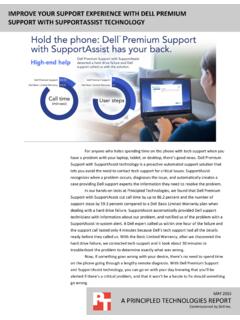
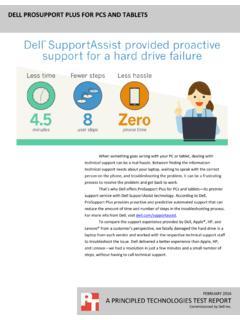
1 NOVEMBER 2014 A PRINCIPLED TECHNOLOGIES TEST REPORT Commissioned by dell Inc. Resolving problems with dell ProSupport plus AND supportassist technology Taking a proactive approach to hardware or software problems on your PC or tablet can reduce or even eliminate interruptions to your work. dell ProSupport plus for PCs and tablets can alert dell s support team to an issue as it happens, greatly reducing the time it takes to resolve your problem . Sometimes a system update includes incompatible drivers that cause your operating system to crash. Sometimes you accidentally drop your laptop and damage the hard drive. When these kinds of things happen, how quickly can you solve the problem and get back to work? In the Principled Technologies labs, we compared the tech support capabilities of three popular laptop vendors: dell , HP, and Lenovo. We found that ProSupport plus with supportassist technology took up to 58 percent fewer steps on the user s part to get a resolution to these common problems and worked as advertised with dell Support calling us at the first sign of an issue.
2 HP and Lenovo, who lack this proactive support approach, took over six times more call time, and took longer to provide replacements for the hard drive issue five and three days respectively, while dell had us back in business in just one day. PC and tablet OEM support options vary considerably in how speedily they can resolve issues. We found the dell ProSupport plus with supportassist technology was proactive and handled our problems quickly to help us get back to work. A Principled Technologies test report 2 Resolving problems with dell ProSupport plus and supportassist technology PROACTIVE SUPPORT with dell ProSupport plus FOR PCS AND TABLETS How do you decide when to call your PC or tablet vendor for support? Is it after the first error? Do you wait until the fifth time you ve lost precious work during a system crash? dell offers ProSupport plus and supportassist technology for PCs and tablets as a premium support service that removes this decision and lets you get ahead of hardware problems by having the dell Support team contact you the first time an issue occurs.
3 Imagine that as you re sitting with your just-crashed system wondering what happened, your phone rings. A friendly, knowledgeable tech support person helps you get to the root of the problem and has you up and running quickly. Wouldn t that be preferable to spending countless hours troubleshooting instead of working? In our labs, we simulated a hard drive failure on three systems: a dell laptop with dell ProSupport plus with supportassist technology , and one laptop each from HP and Lenovo, both of which were equipped with the most comprehensive support plans available from their respective vendors. We then compared our experience seeking help from the vendors of each system. For details on our test systems, see Appendix A. For details on our test procedure, see Appendix B. THE problem : HARD DRIVE FAILURE Omar, a top salesperson at a large business, has just received a new laptop through a laptop refresh program for all sales employees.
4 While saving some sales data to his machine over Wi-Fi as he walks down the hallway to a meeting, he accidentally drops his laptop. When he sits down at the conference room table, the laptop doesn t appear to be working properly. He tries to reboot it, but the laptop can no longer boot into the operating system. He immediately thinks of the several important meetings he has lined up over the next few days. He calls his vendor s support line for assistance. Will the support team figure out what is wrong with his system and get it working in time for his onslaught of meetings? How the support teams handled it Hard drives (HDDs) can fail when you re rushing from place to place and a laptop falls to the floor, or gets bumped during heavy read/write processes. When this happens, your ability to work stops suddenly. The dell laptop, which included ProSupport plus with supportassist technology , provided the quickest resolution for our hard drive failure.
5 Because supportassist alerted dell Support to the problem , they contacted us, aware that a hard drive failure had taken place. The ProSupport engineer already knew what the problem was and the call lasted around 5 minutes, just long enough to confirm that we would receive a new hard drive from them the next day. HP A Principled Technologies test report 3 Resolving problems with dell ProSupport plus and supportassist technology support also accurately identified the root problem , but took five days to get us a replacement hard drive. This means that Omar would be without a laptop for an entire workweek. Furthermore, the HP agent failed to give us a tracking number for the replacement hard drive. Lenovo support was unable to determine the cause of our problem , but promised to send a replacement laptop that we would receive in three days, or the better part of a workweek. Figure 1 compares our support experiences. dell laptop with ProSupport plus and supportassist technology HP laptop Lenovo laptop Total call time 5 minutes 10 seconds 33 minutes 29 seconds 33 minutes 20 seconds Percent reduction in call time less call time with supportassist less call time with supportassist Steps required by user 8 18 19 Percent reduction in user steps fewer steps with supportassist fewer steps with supportassist problem identified correctly?
6 Yes Yes No Troubleshooting steps None Ran hard drive check and memory check Tried and failed to boot into BIOS Resolution reached Contacted us with the knowledge that a hard drive failure had taken place, and promised to ship us a new hard drive overnight Concluded that the hard drive was bad, and promised to ship us a new hard drive Concluded that the operating system might have crashed, promised to ship us a new replacement laptop Follow-up Agent followed up to make sure everything was delivered correctly, and instructed us to contact him if we had any questions None None Figure 1: How the support calls varied with each laptop. Figure 2 compares the amount of time each support call took. As we noted above, the call for the dell laptop with ProSupport plus and supportassist technology took up to 84 percent less time than the support calls with other vendors due to proactive alerts to dell Support. A Principled Technologies test report 4 Resolving problems with dell ProSupport plus and supportassist technology Figure 2: Call time comparison to resolve our failed hard drive issue.
7 We also compared the number of steps we took to resolve our issue with each laptop. We found that contacting dell Support with ProSupport plus and supportassist technology took fewer steps to resolve the hard drive issue than with either HP or Lenovo support (see Figure 3). For detailed support steps, see Appendix C. Figure 3: The number of steps we had to take to resolve our failed hard drive issue. Figure 4 compares the time it took for us to receive our replacements and be up and running again (replacement hard drives for the dell and HP laptops; a replacement laptop from Lenovo). dell Support was able to send us a replacement overnight, while HP and Lenovo Support took considerably longer. A Principled Technologies test report 5 Resolving problems with dell ProSupport plus and supportassist technology Figure 4: The number of days it took to get replacement hardware to get our laptops running again. WHAT WE TESTED Inducing a hard drive alert and damaging hard drives For the supportassist -equipped dell laptop, we launched a dell -provided executable to trigger a warning in supportassist that the system s hard drive s reallocation count was too high, indicating that too many sectors had failed in the hard drive with other sectors reallocated in their place.
8 This problem would put your system in serious danger of losing data. For the HP and Lenovo systems, we installed their hard drives in another laptop, ran a hard drive workload, and dropped the systems from 35 inches above the floor. We repeated this until the hard drives no longer appeared as boot options and reinstalled them in our test systems. Users would certainly panic if they suddenly found their laptop unable to boot into their operating system, prompting them to make a tech support call. A Principled Technologies test report 6 Resolving problems with dell ProSupport plus and supportassist technology CONCLUSION Getting ahead of problems with your PC or tablet can save you time and get you back to work more quickly. A vendor that (1) takes a proactive, automated approach to issue resolution through new technology and (2) provides a helpful, positive, and effective support experience can help you do this. We found that ProSupport plus with supportassist technology was both proactive and helpful compared to competing vendor solutions.
9 dell contacted us to resolve our issues, with knowledge of what happened from the system itself. This led to issue resolution in up to 58 percent fewer steps, and phone calls taking up to 84 percent less time. dell Support also provided a better overall experience by accurately identifying and Resolving both issues and shipping necessary replacement parts in just one day. This allowed us to have our laptop back up quickly, while HP support would have had us out of commission for a workweek and Lenovo for three days. A Principled Technologies test report 7 Resolving problems with dell ProSupport plus and supportassist technology APPENDIX A SYSTEM CONFIGURATION INFORMATION Figure 5 details the configurations of our test systems. System dell Latitude E6440 HP ProBook 640 G1 notebook (K4L15UT) Lenovo ThinkPad T440 Processor Intel Core i5-4310M Intel Core i3-4100M Intel Core i5-4200U Processor frequency GHz GHz GHz Processor cores 2 2 2 Memory 4 GB 4 GB 4 GB Storage 320 GB 500 GB 500 GB Graphics Intel HD Graphics 4600 Intel HD Graphics 4600 Intel HD Graphics 4400 Battery capacity 65 Wh 55 Wh 24 Wh Display 14 1366 768 14 1366 768 14 1366 768 Wireless a/b/g/n a/b/g/n a/b/g/n Bluetooth Weight (lbs.)
10 OS Windows 7 Professional Windows 7 Professional Windows 7 Professional Support dell ProSupport plus with supportassist technology HP Care Pack with 3-year Next Business Day Onsite + Accidental Damage Protection Lenovo Unlimited Premium Support and 3-year Onsite + Sealed Battery Warranty + Accidental Damage Protection Figure 5: Configuration information for the laptops we used in our tests. A Principled Technologies test report 8 Resolving problems with dell ProSupport plus and supportassist technology APPENDIX B HOW WE TESTED Simulating a hard drive failure dell installed a beta version of the supportassist service on the dell system. Using a tool provided by dell , we induced a hard drive failure alert to simulate a hard drive failure. dell supportassist technology gathered information on the issue and sent that information to dell Support, who preemptively called us to fix the issue. We expected the solution to be a replacement hard drive from the vendor for all three systems issues.