Example: marketing
Returns and Exchanges - AT&T
• Pack the equipment (device, battery, charger, manual, and software) in like-new condition in the manufacturer's original packaging. • Include the original proof of purchase (receipt or invoice). Top Select a Return Method Note: If you return equipment to AT&T more than 14 days after the shipment date, we
Tags:
Information
Domain:
Source:
Link to this page:
Documents from same domain

Make a Payment - AT&T
www.wireless.att.comPay Online. To pay online, go to Premier. Pay by Mail. To pay by mail, see your AT&T bill for the payment mailing address in your area. Pay by Phone. To pay by phone, dial 611 from your AT&T wireless device or call 800.331.0500 from any phone in the United States. Pay in Person. To pay in person, visit one of our retail payment centers.

Quick Start Guide - AT&T Wireless
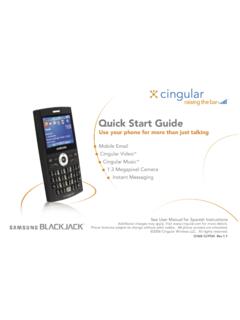
www.wireless.att.comQuick Start Guide Use your phone for more than just talking See User Manual for Spanish Instructions *Additional charges may apply. Visit www.cingular.com for more details. ... Watch news, sports, weather and entertainment clips while on the go. • In Idle mode, press the key.
Quick Start Guide - AT&T Wireless
www.wireless.att.comQuick Start Guide Use your phone for more than just talking Mobile Email Cingular Video™ Cingular Music™ 1.3 Megapixel Camera Instant Messaging See User Manual for Spanish Instructions

Activate a wireless device
www.wireless.att.comMay 10, 2018 © 2018 AT&T Intellectual Property. All rights reserved. AT&T and the Globe logo are registered trademarks of AT&T Intellectual Property.

Returns and Exchanges - AT&T
www.wireless.att.comAT&T June 29, 2020 © 2020 AT&T Intellectual Property. All rights reserved. AT&T and the Globe logo are registered trademarks of AT&T Intellectual Property.

Cancel or resume a line of service - AT&T
www.wireless.att.comCancel service by phone To cancel a wireless line of service, call Premier Customer Service at 800.331.0500 or dial 611 from your wireless device. Cancel service online 1. On the Premier homepage, from the I want to list on the taskbar, select Cancel/resume. Note: If this option isn’t available, call us at 800.331.0500 and request that the online

Reset voicemail passwords - AT&T
www.wireless.att.comReset the voicemail password for a wireless user 1. On the Premier homepage, from the I want to list on the taskbar, select Reset voicemail password. Notes: • If Reset voicemail password isn’t visible on the list, you don’t have permission to reset passwords. • If Reset voicemail password is visible but disabled, there’s a problem ...

Update a Device IMEI or SIM Card Number - AT&T Wireless
www.wireless.att.comBefore you replace a SIM card, you’ll need to copy your contact information to your new SIM card (see Transfer contacts and content between phones). You won’t be able to copy your contacts after you replace your SIM card. To receive a new SIM card, visit an AT&T retail store. To order SIM cards in bulk, call Premier Support at 866.499.8008 ...
Check Your Transaction Status - AT&T Wireless
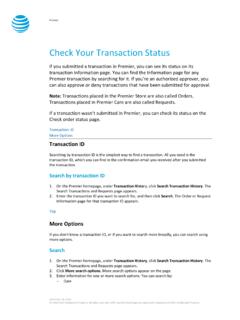
www.wireless.att.comDec 30, 2016 · If you want to check the status of a transaction that wasn’t submitted in Premier, use the Check order status page. 1. Go to the Check order status page. 2. Enter the order ID and ZIP code for the order you want to search for, and then click . Continue. The order information page for that order ID appears. Top
Related documents

IMPORTANT SAFETY INSTRUCTIONS - Battery Tender
www.batterytender.comb) Never place charger directly above battery being charged; gases from battery will corrode and damage charger. c) Never allow battery acid to drip on charger when reading electrolyte specific gravity or filling battery. d) Do not operate charger in a closed-in area or restrict ventilation in any way. e) Do not set a battery on top of charger.

Motorola Solutions Battery Use, Storage and Care ...
www.motorolasolutions.comSleep Mode Battery Storage Recommendations, using IMPRES 2 Single Unit Charger (SUC), IMPRES 1 MUC or SUC, or any Non-IMPRES charger 1. New batteries are in Sleep Mode when received. 2. If these are to be directly placed into storage, do not place the battery into any approved MSI charger or IMPRES Battery Data Reader.

Mobile Printer Accessory Guide - Zebra Technologies
www.zebra.combattery charger ships with a power supply and line cord. Select the part number with the appropriate line cord for your region. NOTE: Works with both standard and extended battery packs. Dual 3-Slot Battery Charger Connected via Y Cable COMPATIBLE PRINTERS: ZQ610, ZQ620, ZQ630, ZQ610 HC, ZQ620 HC, QLn220, QLn320, QLn420, QLn220 HC, QLn320 HC,

Cyrix -ct 12/24 V 120 A and 230 A - Victron Energy
www.victronenergy.comA battery combiner also may fail to connect a large but discharged battery bank because ... and re engage again after it has cooled down. LED status indication (Cyrix 12/24 230 only) LED on: engaged LED 10 s flash: disengaged ... battery is being charged by a battery charger.
hargers 2 kVA and 3 kVA - Victron Energy
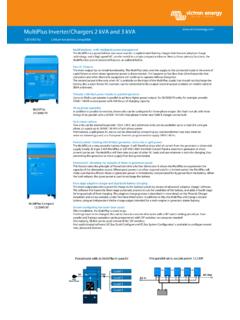
www.victronenergy.comThe MultiPlus is a ve ry powerful battery charger. It will therefore draw a lot of current from the generator or shore side supply (nearly 20 A per 3 kVA MultiPlus at 120 VAC). ... battery vol tage too low e) temperatu re too high f) 120 VAC on inverter output g) input voltage ripple too high 3 ) Non -linear load, crest factor 3:1
Fitbit Charge 3 User Manual
help.fitbit.comJun 28, 2018 · A fully-charged Charge 3 has a battery life of 7 days. Battery life and charge cycles vary with use and other factors; actual results will vary. To charge Charge 3: 1. Plug the charging cable into the USB port on your computer, a UL-certified USB wall charger, or another low-energy charging device. 2.

Complete Setup Guide - Logitech
www.logitech.com4 Press the ENTER key Now you’re ready to type! Ne:ot If you want to use another iPad with this ... To check battery life, press the battery check button If the status light is red, the keyboard needs to be ... vous devez charger la batterie du clavier
BATTERY CHARGER MANUAL - Pride Mobility Products Corp.
www.pridemobility.comBattery Charger for Jazzy ... • Re-orient or relocate the receiving antenna. • Increase the separation between the equipment and the receiver. • Connect the equipment into an outlet or on a circuit different from that to which the receiver is connected.

600 Peak Amp Jump-Starter - CARiD.com
images.carid.comThe battery indicator display will indicate battery charge state as a percentage of the full battery capacity. Low Charge Alert (LCA) On the front of the unit there is a Low Charge Alert port. There is a red plug in this port. With the plug removed, when the battery level drops to LO, an alarm will sound to remind the user to recharge the Jump ...