Example: air traffic controller

Slim Remote Programming | Bell TV

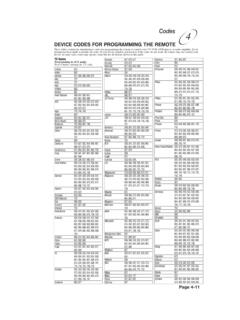
Bell fibe TV Remote instructions Programming the Remote to your TV 1. Turn on your TV and fibe receiver. and hold the options key for 3 seconds, until the green lightflashes twice. Within 10 seconds, enter the Ll-digit code for thebrand of your TV (see table below), or use 0001 to search throughall green light will blink twice to confirm a correct entry. It will light up for 2 seconds ii' an incorrect Ll digit code was entered. If no code was entered with,n 10 seconds, start this step again. TV Brand List 0010 Insignia 0011 Vizio 0012 RCA 0013 Sanyo 0014 Panasonic 0015 Funai/Emerson 0016 Sharp 0017 LG 0018 Toshiba 0019 Sony 0020 Samsung 0021 Philips 0022 Fluid 0001 search all brands 3. Hold down the power button until your TV turns off. This couldtake up to 5 minutes for a popular brand or up to 15 minutes to search through all brands. The green light will slowly blink as it cycles through all the TV manufacturer Once your TV switches off, let go of the power button and press the select key.

Fibe™ TV remote instructions Programming the remote to your TV 1. Turn on your TV and Fibe receiver. 2.Press and hold the options key for 3 seconds, until the green light flashes twice. Within 10 seconds, enter the Ll-digit code for the brand of your TV (see table below), or use 0001 to search through all brands.

Tags:

  Programming, Remote, Remote programming, Fibe, Fibe tv

Information

Domain:

Source:

Link to this page:

Please notify us if you found a problem with this document:

Other abuse

Advertisement

Transcription of Slim Remote Programming | Bell TV

1 Bell fibe TV Remote instructions Programming the Remote to your TV 1. Turn on your TV and fibe receiver. and hold the options key for 3 seconds, until the green lightflashes twice. Within 10 seconds, enter the Ll-digit code for thebrand of your TV (see table below), or use 0001 to search throughall green light will blink twice to confirm a correct entry. It will light up for 2 seconds ii' an incorrect Ll digit code was entered. If no code was entered with,n 10 seconds, start this step again. TV Brand List 0010 Insignia 0011 Vizio 0012 RCA 0013 Sanyo 0014 Panasonic 0015 Funai/Emerson 0016 Sharp 0017 LG 0018 Toshiba 0019 Sony 0020 Samsung 0021 Philips 0022 Fluid 0001 search all brands 3. Hold down the power button until your TV turns off. This couldtake up to 5 minutes for a popular brand or up to 15 minutes to search through all brands. The green light will slowly blink as it cycles through all the TV manufacturer Once your TV switches off, let go of the power button and press the select key.

2 The green light will blink twice to confirm it has been successfully programmed. Note: If the green light blinks 5 times, it means the Remote has searched through the list of available codes, and hasn't found a match. If this occurs, please start agoin at Step 2 and enter code 0001 to find an alternate code which could work with your TV. If a correct code is still not found, then the Remote will control your fibe receiver only. For additional information and troubleshooting visit

Related search queries