Example: quiz answers
Installation and Setup -- A 5 Step Process
7. Ground the satellite antenna, and wire it to the ExpressVu™ receiver (see pages 4-38). 8. Aim the satellite antenna for the strongest possible signal (see pages 4-29 through 4-33). 9. Connect the receiver to an active telephone connection (see page 4-39). With the receiver wired to the TV and the antenna properly installed, you will be ...
Tags:
Information
Domain:
Source:
Link to this page:
Documents from same domain

Control Setup Remote - Bell
support.bell.ca4. Press POWER on the remote controls to turn on/off receiver. ADJUSTING THE REMOTE ANTENNA Be sure to set the remote control antenna (back of the receiver) straight up so you can use the remote control from as far away as possible. Don't let the antenna touch anything. If your UHF Pro Remote Control isn't working very well from far away,

Slim Remote Programming | Bell TV
support.bell.caFibe™ TV remote instructions Programming the remote to your TV 1. Turn on your TV and Fibe receiver. 2.Press and hold the options key for 3 seconds, until the green light flashes twice. Within 10 seconds, enter the Ll-digit code for the brand of your TV (see table below), or use 0001 to search through all brands.
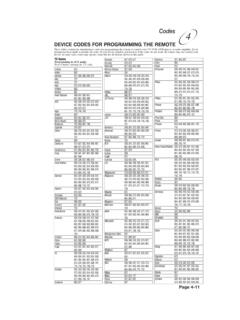
Remote Codes - Device codes for programming the Bell …
support.bell.caDEVICE CODES FOR PROGRAMMING THE REMOTE These tables contain the manufacturer codes for programming the remote to control your TV, VCR, DVD player, or audio amplifier. Every attempt has been made to include all codes. If your device brand is not listed or if the codes do not work, the remote may not control your device.
User’s Guide PlugLink 9650 Ethernet Adapter
support.bell.caand other Powerline devices on your network. The screen displays the Device Name, MAC Address, and Type (local or remote; 14mbps or 85mbps) of connection for each device on your network. To refresh the list of Powerline devices, Click on the ‘Rescan’ icon. (Note: Devices set up with a different network password will NOT show up on this list.)
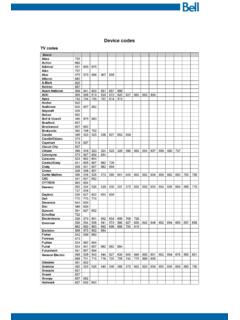
Bell Customer Support Centre
support.bell.caTV codes Brand Abex Action Admiral Aiko Akai Alleron A-Mark Amtron Anam National AOC Apex Archer Audiovox Ba craft Belcor Bell & Howell Bradford Brockwood Broksonic Candle Candle/Citizen Capehart Circuit Cit Citizen Colortyme Concerto Contec/Con Craig Crown Curtis Mathes cxc CYTRON Daewoo Da ron Dell Dimensia
User Guide - Bell
support.bell.ca3 Disclaimer ZTE Corporation expressly disclaims any liability for faults and damages caused by unauthorized modifications of the software. Images and …
Related documents
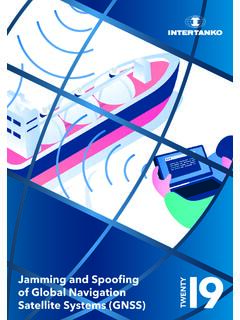
Jamming and Spoofing 9 - Maritime Global Security
www.maritimeglobalsecurity.orgjammed by masking the satellite signal with noise. Complete loss of GNSS is fairly easy to detect, but subtle movements due to the effect of jamming are not – and can appear similar to spoofing, which can be very hard to detect. Spoofing is more insidious: a false signal from a ground station that simply confuses a satellite receiver.
Global Navigation Satellite System (GNSS)
www.princeton.edumonitoring applications. It provides particularly coded satellite signals that can be processed in a GPS receiver, allowing the receiver to estimate position, velocity and time (Hofmann-Wellenhof et al., 2001). There are four GPS satellite signals that are used to compute positions in three dimensions and the time offset in the receiver clock.
SIRIUS Satellite Radio User Manual
www.siriusretail.comTo receive SIRIUS Satellite Radio on this receiver This receiver contains a SIRIUS ID for user identification. All you have to do to become a subscriber and enable reception of SIRIUS Satellite Radio is to call the SIRIUS Call Center at (888-539-SIRI) and provide the SIRIUS ID and a few other details. Verifying your SIRIUS ID 1.
Overview of Satellite Communications
olli.gmu.eduSatellite ground station Receiver Frequency converter Transmitter Receive antenna Generic satellite components Transmit antenna P h o n e Phone system Long-haul link Satellite ground station Examples: cellular, cellular plus wired, wired Examples: copper, fiber, LOS microwave Amplify weak signal;

Exploring Parabolas: The shape of a satellite dish
spacemath.gsfc.nasa.govsatellite dish with a radio receiver located at the focus of the parabola. The radio rays are reflected from the parabolic surface and concentrated at the focus. This focusing and amplification property of parabolic reflectors is also used for solar heating and generating
Satellite Communications
www.cse.wustl.eduThe Satellite The satellite itself is also known as the space segment, and is composed of three separate units, namely the fuel system, the satellite and telemetry controls, and the transponder. The transponder includes the receiving antenna to pick-up signals from the ground station, a broad band receiver, an input