Transcription of Tablet durability, barcode reading, and …
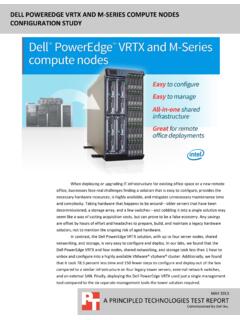
1 OCTOBER 2014 A PRINCIPLED TECHNOLOGIES TEST REPORT Commissioned by panasonic Tablet durability , barcode reading , and performance comparison : panasonic toughpad FZ-G1 VS. APPLE IPAD AIR Outdoor service workers increasingly rely on Tablet devices as they go about their workday. These workers have needs that differ from those of typical office workers. They and their devices are exposed to a range of climate conditions, including extremely high and low temperatures and bright sunlight that can make it difficult to read electronic screens. In addition to word processing, spreadsheet, and presentation tasks using Microsoft Office productivity tools, many workers also need to read barcodes as part of their daily routine. Companies are wise to invest in a Tablet that functions even when it s very hot or very cold, has a screen that is easily readable on the sunniest day, and helps workers perform their jobs quickly and efficiently.
2 In the Principled Technologies labs, we put two tablets to the test, the panasonic toughpad FZ-G1 and the Apple iPad Air. We subjected the two devices to extreme heat and cold, scanned dozens of barcodes under different lighting conditions, opened a set of Microsoft Office files in different ways, and conducted a series of industry-standard performance benchmark tests. We even had test subjects read from the two screens in bright sunlight. The panasonic toughpad FZ-G1 outdid the Apple iPad Air on all of our tests and offered more complete functionality for Microsoft Office 365 tasks, making it a very attractive option for outdoor field workers. A Principled Technologies test report 2 Tablet durability , barcode reading , and performance comparison : panasonic toughpad FZ-G1 vs. Apple iPad Air panasonic toughpad FZ-G1 POWERFUL PROCESSOR, WINDOWS PRO, INTEGRATED barcode READER As its name suggests, panasonic designed the toughpad FZ-G1 to be an extremely rugged Tablet .
3 It uses the latest, fourth-generation Intel Core i5 vPro processor and runs the Microsoft Windows Pro 64-bit operating system. Unlike many other tablets, the toughpad FZ-G1 is available with an integrated barcode reader. To learn more about how well the panasonic toughpad FZ-G1 performed, we conducted a series of tests on it and another Tablet , the Apple iPad Air. We found that across the board, the panasonic toughpad FZ-G1 outdid the Apple iPad Air. For detailed system configuration, see Appendix A. For details on how we conducted our testing, see Appendix B. HOW WELL DID THE Tablet OPERATE AT EXTREME TEMPERATURES? Workers in the field and their electronic devices must deal with the elements every day. In the summer, closed vehicles can reach extremely high temperatures, and in the winter, temperatures can drop to well below zero.
4 For example, temperatures can drop to -30 C in colder regions such as the Nordic countries, Eastern Europe, and Russia. To simulate the effect these extreme weather conditions can have on a Tablet , PT used a climate-controlled test chamber. We began by setting the chamber to C (75 F). We then powered on each of the devices, and placed them in the chamber. Next, we lowered the chamber to -12 C ( F). Once the chamber reached this temperature, we left the devices inside for 15 minutes. We then removed the devices and inspected them to see whether the touch screen functioned and noted any other issues. We shut the devices down and allowed them to sit at room temperature for 2 hours. We then repeated the process with progressively lower temperatures. Figure 1 summarizes our findings. Pass means that the device functioned normally after spending 15 minutes in the extremely cold chamber.
5 Fail means the device stopped working due to the cold, and would not allow us to turn it back on. Temperature panasonic toughpad FZ-G1 Apple iPad Air -12 C ( F) Pass Pass C (0 F) Pass Pass -25 C (-13 F) Pass Fail -30 C (-22 F) Pass Fail Figure 1: The effect of extremely cold temperatures on the devices. As Figure 1 shows, the panasonic toughpad FZ-G1 functioned normally after spending 15 minutes at all test temperatures, whereas the iPad Air failed at -25 C. These findings mean that workers could use the toughpad in considerably colder conditions than they could use the iPad Air. A Principled Technologies test report 3 Tablet durability , barcode reading , and performance comparison : panasonic toughpad FZ-G1 vs. Apple iPad Air To simulate extremely warm conditions, we again used the climate-controlled chamber and followed an approach similar to the cooling tests.
6 Figure 2 summarizes our findings. Pass means that the device functioned normally after spending 15 minutes in the extremely warm chamber. Fail means the device stopped due to the heat, and would not allow us to turn it back on. Temperature panasonic toughpad FZ-G1 Apple iPad Air 45 C (113 F) Pass Pass 50 C (122 F) Pass Pass 55 C (131 F) Pass Fail 60 C (140 F) Pass Fail 65 C (149 F) Pass Fail Figure 2: The effect of extremely warm temperatures on the devices. As Figure 2 shows, the panasonic toughpad FZ-G1 remained functional at all of the test temperatures up to 65 C or 149 F. The iPad Air failed at 55 C (131 F). As with the cooling results, these findings mean that a toughpad left inside a closed vehicle on a very hot day would have a much better chance of continuing to function correctly than an iPad Air would.
7 HOW EASY WAS IT TO READ THE SCREEN OUTDOORS ON A SUNNY DAY? Field workers must often use their electronic devices in full sunlight, which can make viewing the screen difficult. To learn how well the screens of the two tablets in our study fared under very sunny conditions, PT recruited five test subjects. The test proctor asked each subject to stand in a parking lot in direct sun. He told them that he would be handing them a Tablet on which a PDF document was displayed and instructed them to begin reading the text aloud once they received the Tablet . The proctor used a stopwatch to measure the time that elapsed before the test subject began to read aloud. He then repeated the test with the other Tablet Each device was fully charged and set using its default brightness settings. Some test subjects received the panasonic toughpad FZ-G1 first and others received the Apple first.
8 The devices each had different text to avoid priming test subjects by familiarizing them with the text. Figure 3 summarizes the test results. As it shows, every test subject took less time to begin reading the text on the panasonic toughpad FZ-G1 screen than on the Apple screen, percent less time on average. Four out of five test subjects commented that the panasonic toughpad FZ-G1 was easier to read; the fifth test subject had no preference. A Principled Technologies test report 4 Tablet durability , barcode reading , and performance comparison : panasonic toughpad FZ-G1 vs. Apple iPad Air Test subject Time to begin reading a passage of text aloud (seconds) Comments panasonic toughpad FZ-G1 Apple iPad Air Test subject 1 Subject found the toughpad easier to read. Test subject 2 Subject found the toughpad easier to read.
9 Without adjusting [the iPad], there is no way I could read that. Test subject 3 Subject found the toughpad easier to read. Lots of glare on [the iPad]. Test subject 4 Subject found the toughpad easier to read. The [ toughpad Matte] screen made it easier to read and made things brighter. Test subject 5 Subject had no preference between the two screens. Average The test subjects began reading the text on the panasonic toughpad FZ-G1 was percent faster than on the Apple. Figure 3: The amount of time in seconds that elapsed before five test subjects began reading text on the two systems screens. HOW WELL DID THE TABLETS READ BARCODES? Those whose jobs include scanning barcodes in the field, in warehouses know that the lighting conditions can be far from ideal. When you need to scan a large number of items quickly, a reliable and speedy scanner can be the difference between executing a job with ease and having productivity break down completely.
10 We printed 53 sample barcodes and selected nine real-world items containing barcodes. We used our two test devices to scan each. For the panasonic toughpad FZ-G1, we used its built-in barcode reader. For the Apple iPad Air, we used the barcode Scanner app from Manatee Works Inc. We tested all 61 barcodes in three lighting situations: Office setting with overhead fluorescent lighting Storage room setting with dim light Extremely limited light as in a crawl space under a house or in a basement As Figure 4 shows, regardless of the lighting conditions, the panasonic toughpad FZ-G1 with its integrated barcode reader took about the same amount of time to read a barcode or seconds. In contrast, the Apple iPad Air took three times as long to read a barcode under typical office lighting conditions and took more than four times as long to read a barcode in a darkened storage room.