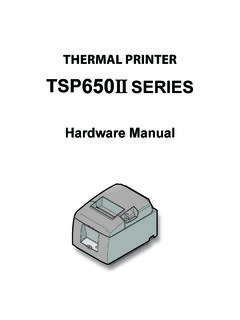
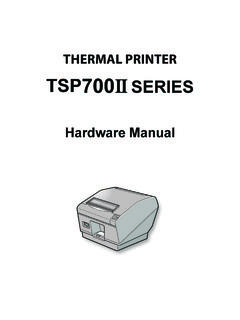
Transcription of THERMAL PRINTER TSP700II SERIES - Star Micronics
1 THERMAL PRINTERTSP700II SERIESH ardware ManualFederal Communications CommissionRadio Frequency InterferenceStatementThis device complies with Part 15 of FCC Rules and Industry Canada licence-exempt RSS standard(s). Operation is subject to the following two conditions: (1) This device may not cause harmful interference, and (2) this device must accept any interference received, including interference that may cause undesired pr sent appareil est conforme aux CNR d'Industrie Canada applicables aux appareils radio exempts de licence. L'exploitation est autoris e aux deux conditions suivantes : (1) l'appareil ne doit pas produire de brouillage, et (2) l'utilisateur de l'appareil doit accepter tout brouillage radio lectrique subi, m me si le brouillage est susceptible d'en compromettre le fonctionnement.
2 FCC CAUTIONC hanges or modifications not expressly approved by the party responsible for compliance could void the user s authority to operate the compliance with the Federal Noise Interference Standard, this equipment requires a shielded RF interference suppression, if a ferrite core is provided with this device, affix it to the interface : This equipment has been tested and found to comply with the limits for a Class A digital device, pursuant to Part 15 of the FCC Rules. These limits are designed to provide reasonable protection against harmful interference when the equipment is operated in a commercial environment.
3 This equipment generates, uses and can radiate radio frequency energy and, if not installed and used in accordance with the instruction manual, may cause harmful interference to radio communications. Operation of this equipment in a residential area is likely to cause harmful interference in which case the user will be required to correct the interference at his own ICES-3 (A) / NMB-3 (A)This equipment complies with FCC/IC radiation exposure limits set forth for an uncontrolled environment and meets the FCC radio frequency (RF) Exposure Guidelines in Supplement C to OET65 and RSS-102 of the IC radio frequency (RF) Exposure rules.
4 This equipment has very low levels of RF energy that it deemed to comply without maximum permissive exposure evaluation(MPE). But it is desirable that it should be installed and operated keeping the radiator at least 20cm or more away from person's body (excluding extremities: hands,wrists,feet and ankles).Cet quipement est conforme aux limites d"exposition aux rayonnements nonc es pour un environnement non contr l et respecte les r gles les radio lectriques (RF) de la FCC lignes directrices d'exposition dans le Suppl ment C OET65 et d"exposition aux fr quences radio lectriques (RF) CNR-102 de l"IC.
5 Cet quipement met une nergie RF tr s faible qui est consid r e conforme sans valuation de l"exposition maximale autoris e. Cependant, cet quipement doit tre install et utilis en gardant une distance de 20 cm ou plus entre le dispositif rayonnant et le corps ( l"exception des extr mit s : mains, poignets, pieds et chevilles). Trademark acknowledgmentsTSP700II : Star Micronics Co., All rights reserved. Reproduction of any part of this manual in any form whatsoever, without STAR s express permission is forbidden. The contents of this manual are subject to change without notice.
6 All efforts have been made to ensure the accuracy of the contents of this manual at the time of going to press. However, should any errors be detected, STAR would greatly appreciate being informed of them. The above notwithstanding, STAR can assume no responsibility for any errors in this manual. IOS is a trademark or registered trademark of Cisco in the and other countries and is used under license. Android is a trademark of Google Inc. Windows is registered trademarks of Microsoft Corporation. Bluetooth wordmark and logo are registered trademarks owned by Bluetooth SIG, Inc. Copyright 2007-2017 Star Micronics Co.
7 , SymbolThese symbols are located near the THERMAL print the THERMAL print head is hot immediately after printing, do not touch it. Static electricity can damage the THERMAL print head. To protect the THERMAL print head from static electricity, do not touch symbol is located near the cutter. Never touch the cutter blade, as you could injure your symbol is located near the peripheral drive not connect this to a symbol is located near the screws securing the case or the protective plate, which should not be opened by individuals other than service personnel. Individuals, other than service personnel, should not remove these screws.
8 High voltage areas in the case can be OF CONTENTS 1. Unpacking and Installation ..51-1. Unpacking ..51-2. Notes about Installation ..5 2. Parts Identification and Nomenclature ..6 3. Setup ..73-1. Connecting the Interface cable to the PC ..73-2. Connecting the Interface cable to the PRINTER 83-3. Connecting the AC Adapter ..113-4. Turning the Power On ..123-5. Connecting to a Peripheral Device ..123-6. Loading a Paper Roll ..133-7. Bluetooth Settings (For Bluetooth Interface Models only) ..173-8. Setup Attaching the Accessories ..244-1. Attaching the Holder Plate ..244-2.
9 Attaching the cable ..274-3. Switch Blind Installation ..27 5. Error Indicators ..285-1. Recoverable Unrecoverable errors ..286. Preventing and Clearing Paper Jams ..296-1. Preventing Paper Jams ..296-2. Removing Paper Jam ..297. Maintenance ..307-1. THERMAL Head ..307-2. Platen Rubber Roller ..307-3. Sensors and the Surrounding Areas ..307-4. Paper Holder the Suurounding Areas ..301-1. UnpackingAfter unpacking the unit, check that all the necessary accessories are included in the package.* Accessories vary depending on the model and the region where the PRINTER was purchased. 1. Unpacking and Installation1-2.
10 Notes about Installation1. Choose a firm, level surface where the PRINTER will not be exposed to Make sure that the PRINTER is connected to a reliable power outlet. It should not be on the same electric circuit as copi-ers, refrigerators, or other appliances that cause power The power outlet you plan to connect to for power should be nearby and Make sure that the PRINTER is not exposed to direct Make sure that the PRINTER is well away from heaters and other sources of extreme Do not locate the PRINTER in a badly ventilated or dusty Make sure that the room where you are using the PRINTER is not too This device employs a DC motor and switches that have an electrical contact point.