Transcription of Training Script Language PRACTICE - Lauterbach
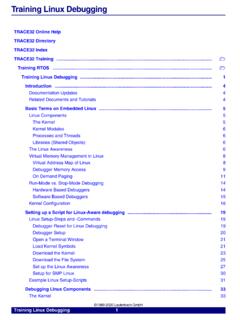
1 MANUAL Release Script Language PRACTICET raining Script Language PRACTICE | 2 1989-2022 Lauterbach Training Script Language PRACTICETRACE32 Online Help trace32 Directory trace32 Index trace32 Training .. Training Script Language PRACTICE ..1 E-Learning ..5 Ready-to-Run Scripts ..5 Introduction to Script Language PRACTICE ..6 Area of Use6 Run a Script7 Create a PRACTICE Script ..9 Convert trace32 Settings to a Script9 Command LOG14 Command History15 Script Editor PEDIT16 Syntax Highlighting18 Debugging of PRACTICE Script .
2 19 Debug Environment20 Display the PRACTICE Stack24 PRACTICE Language ..25 Program Elements25 Comments25 Commands25 Functions25 Labels26 PRACTICE Flow Control ..27 Conditional Program Execution27 Command List27 Subroutine Calls32 Command List32 Example33 GOTO/JUMPTO35 Command List35 Example36 Script Calls38 Command List38 Training Script Language PRACTICE | 3 1989-2022 Lauterbach Example38 PRACTICE Macros39 Declare a Macro39 Assign Content to a Macro41 Macro Handling43 Macros as Strings45 Macros as Numbers47 Note for Testing50 More Complex Data Structures51 Script Examples.
3 52 Run Through Program and Generate a Test Report52 Check Contents of Addresses58 Check Contents of Address Range59 Check the Contents of Variables62 Record Formatted Variables63 Record Variable as CSV64 Test Functions66 Test Function with Parameter File67 Parameter Passing ..69 Pass Parameters to a PRACTICE Script or to a Subroutine69 PARAMETERS/RETURNVALUES vs. ENTRY77 Operating System Interaction ..82 Operating System Detection82 Printing Results83 Accessing Environment Variables85 Running a Command86 File Manipulation87 Time and Date Functions91 I/O Commands ..92 Output Command92 Input Command92 I/O via the AREA Window94 Event Control via PRACTICE96 Simple Dialogs.
4 97 Dialog Programming ..100 Control Positioning103 Control Properties105 Enable or Disable a Control106 Collect data from a control107 Setting a value or state to a control110 Execute a command111 Training Script Language PRACTICE | 4 1989-2022 Lauterbach File Browsing113 Icons115 Dialog Example116 PRACTICE in a Multi-Core Environment ..121 Communication via InterCom122 Designing Robust PRACTICE Scripts ..124 Path Functions and Path Prefixes125 Host Operating System127 Debug Hardware128 Target CPU and Board129 trace32 Version130 trace32 Settings131 Storing and Retrieving Settings133 Robust Error Handling136 Argument Handling138 Creating a Custom Command139 Common Pitfalls140 Training Script Language PRACTICE | 5 1989-2022 Lauterbach Training Script Language PRACTICEV ersion 09-Mar-2022E-LearningVideos about the Script Language PRACTICE can be found here: ScriptsReady-to-run PRACTICE scripts provided by the Lauterbach experts are published and updated daily here.
5 Script Language PRACTICE | 6 1989-2022 Lauterbach Introduction to Script Language PRACTICEArea of UseThe main tasks of PRACTICE scripts are: To provide the proper start-up sequence for the development tool To automate FLASH programming To customize the user interface To store and reactivate specific trace32 settings To run automatic testsThe standard extension for PRACTICE scripts Script Language PRACTICE | 7 1989-2022 Lauterbach Run a Script *// "*" opens a file browser for Script // selection// trace32 first changes to the directory// where the selected Script is located and// then starts the <filename>Change to the directory where the Script <filename> is located and start the <filename>Start Script <filename>.
6 PAT H [+] <path_name>Define search paths for PRACTICE c:/t32/demo/powerpc/hardwarePATH c:/t32/testsTraining Script Language PRACTICE | 8 1989-2022 Lauterbach It is possible to execute a PRACTICE Script on startup of trace32 . For details refer to Automatic Start-up Scripts in PRACTICE Script Language user s Guide, page 14 ( ). Training Script Language PRACTICE | 9 1989-2022 Lauterbach Create a PRACTICE ScriptConvert trace32 Settings to a ScriptThe commands STOre and ClipSTOre generate scripts that allow to reactivate the specified trace32 <setting> at any time.<setting> is in most cases the setup of a command group.
7 <setting>SYStemSetting for command group for command group window Script Language PRACTICE | 10 1989-2022 Lauterbach Create a Script to reactivate the current SYStem settings and store it to clipboard ClipSTOre SYStem SPC56EC74 2. 1. 1. 1. NEXUS DENIED OFF OFF 4000000. OFF OFF 7. 0. Analyzer0 0x3 UPTraining Script Language PRACTICE | 11 1989-2022 Lauterbach Create a Script to reactivate current Break settings and store it to clipboardThe breakpoints are saved at a symbolic level by func24 main\38 sieve /Program /Onchip /COUNT mstatic1.
8 /WriteTraining Script Language PRACTICE | 12 1989-2022 Lauterbach Create a Script to reactivate the current window configurationSTOre Win /NoDate// trace32 creates Script // window_configuration// to reactivate the // current window// configurationTraining Script Language PRACTICE | 13 1989-2022 Lauterbach . B:: TOOLBAR ON STATUSBAR ON FramePOS 193. 47. P000 WinCLEAR WinPOS 80. 5. 0. 0. W002 % %E flags %Open vtripplearray WinPOS 80. 8. 5. 0. W003 Frame /Locals /Caller WinPOS 80. 16. 13. 1. W000 WinTABS 10. 10. 25. 62. WinPOS 77. 20. 0. 0. W004 WinPOS 105.
9 6. 0. 0. W001 PER , "FlexCAN" P000 ENDDOEach PRACTICE Script should end with an ENDDO Return from PRACTICE Script Language PRACTICE | 14 1989-2022 Lauterbach Command LOGThe LOG command allows users to create a record of most of the activities in the trace32 PowerView to control the LOG command:Contents of a command <log_file>Create and open a file for the command LOG. The default extension for LOG files is (.log). the command LOG off command LOG on command command LOG while Creates and opens the .log Displays .log file contents while Closes .log file B::B::List B::Go func24// B::B::PER , "Analog to Digital Converter" B:: ANC:0xFFE00000 %L ( (ANC:0xFFE00000)&~0x40000000)|0x40000000 Training Script Language PRACTICE | 15 1989-2022 Lauterbach Command HistoryBy default the Script contains the line:which automatically saves the command history in your temporary directory when you exit trace32 and recalls the command history when you start trace32 command history records only commands entered into the command default extension for HISTory-files is (.)
10 Log) the command [<file>]Save the command [<size>]Define the size of the command historyAutoSTOre , HISToryAutoSTOre <filename> {<setting>}Store defined settings automatically at the exit of trace32 and reactivate them at the start of trace32 Training Script Language PRACTICE | 16 1989-2022 Lauterbach Script Editor *// "*" opens a file browser for Script // selection// trace32 first changes to the directory// where the selected Script is located and// then opens the Script in a PEDIT <filename>Change to the directory where the Script <filename> is located and open Script in Script editor <filename> Open Script <filename> in Script editor Script Language PRACTICE | 17 1989-2022 Lauterbach In