Transcription of Uninterruptible Power Supply - - APC USA
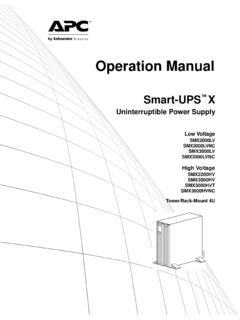
1 Operation ManualSmart-UPS XUninterruptible Power SupplyLow Voltage 100-127 VASMX2000 RMLV2 USMX2200 RMLV2 USMX3000 RMLV2 USMX3000 RMLV2 UNCSMX3000 RMJ2 UHigh Voltage 200-240 VASMX2200 RMHV2 USMX3000 RMHV2 USMX3000 RMHV2 UNCsu0787a1 smart -UPS X 2000 /2200/3000 VA 100/120/230 Vac Tower/ rack - mount 2 UProduct DescriptionThe APC by Schneider Electric smart -UPS is a high performance Uninterruptible Power Supply (UPS). The UPS provides protection for electronic equipment from utility Power blackouts, brownouts, sags, and surges, small utility Power fluctuations and large disturbances. The UPS also provides battery backup Power for connected equipment until utility Power returns to safe levels or the batteries are fully user manual is available on the enclosed CD and on the APC by Schneider Electric web site, Safety MessagesRead the instructions carefully to become familiar with the equipment before trying to install, operate, service or maintain it.
2 The following special messages may appear throughout this manual or on the equipment to warn of potential hazards or to call attention to information that clarifies or simplifies a addition of this symbol to a Caution product safety label indicates that a hazard exists that can result in injury and product damage if the instructions are not following safety messages may appear throughout this manual to warn of potential and General InformationInspect the package contents upon receipt. Notify the carrier and dealer if there is any the Safety guide supplied with this unit before installing the UPS.
3 Adhere to all local and national electrical codes. This UPS is intended for indoor use only. Do not operate this UPS in direct sunlight, in contact with fluids, or where there is excessive dust or humidity. Be sure the air vents on the UPS are not blocked. Allow adequate space for proper ventilation. The battery typically lasts for two to five years. Environmental factors impact battery life. Elevated ambient temperatures, poor quality utility Power , and frequent short duration discharges will shorten battery life. Connect the UPS Power cable directly to a wall outlet. Do not use surge protectors or extension cords.
4 The batteries are heavy. Remove the batteries prior to installing the UPS in a rack . Always install external battery packs (XLBPs) at the bottom of the rack . The UPS must be installed above the XLBPs. The UPS display interface will recognize as many as 10 external battery packs connected to the UPS. However there is no limit to the number of XLBPs that can be used with the indicates a potentially hazardous situation which, if not avoided, can result in equipment damage and minor or moderate indicates a potentially hazardous situation which, if not avoided, can result in equipment X 2000 /2200/3000 VA 100/120/230 Vac Tower/ rack - mount 2U2 Product OverviewSpecificationsEnvironmental SpecificationsFor additional specifications, refer to the APC by Schneider Electric web site at and Low Voltage ModelsTemperatureOperating0 to 40 C (32 to 104 F)
5 Storage-15 to 45 C (5 to 113 F)charge UPS battery every six monthsMaximumElevationOperating3,000 m (10,000 ft)Storage15,000 m (50,000 ft)Humidity0% to 95% relative humidity, non-condensingLow Voltage (100-127 V)High Voltage (200-240 V)SMX2000 RMLV2 USMX2200 RMHV2 USMX2200 RMLV2 USMX3000 RMHV2 USMX3000 RMLV2 USMX3000 RMHV2 UNCSMX3000 RMLV2 UNCSMX3000 RMJ2U3 smart -UPS X 2000 /2200/3000 VA 100/120/230 Vac Tower/ rack - mount 2 UFront Panel FeaturesRear Panel Features Battery Battery connector Display interface Bezel SmartSlot Controllable Outlet Group 3 UPS input External battery pack connector Chassis ground screw EPO connector Controllable Outlet Group 1 Serial port Controllable Outlet Group 2 USB port2200 VA Low Voltage2000 VA Low Voltage3000 VA Low Voltage2200/3000 VA High
6 Voltagesu0498asu0494asu0492asu0495asu049 3aSmart-UPS X 2000 /2200/3000 VA 100/120/230 Vac Tower/ rack - mount 2U4 InstallationUPSFor UPS installation information, refer to the smart -UPS X 2000 -3000 VA installation guide that is included with the UPS. The guide is also available on the enclosed CD and the APC by Schneider Electric web site at Management CardFor installation information, refer to the user manual provided with the Network Management Card (NMC). The user manual is also available on the APC by Schneider Electric web site at Battery PackFor installation information, refer to the SMX 120 RMBP2U external battery pack installation guide that is included with the external battery pack (XLBP).
7 The guide is also available on the enclosed CD and the APC by Schneider Electric web site at X 2000 /2200/3000 VA 100/120/230 Vac Tower/ rack - mount 2 UOperationConnect Equipment to the UPSNote: The UPS will charge to 90% capacity in the first three hours of normal operation. Do not expect full battery runtime capability during this initial charge Connect equipment to the outlets on the rear panel of the UPS. 2. Connect the UPS to the building utility Power . Always connect the UPS to a two pole, three wire, grounded To use the UPS as a master ON/OFF switch, turn on all the equipment that is connected to the Press the ON/OFF button on the front panel of the UPS to turn on the UPS and all connected See Switched Outlet Groups on page 12 for information on how to use the switched outlet OF EQUIPMENT DAMAGE Adhere to all local and national electrical codes.
8 Wiring should be performed by qualified electrician. Always connect the UPS to a grounded to follow these instructions can result in equipment damagesu0475aSmart-UPS X 2000 /2200/3000 VA 100/120/230 Vac Tower/ rack - mount 2U6 Basic ConnectionsSerial port: Connect to a computer to use Power management software, use the serial cable included with the port: Connect to a computer to use Power management software. Note: Serial and USB communication can not be used Battery Pack connector: Connect external battery packs to provide extended runtime during Power outages. The UPS can support up to 10 external battery Screw: The UPS features a ground screw for connecting the ground leads on transient voltage devices.
9 Prior to connecting a ground lead, disconnect the UPS from utility X 2000 /2200/3000 VA 100/120/230 Vac Tower/ rack - mount 2 UDisplay InterfaceOverviewUsing the display interfaceUse the UP/DOWN arrow buttons to scroll through the main menu options. Press ENTER to view the submenu under each main menu option. Press ESCAPE to exit a submenu and return to a main OverviewThe smart -UPS has Standard and Advanced menu screens. The Standard menu screens are the most commonly used screens. The Advanced menu screens are for more advanced users to configure additional features on the : Actual menu screens may vary.
10 Online LED UPS Output On/Off button On Battery LED Site Wiring Fault LED Replace Battery LED Display screen UP/DOWN arrow buttons ENTER button ESCAPE buttonMain MenuOverviewStandardAdvancedScrolling ScreensOn Utility (the UPS is operating on utility Power )xOutlet Group StatusxInput and Output voltagexLoad meterxBattery charge and runtimexWarningsxLoad and Battery graphsxStatusOperating ModexxEfficiency in % (Green mode only)xxInput and output voltagexxsu0343aAPC By SchneiderElectricSmart-UPS X 2000 /2200/3000 VA 100/120/230 Vac Tower/ rack - mount 2U8 Load Power (W) and VAxxLoad (A)xLoad meter (kWh)xLast transfer to battery Power informationxxBattery charge and estimated run timexxBattery voltagexNumber of external battery packsxInternal battery temperaturexRun time calibration test resultsxxSelf-test resultsxxStatus of the switched outlet group(s).