Example: air traffic controller
User guide - ResMed
• Read the entire manual before using the Astral device. • Use the Astral device only as directed by a physician or h ealthcare provider. • Use the Astral device only for the intended use as described in this manual. Advice contained in this manual does not supersede instructions given by the prescribing physician.
Tags:
Information
Domain:
Source:
Link to this page:
Documents from same domain
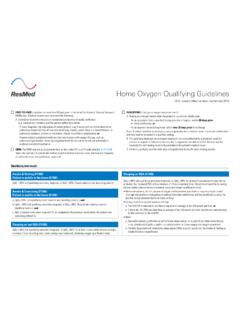
Home Oxygen Qualifying Guidelines - ResMed
document.resmed.comThe qualifying blood gas study/oxygen saturation test was performed by a physician, qualified provider or supplier of laboratory services that is registered and able to bill for the test, and the necessity for such testing must be documented in the patient’s medical record. C. All three qualifying exercise tests should be performed during the ...

Indications for use System requirements Compatible ResMed ...
document.resmed.com• Android™ 5.0 and later. Compatible ResMed devices • AirSense 11 • AirSense 10 • AirCurve 10. Note: Bluetooth features are only available on AirSense 11. Security : Built-in security features, steps you take to protect your smart device against malware, and keeping

User guide - document.resmed.com
document.resmed.comUse only ResMed parts (eg, air inlet filter, power supplies), masks and accessories with the machine. Non ResMed parts may reduce the effectiveness of the treatment, may result in excess carbon dioxide rebreathing and/or damage the machine. For compatibility information, refer to ResMed.com for more information. When using the humidifier tub:
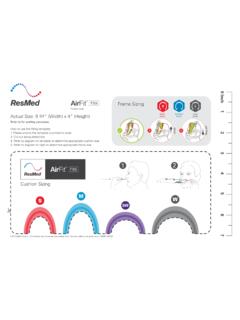
AirFit F30i - Fitting guide - ResMed
document.resmed.comTitle: AirFit F30i - Fitting guide Created Date: 8/13/2019 10:03:58 PM
Sleep Lab Titration Guide - ResMed
document.resmed.comFemale patients with mild to moderate OSA weighing more than weighing more than 66 lb (30 kg) 4–20 cm H 2O AutoSet/APAP (automatic positive airway pressure) Automatically adjusts pressure in response to flow limitation, snore and obstructive apneas OSA Patients weighing more than 66 lb (30 kg) 4–20 cm H 2O VAuto Automatically adjusts ...

Travel Compliance Letter for ResMed Therapy Devices
document.resmed.comPage 3 of 4 ResMed Corp 9001 Spectrum Center Blvd. San Diego, CA 92123 USA T 1 800 424 0737 F 1 858 836 5000 ResMed Pty Ltd 1 Elizabeth Macarthur Drive Bella Vista NSW 2153 Australia T +61 (2) 8884 1000 F +61 (2) 8884 2000 ResMed (UK) Ltd 8 Wimpole Street, London W1G 9SP, UK T +44 (1235) 862 997 F +44 (1235) 831 336 ResMed.com ...
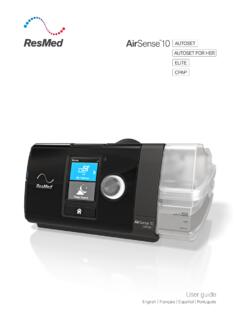
User guide - ResMed
document.resmed.comThe AirSense 10 CPAP device is indicated for the treatment of obstructive sleep apnea (OSA) in patients weighing more than 66 lb (30 kg). It is intended for home and hospital use. The humidifier is intended for single patient use in the home environment and re. use in a - hospital/institutional environment. Contraindications

User guide - ResMed
document.resmed.com• The Astral device may be used in the vicinity of electronic article surveillance (EAS) systems during mobile situations when attached to th e patient or patient’s wheelchair. The Astral device may experience interference in the vicinity of EAS. Keep the Astral device at least 8” (20 cm) away from the EAS.

User guide - ResMed
document.resmed.comWhen Pressure Relief is enabled, you may find it easier to breathe out. This can help you get used to therapy. SmartStart* When SmartStart is enabled, therapy starts automatically when you breathe into your mask. When you remove your mask, it stops automatically after a

S9 Series AutoSet & Elite - ResMed
document.resmed.com• Do not wash the air tubing in a washing machine or dishwasher. Weekly: 1. Remove the air tubing from the S9 device and the mask. 2. Wash the air tubing in warm water using mild detergent. 3. Rinse thoroughly, hang, and allow to dry. 4. Before next use, reconnect the air tubing to the air outlet and mask. Monthly: 1.
Related documents

Operator's Manual - Masimo
techdocs.masimo.comIn addition, the Masimo Radical -7 Pulse CO -Oximeter and accessories are indicated to provide the continuous noninvasive monitoring data obtained from the Masimo Radica l-7 Pulse CO-Oximeter and accessories of functional oxygen saturation of arterial hemoglobin (SpO 2) and pulse rate to multi-parameter devices for the display of those devices.
Closed Reduction, Traction, and Casting Techniques
ota.org– Pulse oximeter & careful monitoring recommended Pros Potential better relaxation ... manual palpation of olecranon – Reduce medial/lateral displacement 1. st – Address anterior/posterior ... Bivalving = 60% pressure drop Also need to cut cast padding . Complications of Casts & Splints • Thermal Injury – ...

Pulse Oximeter instructiOn manual
images-na.ssl-images-amazon.comMay 20, 2011 · Fingertip Pulse Oximeter V1.0318T - 11 - CHAPTER 2 Settings 2.1 Configuring Your Pulse Oximeter There are some settings which can be adjusted by software, including date and time, switching, real-time and non real-time data transmission modes, powering off, and updating the software of the pulse oximeter. 2.2 Selecting a Display Mode

Pulse Oximeter User Manual - LifeSource
lifesourcecanada.comDear users, thank you very much for purchasing the Pulse Oximeter. This Manual is written and compiled in accordance with the council directive MDD93/42/ EEC for medical devices and harmonized standards. In case of modifications and software upgrades, the information contained in this document is subject to change without notice.

Important Safety and Product Information
static.garmin.compulse oximeter sensor, and related data are intended to be used only for recreational purposes and not for medical purposes, and are not intended to diagnose, monitor, treat, cure, or prevent any disease or condition. •The heart rate and blood oxygen saturation readings are for reference only, and no responsibility is accepted for

Important Safety and Product Information ... - Garmin
static.garmin.compulse oximeter sensor, and related data are intended to be used only for recreational purposes and not for medical purposes, and are not intended to diagnose, monitor, treat, cure, or prevent any disease or condition. •The heart rate and blood oxygen saturation readings are for reference only, and no responsibility is accepted for

ProSim™ 8 - Fluke Biomedical
www.flukebiomedical.comFluke Biomedical service center for calibration. You will be charged our customary fee for such calibration. During the warranty period, we will repair or at our option replace, at no charge, a product that proves to be