Example: dental hygienist
USER MANUAL - GoPro
8 9 9. HERO Port 10. Battery Door 11. Wireless On/Off Button [ ] 12. Audio Alert 13. Microphone / The Basics 1. Camera Status Lights (red) 2. Shutter/Select Button [ ]
Tags:
Information
Domain:
Source:
Link to this page:
Documents from same domain

MANUEL DE L'UTILISATEUR - gopro.com
gopro.com4 5 / Table des matières Utilisation des supports 91 Dépannage 95 Assistance clientèle 98 Marques déposées 98 Information réglementaire 98 L'essentiel 6

MANUEL DE L’UTILISATEUR 1 - GoPro Official …
gopro.comÀ partir de l’écran principal, appuyez sur l’icône dans le coin inférieur gauche. 2. Appuyez sur l’une des icônes de mode en haut de l’écran (Vidéo,

USER MANUAL - gopro.com
gopro.comTo download this user manual in a different language, visit ... PRO TIP: When the camera is off and QuikCapture is enabled, you can ... You can also select max video as the interval. With this option, the camera records until the memory card is full, then overwrites the content.
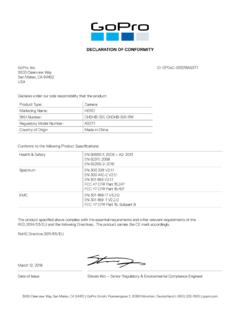
DECLARATION OF CONFORMITY - gopro.com
gopro.com3000 Clearview Way San Mateo, CA 94402 USA DECLARATION OF CONFORMITY The product specified above complies with the essential requirements and other relevant requirements of the RED 2014/53/EU and the following Directives. The product carries the CE mark accordingly.
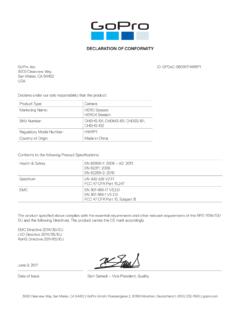
DECLARATION OF CONFORMITY - gopro.com
gopro.comGoPro, Inc. 3000 Clearview Way San Mateo, CA 94402 USA DECLARATION OF CONFORMITY The product specified above complies with the essential requirements and other relevant requirements of …

HERO 1080 INSTRUCTIONS - GoPro Official Website
gopro.comFree downloadable camera updates may be available at gopro.com. Be sure to insert an SD card into the camera or else you won’t be able to record photos or video. POWER/MODE BUTTON ˜ Front of Camera POWER/MODE button turns camera on and off and works as …

Download the User Manual at gopro.com/support
gopro.comrecording video or playing back footage on an LCD Touch BacPac. HiLight Tags help you quickly find the highlights later for easy playback, editing and sharing. *Playback only appears when the camera is connected to a TV or LCD Touch BacPac (sold separately). / Selecting Camera Modes 2. If necessary, select a different capture mode: a.

USER MANUAL 1 - GoPro
gopro.comUsing Your Camera with an HDTV 33 Connecting to the Capture App 35 Offloading Your Content 36 Video Mode: Capture Modes 39 Video Mode: Settings 41 Video Mode: Advanced Settings 48 Photo Mode: Capture Modes 50 Photo Mode: Settings 52 Photo Mode: Advanced Settings 54 Time Lapse Mode: Capture Modes 56 Time Lapse Mode: Settings 58 TABLE OF CONTENTS

Join the GoPro Movement
gopro.com3. Insert the battery. 4. Connect your camera to a USB charger or computer using the included USB-C cable. It takes about 2 hours for the battery to fully charge. The camera status light will turn off when it’s done. To learn more, see Battery Information (page 105). PRO TIP: For the fastest charging, use the GoPro Supercharger (sold separately).

HERO3 UM Silver ENG REVB WEB - GoPro
gopro.comTo capture a Photo Burst series, verify the camera is in Photo Burst mode. If the Photo Burst icon on your camera’s LCD screen is not showing, press repeatedly until it appears. to take a Photo Burst series: Press and release . The red status indicator Lights flash and the camera beeps multiple times. Pro tiP: Sometimes 30 photos/1 second is ...
Related documents

Manuale di Programmazione Siemens Step7 5.3 con
www.diit.unict.itManuale di Programmazione Siemens Step7 5.3 ... Azioni con funzioni standard ... KOP consente all'utente di seguire in modo semplice il flusso dei segnali tra sbarre collettrici, contatti, elementi complessi e bobine. 2. AWL (lista istruzioni) è …

Manuale d'uso Scuolanext - Docente - Argo
www.argosoft.itutente della scuola. Comunicazioni: Consente la gestione dei colloqui, la programmazione di eventi direttamente su Google Calendar, la visualizzazione dei docenti per classe, e degli eletti nei consigli di classe e d'istituto. Orario : per la creazione dell’orario del docente, anche con turnazione settimanale.