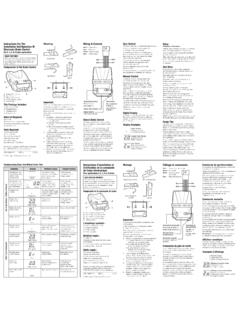
Transcription of VAPOR PRESSURE OSMOMETER MODEL 5520 USER’S …
1 VAPRO VAPOR PRESSURE OSMOMETERMODEL5520 USER S MANUALM2468-4 1995, 1998, 2000, 2002 Wescor, Inc. All rights reserved. Printed in the UnitedStates of , Vapro, Optimol, Osmocoll and Blow Clean are trademarks of Wescor, trade names used in this manualmay be trademarks of their respective owners, used here for information information in this manual maychange without prior OF User s Manual Customer Vapro System How the Vapro Controls and Instrument Setup Vapro Setting Up the Micropipettor Using Optimol Osmolality Using Osmocoll II Serum Control .. Changing Voltage Changing 3 OPERATING THE Operation Loading Cleaning the Sample Running the Clean Standby or Waiting Serial Data OF CONTENTSSECTION4 PREVENTIVE Preventive Maintenance Removing the TC Cleaning the TC Reinstalling the TC Equilibration After Severe or Stubborn Common TC Head External Factors Affecting Deformed or Broken AInstrument BAccessories, Supplies, and Replacement CTheory of DSpecial Application OF CONTENTSAPPENDIX EOsmolality FSerial Data GSetup User's Manual Overview Thank you for purchasing the Vapro VAPOR PRESSURE will find it to be a valuable investment and an important partnerin the Vapro User s Manual is your key to efficiently operating thisinstrument.
2 We recommend that you become thoroughly familiarwith the operation procedures and troubleshooting techniquesdescribed in this is presented in a step-by-step format to demonstrate theoperation and care of the instrument from a first-time user s point ofview. Once you become familiar with the operation of the Vaproosmometer, the manual will help you maintain the instrument in ahigh state of precision and OF SAFE USE:Using this instrument in a manner not specified by Wescor mayimpair the safety protection designed into the equipment and maylead to USE ENVIRONMENT:This equipment is designed to be safely operated at 5 to 35 C, max-imum relative humidity 80%.FUSE:All fuses in this equipment are time-lag (Type T).EXPLANATION OF SYMBOLS FOUND ON EQUIPMENT:Alternating Current (AC)I Power OnO Power offInternational Attention Symbol. Calls attention to importantinformation and instructions in the instruction manual.
3 SECTION Customer ServiceWescor is ready to help resolve any difficulty with the operation or per-formance of your Vapro OSMOMETER . If you cannot solve a problemusing the procedures in this manual, please contact within the United States are encouraged to contact usby telephone. Outside the , many of our authorized dealersoffer complete customer service and support. Contact Wescor bymail, telephone, or fax at the address and numbers listed , INC459 South Main StreetLogan, Utah 84321 USATELEPHONE435 752 6011 Extension 0 - Operator171 - Orders172 - ServiceTOLL FREE ( and Canada)800 453 2725 Extension 0 - Operator171 - Orders172 - ServiceFAX435 752 Vapro System DescriptionThe Vapro OSMOMETER is an advanced electronic adaptation of thehygrometric method of VAPOR PRESSURE determination. The sensitivethermocouple and sophisticated electronics provide the means tomeasure the dew point temperature depression of a specimen withresolution to PRESSURE and freezing point are among the colligative proper-ties of a solution.
4 Compared with pure solvent, these properties arealtered in proportion to the number of solute particles dissolved ineach kilogram of solvent (water in the case of biological solutions).Thus, measuring either property is an indirect means of determiningsolution concentration or chief advantage of the VAPOR PRESSURE method is that it doesnot require alteration of the physical state of the benefits include: 10 microliter sample size. Routine operation on micro samples of any biological solution,including whole blood, serum, plasma, urine, and sweat, as wellas complex specimens such as tissue samples. None of the measurement artifacts that arise in freezing pointdepression measurements due to elevated viscosity, particulatematter, inhomogeneities, or other physical characteristics of thesample. Superior reliability because the measurement involves minimalmechanical :Vapro displays in Standard International (SI) units: mmol/kg.
5 See Appendix How the Vapro WorksA10 microliter specimen is aspirated into a micropipettor tip. Thespecimen is then inoculated into a solute-free paper disc in thesample holder, whereupon the sample holder is pushed into theinstrument and the sample chamber is locked. Locking initiates theautomatic measurement sensing element is a fine-wire thermocouple hygrometer. Thisis suspended in a unique, all-metal mount, which when joined withthe sample holder, forms a small chamber enclosing the VAPOR PRESSURE equilibrates in the chamber airspace, the thermo-couple senses the ambient temperature of the air, thus establishingthe reference point for the measurement. Under electronic control,the thermocouple then seeks the dew point temperature within theenclosed space, giving an output proportional to the differential difference between the ambient temperature and the dew pointtemperature is the dew point temperature depression an explicitfunction of solution VAPOR point temperature depression is measured with a resolution C.
6 The microprocessor-controlled measurement cyclerequires 80 C contains the theory of operation of the VAPOR Head andConnectorThermocouple and TC Mount Thermocouple Head and SampleChamber Assembly 12 ENTERSELECTP owerVAPOR PRESSURE OSMOMETERTMP ower IndicatorSELECTK eypadENTER KeypadDisplay ScreenPipette GuideTC Head Access CoverSample Slide / Sample HolderPress Here to Remove CoverSECTION Controls and FeaturesINSTRUMENT FRONT PANELD isplay Screen10 x 7 cm LCD. Displays menu selections, osmolality readings,countdown of measurement time in seconds, operating status, faultconditions, and other Keypad Press to call up menus and to select operation KeypadPress to engage a selected menu item or operation GuideAligns and steadies the pipette for precise application of the speci-men onto the sample disc in the sample HolderStandard sample holder for samples up to 10 microliters in solute-free paper discs (provided) for use.
7 Other sampleholders are available for special applications (see Appendix B and D).Sample SlideMoves the sample holder from the loading position (under thepipette guide) to the sample IndicatorThe green light indicates the instrument is TOPTC Head Access CoverProvides access to thermocouple head for cleaning and mainte-nance. Press down on the right side of the cover to remove. 1314115 VacSerial Data PortSample Chamber Lever(Shown in the OpenPosition)Power Entry ModuleSignal ChimeModel and SerialNumbersSECTION Controls and FeaturesINSTRUMENT RIGHT SIDES ample Chamber LeverOpens and closes the sample chamber. Closing the sample cham-ber locks the sample holder within the chamber. The chambershould remain closed, except when loading or removing the chamber initiates the measurement cycle or the Standby mode (indicated by READYon the display screen) if nosample is INTERIORThe thermocouple (TC) head and thermocouple head connector areaccessed by removing the chamber access cover from the top of REAR PANELS ignal ChimeSounds a short chime at the conclusion of each measurement cycleand a long chime when certain fault conditions exist.
8 Turn the shut-ter wheel to adjust Data PortFor asynchronous serial communication with a printer or serial port uses a DB9 connector at RS-232 voltage Appendix F for more Controls and Features16 INSTRUMENT REAR PANEL (Continued)POWER ENTRY MODULEA ccepts standard IEC 320 type power cord. Fuse DoorProvides access for fuse replacement. See for Switch Switches power on (I) or off (0).Voltage SelectorThis selector is set at the factory. If necessary, you canset the selector to match your local power source (seeSection ). Fuses must match the voltage change fuses, see Section and Appendix Switch(I) on (0) offVoltage SelectorPower Entry ModuleFuse DoorWARNING!Using this equipment in a manner not specified byWescor may impair the provided safety !SECTION 2 GETTING Instrument Setup SequenceWe recommend that you follow this sequence if you are using thisinstrument for the first time.
9 Details about these operations arefound in the following Inspect accessories and Place the instrument on a suitable work surface in an area freefrom Plug in the power cord and switch power Allow for temperature equilibration (observe Temperature DriftScale).5. Practice loading Perform a Clean Test and clean the thermocouple if Check instrument calibration and recalibrate if necessary. 8. Assay 2 GETTING Vapro Accessories18 The following accessories and supplies are furnished with the Vaproosmometer:Vapro User s ManualMicropipettorMicropipettor Disposable TipsForcepsPaper Sample Discs Optimol Osmolality Ampule StandardsOsmocoll II Osmolality Serum Control Ampule Organizer9/64 inch Hex DriverThermocouple Head Cleaning Supplies, consisting of:Cleaning SolutionDeionized WaterBlow Clean * ( 48 states only)In addition to the above, you need a supply of lint-free tissue paperor cotton swabs for cleaning the sample holder between specimens.
10 * Compressed or liquefied pure gas suitable for blowing dust from delicatesurfaces or precision mechanisms. Available under various trade !Never use facial or other soft tissue to clean the sample holder. Such tissues produce excessive lint residue that will contaminate the thermo-couple 2 GETTING Setting Up the OSMOMETER 19 Carefully unpack the instrument and compare thecontents with the packing list to be certain thateverything needed for operation is at Place the OSMOMETER on a suitable work :Avoid locations where instrument precision will bealtered by thermal gradients or rapid temperaturechanges caused by heavy foot traffic, air vents, blow-ers, heaters, or windows. 2 Connect the power cord to an electrical outletthat matches the voltage selected on the rearpanel. Avoid power circuits that are shared bycentrifuges, air conditioners, or other powerequipment. We recommend that you use apower line surge protector to isolate theosmometer from spikes and Verify that the sample holder is in the measure-ment position (sample slide is pushed com-pletely into the instrument until it stops).