Example: confidence
Video Camera Recorder
and receiver. — Connect the equipment into an outlet on a circuit different from that to which the receiver is connected. — Consult the dealer or an experienced radio/TV technician for help. For the customers in CANADA CAUTION TO PREVENT ELECTRIC SHOCK, MATCH WIDE BLADE OF PLUG TO WIDE SLOT, FULLY INSERT. Never expose the battery pack to ...
Tags:
Information
Domain:
Source:
Link to this page:
Documents from same domain
Bluetooth Audio System - Sony
docs.sony.comBluetooth™ Audio System. 2 Warning Be sure to install this unit in the dashboard of the car for safety. For installation and connections, see the supplied installation/ connections manual. You are cautioned that any changes or modifications not expressly approved in this

Interchangeable Lens Digital Camera - Manuals & Specs
docs.sony.comInterchangeable Lens Digital Camera Instruction Manual E-mount. GB 2 This camera is equipped with a built-in instruction guide. In-Camera Guide The camera displays explanations for MENU items and the setting values. 1 Press the MENU button or the Fn (Function) button.

Interchangeable Lens Digital Camera - Manuals & Specs
docs.sony.comGB 2 “Help Guide” is an on-line manual. You can read the “Help Guide” on your computer or smartphone. Refer to it for in-depth instructions

Stereo Receiver Connection and Preparation Playback Tuner ...
docs.sony.comTroubleshooting/ Specifications. 2GB D:\NORM'S JOB\SONY HA\SO17_STR-DH190\STR-DH190\4726907111_GB\020REG.fm4-726-907-11(1) masterpage: Left STR-DH190 ... This radio equipment is intended to be used with the approved version(s) of software that are indicated in the EU Declaration of Conformity. The software loaded on this radio

Guide de l’utilisateur - Sony eSupport
docs.sony.comGuide de l’utilisateur du Cyber-shot Rechercher Imprimer Avant utilisation Utilisation de l’appareil photo Prise de vue Visualisation Fonctions utiles pour la prise de

Home Audio System Système audio de salon - docs.sony.com
docs.sony.com— Connect to another audio system to enjoy the Wired Party Chain function (page 24). • AUDIO/PARTY CHAIN IN L/R jacks — Connect to the audio output jacks of a TV or an audio/ video equipment. The sound is output through this system. — Connect to another audio system to enjoy the Wired Party Chain function (page 24). RESET button
DVD Player/ Video Cassette Recorder - Sony eSupport
docs.sony.comDVD Player/ Video Cassette Recorder Operating Instructions For customers in the USA If you have any questions about your Sony DVD-VCR, you may call Sony Customer Information Services Company at 1-800-VHS-SONY (847-7669). For all other Sony product questions, please call Sony Customer Information Services

Video Cassette Recorder - Sony eSupport
docs.sony.com3-089-903-11 (1) US Video Cassette Recorder Operating Instructions For customers in the USA Many solutions to common problems and service information can be found at
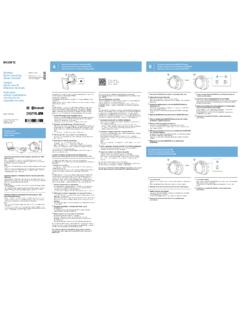
One-touch connection with a smartphone (NFC)/ Pairing and ...
docs.sony.comOne-touch connection is possible only when the app screen is displayed on the smartphone. 4 ouch this unit with the smartphone.T Unlock the screen of the smartphone beforehand. Touch the smartphone on the N marked part of this unit. Keep touching the unit with the smartphone until the smartphone reacts.
WARNING FM/AM Clock Radio - Sony eSupport
docs.sony.comAbout the backup battery To keep To use both sleep timer and alarmgood time, as backup power source, this unit contact. has one CR2032 battery inside of the unit in addition
Related documents

AT&T U-verse Wireless TV Receiver self-installation guide
www.att.comAdditional . Wireless TV Receivers. A. Complete the installation of the first Wireless Receiver. B. Repeat steps 2 and 3 in this guide with additional Wireless Receivers.
MobileLabeler User Guide - DYMO
download.dymo.comUser Guide About Your New Label Maker With the DYMO® MobileLabeler electronic label maker, you can create a wide variety of high-quality, self-adhesive labels and print using Bluetooth® wireless technology from your Apple® or Android™ mobile device. You can also print from your Windows® or Mac computer using Bluetooth wireless technology ...
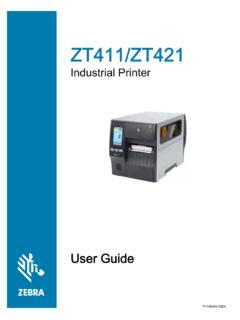
Zebra ZT411/ZT421 Printer User Guide
global-uploads.webflow.com• Increase the separation between the equipment and receiver. • Connect the equipment into an outlet on a circuit different from that to which the receiver is connected. • Consult the dealer or an experienced radio/TV technician for help. FCC Radiation Exposure Statement (for printers with RFID encoders)

TM-m30 Technical Reference Guide - files.support.epson.com
files.support.epson.com- Reorient or relocate the receiving antenna for the radio/TV. - Increase the separation between the equipment and the radio/TV. - Connect the equipment into an outlet on a circuit different from that to which the receiver is connected. - Consult your dealer or an experienced radio/TV technician for help. Never disassemble or modify this product.

TM-m30II Technical Reference Guide
files.support.epson.com- Reorient or relocate the receiving antenna for the radio/TV. - Increase the separation between the equipment and the radio/TV. - Connect the equipment into an outlet on a circuit different from that to which the receiver is connected. - Consult your dealer or an experienced radio/TV technician for help. • Never disassemble or modify this ...