Example: biology
Video Camera Recorder
Video Camera Recorder Operating Instructions Before operating the unit, please read this manual thoroughly, and retain it for future reference. Owner’s Record The model and serial numbers are located on the bottom. Record the serial number in the space provided below. Refer to these numbers whenever you call upon your Sony dealer regarding ...
Tags:
Information
Domain:
Source:
Link to this page:
Documents from same domain
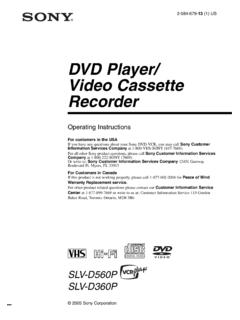
DVD Player/ Video Cassette Recorder - Sony eSupport
docs.sony.comDVD Player/ Video Cassette Recorder Operating Instructions For customers in the USA If you have any questions about your Sony DVD-VCR, you may call Sony Customer Information Services Company at 1-800-VHS-SONY (847-7669). For all other Sony product questions, please call Sony Customer Information Services

Video Cassette Recorder - Sony eSupport
docs.sony.com3-089-903-11 (1) US Video Cassette Recorder Operating Instructions For customers in the USA Many solutions to common problems and service information can be found at

Home Audio System Système audio de salon - docs.sony.com
docs.sony.com— Connect to another audio system to enjoy the Wired Party Chain function (page 24). • AUDIO/PARTY CHAIN IN L/R jacks — Connect to the audio output jacks of a TV or an audio/ video equipment. The sound is output through this system. — Connect to another audio system to enjoy the Wired Party Chain function (page 24). RESET button

Guide de l’utilisateur - Sony eSupport
docs.sony.comGuide de l’utilisateur du Cyber-shot Rechercher Imprimer Avant utilisation Utilisation de l’appareil photo Prise de vue Visualisation Fonctions utiles pour la prise de
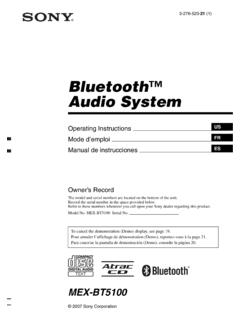
Bluetooth Audio System - Sony
docs.sony.comBluetooth™ Audio System. 2 Warning Be sure to install this unit in the dashboard of the car for safety. For installation and connections, see the supplied installation/ connections manual. You are cautioned that any changes or modifications not expressly approved in this

Interchangeable Lens Digital Camera - Manuals & Specs
docs.sony.comInterchangeable Lens Digital Camera Instruction Manual E-mount. GB 2 This camera is equipped with a built-in instruction guide. In-Camera Guide The camera displays explanations for MENU items and the setting values. 1 Press the MENU button or the Fn (Function) button.

Interchangeable Lens Digital Camera - Manuals & Specs
docs.sony.comGB 2 “Help Guide” is an on-line manual. You can read the “Help Guide” on your computer or smartphone. Refer to it for in-depth instructions

Stereo Receiver Connection and Preparation Playback Tuner ...
docs.sony.comTroubleshooting/ Specifications. 2GB D:\NORM'S JOB\SONY HA\SO17_STR-DH190\STR-DH190\4726907111_GB\020REG.fm4-726-907-11(1) masterpage: Left STR-DH190 ... This radio equipment is intended to be used with the approved version(s) of software that are indicated in the EU Declaration of Conformity. The software loaded on this radio
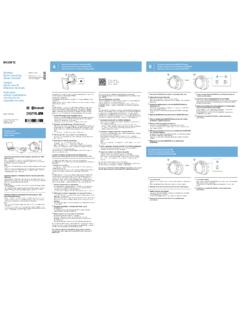
One-touch connection with a smartphone (NFC)/ Pairing and ...
docs.sony.comOne-touch connection is possible only when the app screen is displayed on the smartphone. 4 ouch this unit with the smartphone.T Unlock the screen of the smartphone beforehand. Touch the smartphone on the N marked part of this unit. Keep touching the unit with the smartphone until the smartphone reacts.
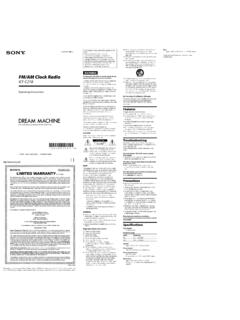
WARNING FM/AM Clock Radio - Sony eSupport
docs.sony.comAbout the backup battery To keep To use both sleep timer and alarmgood time, as backup power source, this unit contact. has one CR2032 battery inside of the unit in addition
Related documents

Form 1 Personal Property Return Any Year
dat.maryland.govequipment, rental televisions, rental video cassette recorders and rental DVDs and video tapes. Category F: 50% per annum* Pinball machines, rental tuxedos, rental uniforms, video games. Category G: 5% per annum* Boats, ships, vessels, (over 100 feet). Long-lived assets Property determined by the Department to have an expected

1. 2. 3. 4. COLLECTION BY AN cassette foil pouch.
www.hsa.gov.sgVIDEO: 30 Sec 1. 2. 3. ... date printed on the Open the pouch. Check for the Result window and Specimen well on the cassette. Read the instructions before using SARS-CoV-2 Antigen Rapid Test kit. Wash or sanitize your hands. Make sure they …

Orient Gene’s Rapid COVID- 19 test How to test yourself ...
assets.publishing.service.gov.ukUsing your test cassette . Open the test cassette packet and take out the test cassette. Your test cassette looks like this: 12 . This part is for you to put your swab sample on. This is a small dip in the cassette. It has the letter S next to it. This part will tell you your results. It has the letters C and T next to it.

IFU: COVID-19 Antigen Rapid Test Cassette (Nasal Swab ...
www.tga.gov.auThe COVID-19 Antigen Rapid Test Cassette (Nasal Swab) is a qualitative, lateral flow immunoassay for the detection of the N protein of SARS-CoV-2 in Nasal Swab. Do Only Supplied Materials Test Kit Contents 1Test 2Tests 5Tests 10Tests 20Tests Test cassette 1 2 5 10 20 Prefilled Buffer 1 2 5 10 20 Dropper tip 1 2 5 10 20
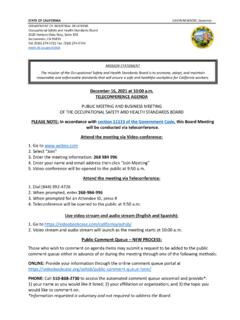
DEPARTMENT OF INDUSTRIAL RELATIONS Occupational …
www.dir.ca.gov5. Video-conference will be opened to the public at 9:50 a.m. Attend the meeting via Teleconference: 1. Dial (844) 992-4726 2. When prompted, enter 268-984-996. 3. When prompted for an Attendee ID, press # 4. Teleconference will be opened to the public at 9:50 a.m. Live video stream and audio stream (English and Spanish) : 1.