Transcription of Why choose this book? Scratch MIT Media Lab
1 7 Scratch PROGRAMMINGWhy choose this book ?It s written in plain EnglishPut off by the jargon? Don t worry, we keep things straight forward. It s easy to followClear, step-by-step instructions make learning s in full colorThis book s printed in color to make it simpler to use and easier on the it s fantastic value Do we need to say any more?Let these icons make it even easierWherever you see one of these icons you know there s a handy tip to spice up your learning, fl ag something to remember or ward you away from potential dangers. UK / $ US / $ CNISBN-13:978-1-84078-612-59781840786125 99415It s fully illustratedWe don t just tell you how to do it, we also show you is a programming language that is widely used on the Raspberry Pi and in schools and colleges. Scratch s highly visual interface and drag-and-drop commands make it an ideal language for all ages to try to program. With Scratch programming in easy steps at hand, learning programming will be a breeze.
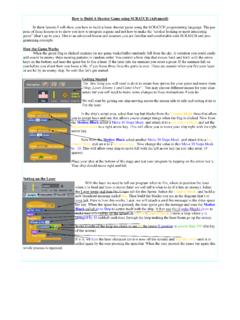
2 this primer introduces you to Scratch fundamentals and then walks you through the commands to create games and animations. Learn to create games that require skill, knowledge or quick fi ngers, such as Spiral Rider, Space Swarm, or the classic Hangman game. Add music and special effects to your games, and of course keep the time you ve fi nished, you ll be impressing your friends and family with your own computer games! Look inside174175 Space SwarmEnabling the player to fi reTo enable the player to re, we ll add a script to the player s sprite that broadcasts re when the player presses the space bar, and we ll tell our missile sprite to move when it receives that broadcast: 1 Click the ship in the Sprite List 2 Add a script to the sprite that continuously checks for the spacebar being pressed, and then broadcasts re and waits when it is 3 Click the missile sprite in the Sprite List 4 Add this script to your sprite, to hide the missile when the game starts, and position it behind the ship 5 Add a script for when the broadcast re is received.
3 We don t want to re when the player has been hit, so we wrap everything in an if block that checks for this . e script moves the sprite to the ship s position, and then lowers it slightly, so the missile comes from the ship and not the pilot s head. e loop moves the missile right until it s o screen 6 Click that last script to see the missile reWe use the broadcast and wait block to stop the player from being able to fi re a second missile while the fi rst one is still on the screen. If we put a broadcast and wait block inside our movement script, the player wouldn t be able to move while a missile was on screen. If we used the broadcast block instead, when the player pressed space a second time, the missile would jump back to the ship and start 20 steps for the missile movement makes it faster than anything else in the game. Moving and shooting aliens e alien uses the pixelate e ect to materialize in a random position on the right.
4 It makes a zig-zag pattern across the Stage by pointing in a random left-facing direction, making eight movements, and then changing direction, until it reaches the left of the Stage. e picture shows paths in di erent colors, drawn with the pen: 1 Click the alien in the Sprite List. Add the when green ag clicked block and a block to set the size of your sprite. Mine is 50% 2 Fix the rotation style to left-right, using the set rotation style left-right block in Scratch In Scratch , use the settings above the Blocks Palette instead (see Chapter 2) 3 Add a forever block. e alien is always moving. When it s dead, it s hidden, but still keeps moving 4 Inside your forever bracket add the blocks that put your sprite in a random position on the right of the screen and use the pixelate e ect to make it appearIf you ve used a different alien sprite to me, adjust the size of the sprite in this script as appropriate. Smaller aliens make it easier for the player to avoid hitting them, but make it harder for the missile to hit them can have several scripts on the same sprite, and you can use the green fl ag to start any of ILLUSTRATEDEASY TO FOLLOWPLAIN ENGLISHIN FULL COLOR I was extremely happy with the In Easy Steps series and have purchased several of their guides.
5 Their get it done tutorials provide quick and easy reference material for when I m programming or - Webmaster ezineSean McManuscovers Scratch and Scratch by Mitchel ResnickMIT Media Lab7@InEasyStepsIn Easy StepsFollow usIn Easy Steps ebooksnow available to download onto your computer, tablet and smartphone from m i k e m c g ra thFULLY ILLUSTRATEDEASY TO FOLLOWPLAIN ENGLISHIN FULL COLORB uildingAndroid Apps Covers new MIT Versionusing App Inventor - no coding required! Liked this book ? More titles to Stay Ahead In Easy StepsTRATEDAALOWHCOLORC omputer BasicsComputing for SeniorsiMacInternet for SeniorsLaptops for SeniorsMac BasicsMacBookUpgrading and Fixing a PCIllustratorInDesignPhotoshopPhotoshop ElementsAccounts & BookkeepingMicrosoft ExcelMicrosoft Offi ceMicrosoft PowerPoint Microsoft ProjectMicrosoft WordLinuxMac Tips, Tricks & ShortcutsWindows 7 Windows 8 Windows 8 for SeniorsWindows 8 Tips, Tr icks & ShortcutsOPERATING SYSTEMS GENERALDESIGN & GRAPHICSOFFICE & ACCOUNTINGA ndroid TabletsCloud Computing Digital SLR PhotographyiPadiPhoneSamsung Galaxy TabDIGITAL LIFESTYLEB uilding Android AppsC++ ProgrammingDreamweaverGet to on GoogleHTML5 JAVAJavaScriptPHP & MySQLSQLWeb DesignPROGRAMMING & WEB DEVELOPMENT Learn to program with ScratchScratch makes it easy to create your own games, animations, music, art or applications.
6 It s the perfect way to learn programming because it takes away a lot of the complexity. That means you can focus on having great ideas and bringing them to life. With this book as your companion, you ll learn how to: Design, build and share your own programs Create addictive arcade games, quizzes and word games Make computer-generated art Play your favourite music and compose your own tunes Use variables, lists, loops, broadcasts and operators to create sophisticated software- Avoid common programming pitfalls and bugs- Interact with webcam video and the sensors on a PicoBoard this book is an in-depth guide to both the new web-based Scratch , and Scratch , as used on the Raspberry Pi. With no prior knowledge needed, this book takes you from scratchto Scratcher!Visit our website for information on our titles, free chapters, offers, user forum and to leave 20% off any In Easy Steps bookGo to quote Scratch coupon code at checkout (P & P extra)Foreword by Mitchel Resnick 7 Introducing Scratch 9 What is Scratch ?
7 10 Which version of Scratch ? 11 Starting on the Raspberry Pi 12 Creating a Scratch account 13 Using the Scratch screen 14 Exploring the blocks 16 Changing the backdrop 18 Creating your first program 20 Saving your project 23 Opening projects 25 Opening shared projects 26 Drawing with Scratch 27 Understanding coordinates 28 Changing a sprite s position 30 Using the pen 31 Drawing a house in Scratch 33 Using directions to move 35 Keeping sprites upright 36 Drawing using directions 38 Making shapes using Repeat 39 Putting loops inside loops 40 Creating Rainbow Painter 41 Spiral Rider 43 Introducing Spiral Rider 44 Using the green flag 45 Creating variables 46 Drawing a spiral 48 Changing the background 51 Adding sprites 52 Animating the crab 54 Enabling keyboard control 56 Making the fish move 58 Adding Game Over messages 6131 Contents2 Super Dodgeball 63 Introducing Super Dodgeball 64 Setting up the variables 65 Preparing for the game start 67 Using coordinates
8 To move 68 Adding more images 70 Renaming sprites 71 Making random numbers 72 Moving the ball 73 Copying and deleting sprites 75 Adding the energy meter 78 Painting in Scratch 80 Using Paint tools 82 Using colors 84 Using vectors in Scratch 85 Making the ice cream appear 86 Enabling the player to score 88 Tweaking the gameplay 90 Cosmic Chorus 91 Introducing Cosmic Chorus 92 Adding sprites and costumes 93 Preparing Cosmic Chorus 96 Adding sounds to a sprite 97 Sounds in Scratch 99 Recording in Scratch 100 Playing sounds 101 Making Gobo sing 102 Using broadcasts 103 Conducting the Gobo 104 Adding more Gobos 105 Playing music in Scratch 107 Adding the singing soloist 108 Adding a title screen 110 Enabling the title screen 111 Making your own tunes 112 London Bridge 11454 Quiz Break 115 Introducing Quiz Break 116 Preparing for Quiz Break 117 Drawing the timer 119 Moving the clock hand 121 Adding a rising sound effect 124 Asking questions 125 Joining text to greet players 126 Preparing the quiz 127 Making the questions 128 Checking the answers 130 Reporting the scores 132 Adding the victory dance 133 Hangman 135 Introducing Hangman 136 Importing the images 137 Making the gallows 138 Making the alphabet sprite 140 Creating the variables 141 Setting up the gallows 142 Losing the game 143 Adding graphic effects 144 Creating the main script 146 Creating lists 149 Using lists 150 Setting up the variables 152 Showing the game board 155 Testing the game board 158 Asking for the player s guess 159 Checking the letter 161 Game over 164 Space Swarm 165 Introducing Space Swarm 166 Preparing the images 167 Adding sound effects 169 Creating the variables 170 programming the hero 171 Enabling the player to fire 174 Moving and shooting aliens 175 Finishing touches 177 Adding the high score 178678 Scratch
9 Hardware projects 179 Using a webcam 180 Using video direction 181 Going Batty 182 Using a PicoBoard 184 Making a clap-o-meter 185 Making Night Flight 186 Using the Raspberry Pi GPIO 189 Seven shorties 191 Keepy-Uppy 192 Shop Cat 194 Penguin Patter 197 Ransom Writer 198 Maze Mania 201 Abstract Artist 202 Photo Safari 203 Making and sharing projects 205 Making your own programs 206 Common bugs 208 Sharing your projects 209 Resources 210 Acknowledgements 210 Acknowledgements 210 Index 2111110919 How to use this bookWelcome to the wonderful world of Scratch ! this book will show you some of the great projects you can build with Scratch , and will give you the skills and knowledge you need to start designing your own projects.
10 The book has been written so that each chapter teaches you something new, and builds on the previous chapters. For that reason, the best way to use this book is to work through the chapters in the right order. Feel free to experiment as you go, though: there are lots of things you can do to customize and improve the examples in this book , and that s a big part of what Scratch is all about. If you need advice on something that hasn t been covered yet, or you want to revise something you read earlier, consult the index for more s what s in store: In Chapter 1, you ll learn the basics of Scratch . Sprites are objects you can use in your games, and you ll meet the cat sprite here. In your first program, it goes for a quick walk. In Chapter 2, you ll learn how to draw with Scratch , how to move sprites around the Stage, and how to make bits of your program repeat. The final project is art program Rainbow Painter, which leaves a colorful line behind your mouse.