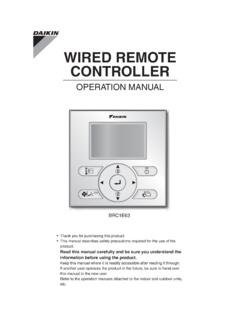
Transcription of WIRED REMOTE CONTROLLER - Daikin AC
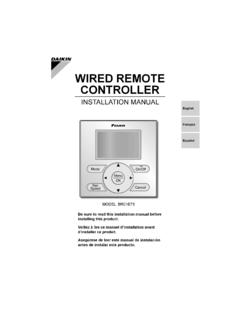
1 EnglishFran aisEspa olOn/OffModeFanSpeedCancelMODEL BRC1E73 WIRED REMOTE CONTROLLER OPERATION MANUALT hank you for purchasing the WIRED REMOTE CONTROLLER . This manual describes safety measures which should be considered during the use of the product. Read this manual carefully and be sure you understand the information provided before using the product. Keep this manual where it is readily accessible to all current and future vous remercions pour votre achat de la t l commande c bl e. Ce manuel d crit les pr cautions de s curit respecter lors de l utilisation du produit.
2 Lisez soigneusement ce manuel et veillez bien comprendre les renseignements fournis avant d utiliser le produit. Conserver ce manuel dans un endroit accessible tous les op rateurs actuels et por su compra del control remoto al mbrico. Este manual describe las consideraciones de seguridad que deben ser observadas durante el uso del producto. Lea cuidadosamente este manual y aseg rese de comprender la informaci n provista antes de intentar usar el este manual en un lugar f cilmente accesible para los usuarios actuales y 111/12/2014 2:34:24 PM11/12/2014 2:34:24 211/12/2014 2:34:25 PM11/12/2014 2:34:25 PMEnglish 1 NoticesSafety Considerations Items to be Strictly Observed.
3 2 Button Locations and Descriptions .. 4 Basic OperationCool/Heat/Auto/Fan Operation .. 10 Dry Mode .. 13 Setback .. 14 Ventilation Mode .. 15 Setting the Cool / Heat Changeover Master .. 16 Key Lock .. 19 Quick ReferenceMain Menu Items .. 20 Menu OptionsNavigating the Main Menu Screen .. 22 Airfl ow Direction .. 23 Individual Airfl ow Direction .. 25 Ventilation .. 28 Schedule .. 30 Off Timer .. 35 Maintenance Information .. 37 Confi guration .. 38 Current Settings .. 42 Clock & Calendar .. 42 Daylight Saving Time.
4 45 Language .. 48 MaintenanceReset Filter Indicator .. 48 Maintaining the Unit and LCD Display .. 49 Reference InformationError Code Display .. 50 After-sale Service .. 51 111/12/2014 8:23:51 PM11/12/2014 8:23:51 PM2 EnglishSafety ConsiderationsThe original instructions are written in English. All other languages are translation of the original these SAFETY CONSIDERATIONS carefully before operating the REMOTE the customer to operate and maintain the REMOTE customers that they should store this Operations Manual with the Installation Manual for future of WARNING and CAUTION Symbols.
5 WARNINGI ndicates a potentially hazardous situation which, if not avoided, could result in death or serious a potentially hazardous situation which, if not avoided, may result in minor or moderate may also be used to alert against unsafe situations that may result in equipment or property-damage accidents following pictograms are used in this manual. Never follow the instructions water and moisture wet hands not modify or repair the REMOTE CONTROLLER . Consult your Daikin dealer for any modifi cation or for not relocate or reinstall the REMOTE CONTROLLER by yourself.
6 Improper installation may result in electric shocks or fi re. Consult your Daikin dealer to relocate or for any not use fl ammable materials ( , hairspray or insecticide) near the REMOTE not clean the product with organic solvents such as paint use of organic solvents may cause cracking, damaging the product, causing electric shocks, or fi the dealer if the REMOTE CONTROLLER was submerged under water due to a natural disaster, such as a fl ood or not operate the REMOTE CONTROLLER at this time or a malfunction, electric shock, or fi re can 211/12/2014 8:23.
7 52 PM11/12/2014 8:23:52 PMEnglish 3 Items to be Strictly Observed CAUTIONDo not allow children to play with the REMOTE CONTROLLER to avoid causing damage to the product. Never disassemble the REMOTE CONTROLLER . Touching the interior parts may result in electric shocks or fi your Daikin dealer for internal inspections and not touch the REMOTE CONTROLLER buttons with wet fi ngers. Touching the buttons with wet fi ngers can cause an electric not wash the REMOTE CONTROLLER . Doing so may cause electric leakage and result in electric shocks or fi let the REMOTE CONTROLLER to get wet.
8 Water can cause damage to the REMOTE CONTROLLER , and may cause an electric shock or fi press the button of the REMOTE CONTROLLER with a hard and pointed REMOTE CONTROLLER may be pull or twist the electric wire of the REMOTE CONTROLLER . It may cause the unit to not wipe the REMOTE CONTROLLER with benzine, thinner, chemical dustcloth, REMOTE CONTROLLER may get discolored or the coating peeled off. If it is heavily dirty, soak a cloth in water-diluted neutral detergent, squeeze it well and wipe the REMOTE CONTROLLER clean. And wipe it with another dry 311/12/2014 8:23:52 PM11/12/2014 8:23:52 PM4 EnglishOn/OffModeFanSpeedCancelButton Locations and DescriptionsFunctions other than basic operation items ( , On/Off, Operation Mode, Fan Speed, and Setpoint) are set from the menu screen.
9 NOTE Do not install the REMOTE CONTROLLER in places exposed to direct sunlight, the LCD will be not pull or twist the REMOTE CONTROLLER cord, the REMOTE CONTROLLER may be not use objects with sharp ends to press the buttons on the REMOTE CONTROLLER , damage may result. 2. Fan speed control button 3. Menu/OK button 8. On/Off button10. Cancel button 9. Operation lamp11. LCD (with backlight) 4. Up button 5. Down button 6. Right button 7. Left button 1. Operation mode selector 411/12/2014 8:23:52 PM11/12/2014 8:23:52 PMEnglish 5 Operation mode selector button1.
10 Press this button to select the operation mode of your preference. (See page 10.)Available modes vary with the indoor unit * speed control button2. Press this button to select the fan speed of your preference. (See page 11.)Available fan speeds vary with the indoor * unit button3. Used to enter the main menu. (See page 20 for the menu items.)Used to enter the selected item. Up button 4. Used to raise the setpoint. The item above the current selection will be highlighted.(The highlighted items will be scrolled continuously when the button is continuously pressed.)