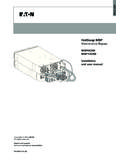
Transcription of XP-503 Panel PC - Eaton
1 Manual 07/2014 MN048014-EN XP-503 Panel PC Company Information 2 XP-503 07/2014 MN048014-EN Manufacturer Eaton Automation GmbH Spinnereistrasse 8-14 CH-9008 St. Gallen Switzerland Support Region North America Eaton Corporation electrical sector 1111 Superior Ave. Cleveland, OH 44114 United States 877-ETN-CARE (877-386-2273) Other regions Please contact your local distributor or send an e-mail to: Original instructions The German-language edition of this document is the original manual. Translated instructions All editions of this document other than those in German language are translations of the original manual.
2 Redaction Manfred H ppi Brand and product names All brand and product names are trademarks or registered trademarks of the owner concerned. Copyright Eaton Automation GmbH, CH-9008 St. Gallen All rights reserved, also for the translation. No part of this document may be reproduced in any form (print, photocopy, microfilm, or other methods) or processed, duplicated, or distributed with the use of electronic systems without the written permission of Eaton Automation GmbH, St. Gallen. Subject to alteration Contents XP-503 07/2014 MN048014-EN 3 Contents 1 General.
3 5 Purpose of this manual .. 5 Comments about this document .. 5 Additional documentation .. 5 2 Description of device .. 7 Function .. 7 Intended use .. 7 Device versions .. 8 Designation .. 9 3 Safety instructions .. 11 Basics .. 11 Precautionary statements .. 12 Mandatory requirements, personnel requirements .. 13 Occupational safety .. 13 Personnel qualifications .. 13 Manual .. 13 Installation, maintenance, and disposal .. 13 Prohibited use .. 13 Prerequisites for proper operation .. 14 Device-specific hazards.
4 15 4 Installation .. 19 Safety instructions .. 19 Unpacking and checking the package contents .. 19 Storage and transportation .. 19 Installing .. 19 Temperature .. 20 Aeration and de-aeration .. 20 Mounting position .. 21 Installation cut-out .. 21 Fixing and sealing .. 22 Preparing the device for operation .. 24 Connecting the power supply .. 25 Using peripheral devices .. 26 External connections .. 27 Ethernet connections .. 27 USB connections .. 28 DVI-I interface .. 28 Serial interfaces .. 29 5 Commissioning and operation.
5 31 Adding expansions to the XP-503 .. 31 General prerequisites .. 31 Connecting peripheral devices .. 34 Interfaces .. 34 Contents 4 XP-503 07/2014 MN048014-EN Periphery .. 36 Using the storage media .. 37 CFast memory card .. 37 Using the XP-503 .. 40 Safety Instructions .. 40 Commissioning .. 42 XP-503 with Windows Embedded Standard 7 .. 45 Protect Mode (Operated with two drives, C:\ and D:\) .. 45 Managing Accounts and Auto Logon functionality .. 48 Touch parameters .. 50 License Eaton Galileo-Open Runtime.
6 52 License Eaton Visual Designer Runtime .. 52 6 Maintenance and repairs .. 53 Safety instructions .. 53 Maintenance .. 53 Cleaning the capacitive touch Panel .. 53 Battery .. 53 Repairs .. 54 7 Storage, transport and disposal .. 55 Safety instructions .. 55 Storage .. 55 Transport .. 55 Disposal .. 56 8 Technical data .. 57 Dimensions for XP-503 with cm ( ") display .. 57 Front dimensions .. 57 Device dimensions .. 58 Fitting dimensions .. 59 Dimensions for XP-503 with cm ( ") display .. 60 Front dimensions.
7 60 Device dimensions .. 61 Fitting dimensions .. 62 Dimensions for XP-503 with cm ( ") display .. 63 Front dimensions .. 63 Device dimensions .. 64 Fitting dimensions .. 65 General .. 66 Directives and standards .. 70 Approvals .. 70 1 General Purpose of this manual XP-503 07/2014 MN048014-EN 5 1 General Purpose of this manual This manual contains all the information you will need in order to use the XP-503 Panel PC safely and effectively. The manual is considered an integral part of the device and must always be readily available in the device's close proximity.
8 This manual describes all the lifecycle stages for the device: transportation, installation, commissioning, operation, maintenance, storage, and disposal. It does not, however, go over its operating system or application software. Before working with the device, make sure to read chapter 3, "Safety instructions". Chapter 3 contains important information regarding your own personal safety, and must be read and understood by everyone who will be working with the device. WARNING Incomplete manual copies Working with individual pages taken out from the manual may lead to bodily injury and property damage due to missing safety information.
9 Always work with the full document. Comments about this document Please send any comments, recommendations, or suggestions regarding this document to Additional documentation The following documents may also be helpful in relation to the use of this device: [1] MN05010009Z-DE System Description Networks in Brief (information on networks in general and on how to integrate PCs and panels into networks) These documents can be downloaded at: (search for the document number using the search field on the home page) (search for the document number using the search field on the home page) 1 General Additional documentation 6 XP-503 07/2014 MN048014-EN 2 Description of device Function XP-503 07/2014 MN048014-EN 7 2 Description of device Function XP-503 panels can be used as control and monitoring devices.
10 XP-503 devices are the answer to the growing demand of machine and system manufacturers for high-precision, cost-effective HMI solutions featuring industrial-grade capacitive multi-touch technology. These devices are available in three widescreen display sizes: ", ", and ". Their slim design, featuring a non-reflective glass front, delivers a modern look. The robust, scratch-resistant front and open device concept on the Panel PCs make them suitable for use in almost all branches of industry involved in mechanical and plant engineering. Intended use XP-503 Panel PCs are primarily intended for use in machine and system building applications.