2021-2022 FIRST Tech Challenge Blocks Programming Guide
Manual rule <RS01. Users with Two Android Devices Teams who have two Android devices and are not using a Control Hub will need to configure one smartphone for use as a Robot Controller and a second device for use as a Driver Station. The process is as follows, • Rename one smartphone to "<TEAM NUMBER>-RC" (replace <TEAM NUMBER> with your team
Download 2021-2022 FIRST Tech Challenge Blocks Programming Guide

Information
Domain:
Source:
Link to this page:
Documents from same domain
Volunteer Registration Step by Step Guide - FIRST
www.firstinspires.org3 Volunteer Registration If you need to create a new account, please fill out the requested information. You will be emailed an account activation link to complete the process.
2017-2018 Awards - FIRST
www.firstinspires.orgCeremony Script Updated 09/07/17 IMPORTANT NOTES: • Awards MUST be presented in the order listed below. • At some events, Closing Ceremonies occur …
2017-2018 Opening - FIRST
www.firstinspires.orgCeremony Script Updated 09/07/2017 Speaker Dialogue Blocking Notes Affiliate Partner or Event Director Good morning [Insert name of Locale]!Welcome to the [Insert name of Event] My name is _____ and I’m the [insert FIRST® Tech Challenge title here].
2017 SEASON FACTS - FIRST
www.firstinspires.org2017 SEASON FACTS www.firstinspires.org STATS (AS OF 03/22/17) ... 2 Championship Events: April 19-22, 2017 in Houston, TX and April 26-29, 2017 in St. Louis, MO ALUMNI AND SCHOLARSHIPS ... FUN FACTS Kickoff Kits ...
Robot Inspection Checklist - FIRST
www.firstinspires.orgRobot does not contain materials that would cause a delay of game if released. <RG01>h Robot does not contain elements that electrically ground the Robot frame to the Playing Field.
Volunteer Role Descriptions - FIRST
www.firstinspires.orgVolunteer Role Descriptions Rev. Oct 2017 3 Assistant Scorekeeper Assists the Scorekeeper in entering the Robot Game scores into the computer from the referees' score
Game Manual Part 1 - firstinspires.org
www.firstinspires.orgPlaying Field – The part of the Competition Area that includes the 12 ft. x 12 ft. (3.66 m. x. 3.66 m) field and all the elements described in the official field drawings. Pit Area – The Pit Area is a separate space from the Competition Area where Teams can work on their Robot
Part 1 - FIRST
www.firstinspires.org39073 - flat building plate (1) 39098 - 5/16" socket head cap screws (4) 39094 - keps nuts (4) Figure 9- Unassembled view Figure 10- Assembled view Helpful Hints • Make sure that the frame is perpendicular by looking at the robot from above and ensuring the left and right rails are parallel and the cross braces form right angles with them.
2021-2022 Legal and Illegal Parts List - FIRST
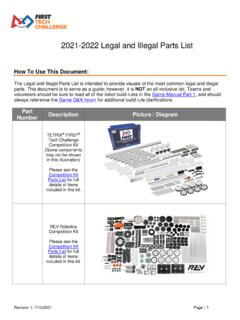
www.firstinspires.orgThe Legal and Illegal Parts List is intended to provide visuals of the most common legal and illegal parts. This document is to serve as a guide; however, ... • Electrical Tape and Heat Shrink tubing for electrical insulation only • Plastic Coated Wire Rope • Electrical wire • Aluminum or Nylon/Plastic Pop Rivets • Magnets
2020-2021 FIRST Tech Challenge Field Setup Guide
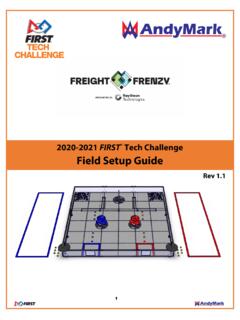
www.firstinspires.org1.0 9/10/2021 Initial Release 1.1 9/16/2021 K ickoff Release, added Alliance Hub Tape Marker, minor text edits.
Related documents
Manual - Fanatec
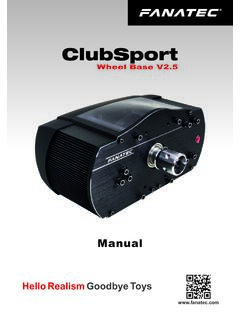
fanatec.comservo motor, smooth belt drive and 900° rotation angle built into a high quality metal construction and including the quick release. Select the Steering Wheel of your choice compatible to your ClubSport Wheel Base V2.5 such as the BMW M3 GT2, the Formula Black and Formula Carbon, the Porsche 918 RSR and the Universal Hub.

Camera User Guide
gdlp01.c-wss.com2 Before Use Basic Guide Advanced Guide 1 Camera Basics 2 Auto Mode 3 Other Shooting Modes 5 Playback Mode 6 Wi-Fi Functions 7 Setting Menu 8 Accessories 4 P Mode 9 Appendix Index Initial Information Package Contents Before use, …

A3 SUPER - HobbyEagle
hobbyeagle.comSERVO TRIMMING AND TRAVEL LIMITING Go to the Servo tab of the software, click the “Servo Trimming” and “Travel Limiting” buttons to adjust the center position and travel limits of the servos using your transmitter. See Page 24 “11.8.1.Servo Trimming” and Page 25 “11.8.2.Travel Limiting”. 9. ATTITUDE CALIBRATION

AC Servo Motor and Driver˜ MINAS A4 Series˜
industrial.panasonic.com•Thank you for buying and using Panasonic AC Servo Motor and Driver, MINAS A4 Series. •Read through this Instruction Manual for proper use, especially read "Precautions for Safety" ( P.8 to 11) without fail for safety purpose. •Keep this Manual at an easily accessible place so as to be referred anytime as necessary.
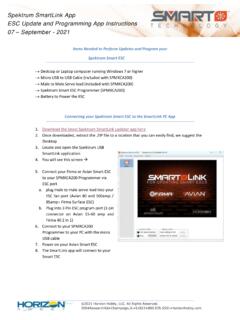
Spektrum SmartLink App ESC Update and Programming App ...
www.horizonhobby.coma. plug male to male servo lead into your ESC fan port (Avian 80 and 100amp / 85amp+ Firma Surface ESC) b. Plug into 3 Pin ESC program port (3 pin connector on Avian 15-60 amp and Firma 40 2 in 1) 6. Connect to your SPMXCA200 Programmer to your PC with the micro USB cable 7. Power on your Avian Smart ESC 8. The SmartLink app will connect to your

X-Plane
www.x-plane.comAileron Servo Test If the self-test is satisfied, the RDY illumination will be present. The pilot should now perform a manual test of the aileron servo, by selecting HDG (Heading) mode, and then adjusting the directional gyro heading bug to the left, and right, of the current heading. If